Quiz
The Quiz activity (mod_quiz) presents students with a set of questions that are graded automatically (or manually for essays). The AI generates the quiz with its title, description, full question set — across nine question types — and every timing, grading, layout, behavior, and review setting the teacher requests.
AI-generated settings
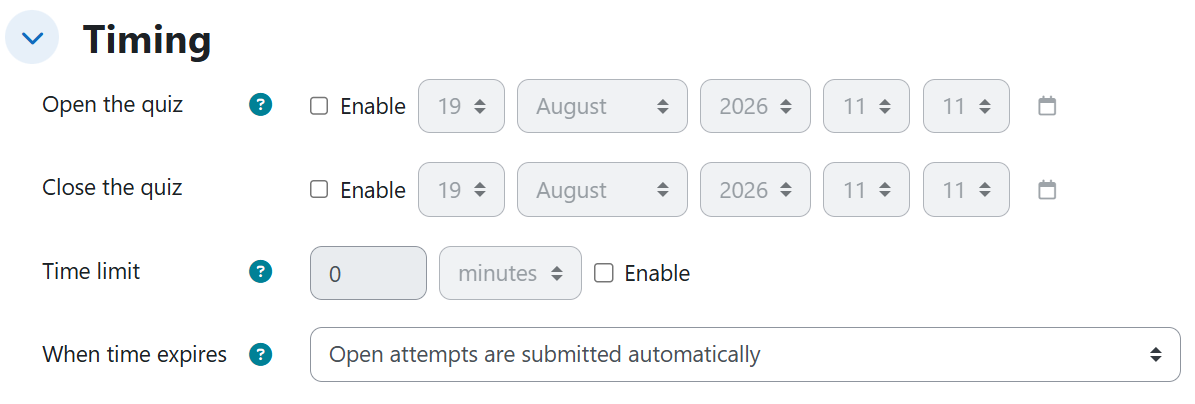
Timing
| Setting | Description | Possible values | Default |
|---|---|---|---|
| Open the quiz | Date from which attempts are allowed. A day named as an opening starts at 00:00. | Disabled, or an absolute date / relative period | Disabled |
| Close the quiz | Date after which no new attempts are allowed. A day named as a closing ends at 23:59. | Disabled, or an absolute date / relative period counted from the open date (or from creation if none) | Disabled |
| Time limit | Maximum duration of an attempt. | Disabled, or a duration (e.g. 40, 60, 90 minutes) | Disabled |
| When time expires | What happens to an unfinished attempt when time runs out. | Open attempts are submitted automatically / There is a grace period when open attempts can be submitted, but no more questions answered / Attempts must be submitted before time expires, or they are not counted | Open attempts are submitted automatically |
| Submission grace period | Extra time to submit (not to answer) after the time limit. | Duration (e.g. 10 minutes) | Not emitted |
Grade
| Setting | Description | Possible values | Default |
|---|---|---|---|
| Attempts allowed | How many attempts each student gets. | Unlimited, or a number (e.g. 2, 3, 5) | Unlimited |
| Grading method | Which attempt counts when several are allowed. | Highest grade / Average grade / First attempt / Last attempt | Highest grade |
| Maximum grade | Total points of the quiz. Not shown on the settings page: verified from Edit quiz. | Number (e.g. 10, 20) | 10 |
| Grade to pass | Minimum grade to pass. | Number below the maximum grade (e.g. 12) | Empty |
Layout
| Setting | Description | Possible values | Default |
|---|---|---|---|
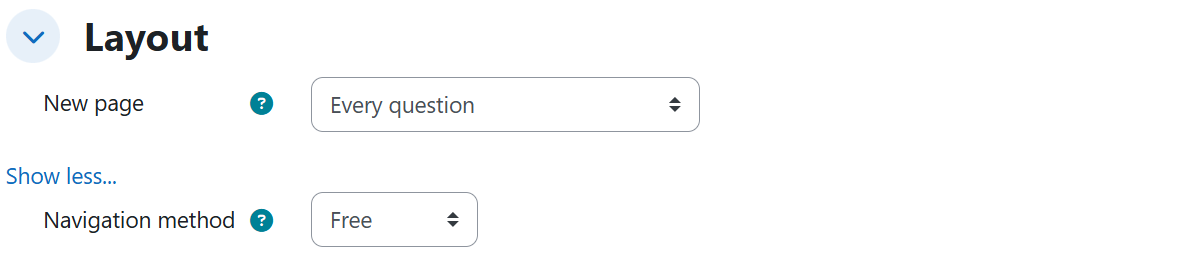
| New page | How many questions per page. | Every question / Every N questions (e.g. 3) / Never, all questions on one page | Every question |
| Navigation method | Whether students can move freely between questions. | Free / Sequential | Free |
Question behaviour
| Setting | Description | Possible values | Default |
|---|---|---|---|
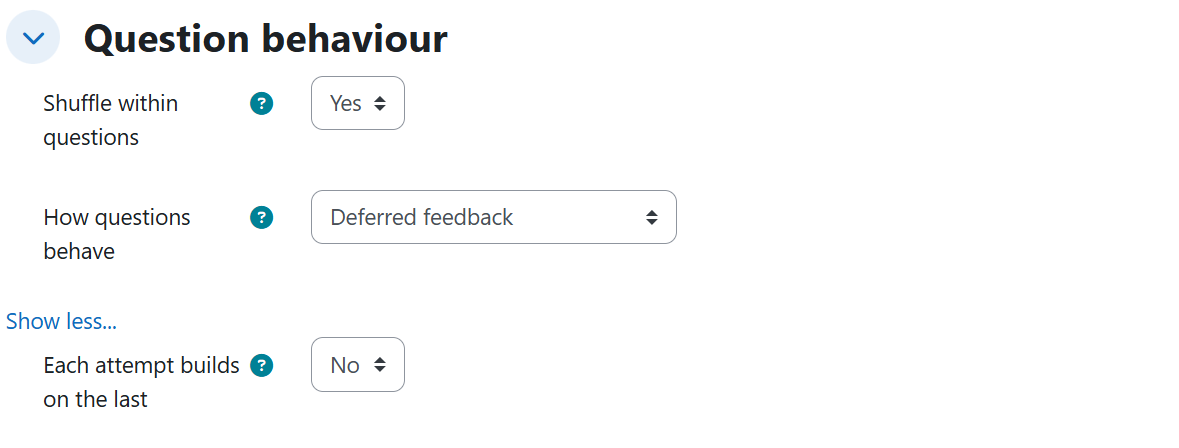
| Shuffle within questions | Randomly shuffles answer options in each question. | Yes / No | Yes |
| How questions behave | Feedback and retry model within an attempt. | Deferred feedback / Immediate feedback / Interactive with multiple tries / Adaptive mode | Deferred feedback |
| Each attempt builds on the last | New attempts start preloaded with the previous attempt's answers. | Yes / No | No |
| Allow redo within an attempt | Lets a student redo an individual question inside the same attempt. | Yes / No | No |
Review options
The four content checkboxes — Whether correct, Specific feedback, General feedback, and Right answer — always move together; the only real choice is when they are visible.
| Setting | Description | Possible values | Default |
|---|---|---|---|
| Whether correct / Specific feedback / General feedback / Right answer | What review information students see, per period column. | Checked in Immediately after the attempt and Later, while the quiz is still open; only in After the quiz is closed; or unchecked in all three columns (never) | Checked in the immediately and while-open columns, unchecked after close |
| The attempt / Marks / Maximum marks / Overall feedback | Access checkboxes for the review page in a given period. | Checked together with the content checkboxes of that period | Checked per period defaults |
Appearance and other settings
| Setting | Description | Possible values | Default |
|---|---|---|---|
| Decimal places in grades | Decimals shown in quiz grades. | Number (e.g. 2, 3) | 2 |
| Decimal places in question grades | Decimals shown in per-question grades. | Same as for overall grades / a number (e.g. 1) | Same as for overall grades |
| Show the user's picture | Shows the student's photo during the attempt (identity check). | No image / Small image / Large image | No image |
| Show blocks during quiz attempts | Keeps side blocks visible during attempts. | Yes / No | No |
Generated content
The AI generates the requested number of questions (with their answer options, accepted answers, and feedback) across up to nine question types:
| Question type | What the AI generates |
|---|---|
| Multiple choice | A stem with several alternatives and one correct answer. |
| True/False | A statement to be judged true or false. |
| Short answer | A question with its list of accepted text answers. |
| Description | An introductory text block: not answered, not graded, and does not add to the quiz's Maximum grade. |
| Numerical | Accepts a typed numeric answer with an error margin (tolerance) defined in the question. |
| Essay | An open answer in a text editor that remains pending manual grading: the attempt is not fully auto-graded until the teacher grades it. |
| Select missing words | Sentences with gaps completed from dropdown menus, with distractors in addition to the correct answers. |
| Calculated | The stem uses wildcards like {a} or {b} backed by datasets, so values change between attempts and the correct answer comes from a formula with its tolerance. |
| Calculated multichoice | The alternatives are also computed from the same wildcards and only one is correct. |
When a syllabus or source document is uploaded, the title, description, and all questions are drawn strictly from the requested units of that document.
Rules and behavior
- The review checkboxes are not independent: Whether correct, Specific feedback, General feedback, and Right answer are emitted as a block, and the teacher only chooses when they are seen — immediately, after the quiz closes, or never.
- Asking to see the review after close also requires a date in Close the quiz: without it, Moodle disables the whole After the quiz is closed column and students would never reach that period, so both are always set together.
- When the after-close column is activated, the access checkboxes of that period — The attempt, Marks, Maximum marks, Overall feedback — are checked at the same time: without The attempt, Moodle does not let students open the review page.
- A relative closing period is counted from the open date requested in the same prompt; without an open date it is counted from the moment of creation.
- Submission grace period is only emitted when When time expires is set to the grace period mode.
- Allow redo within an attempt is enabled together with an immediate-feedback style behavior, which is where the form makes it available.
- Each attempt builds on the last makes sense (and is requested) together with more than one attempt.
- Setting Decimal places in question grades to a specific number replaces the "Same as for overall grades" option.
- In Calculated and Calculated multichoice questions generated from a syllabus, only the numeric wildcard values vary between attempts by design.
Example prompts
Without syllabus
A minimal prompt that produces a review quiz of about six questions with every setting at its default value:
I need a review quiz on the water cycle for the secondary school Natural Sciences course. It should have about six questions and help students check what they understood from the unit.
An exam with exact dates, sequential navigation, first-attempt grading, a 60-minute limit with auto-submit, and review only after close:
I need the midterm exam for the Computer Networks course, with twelve questions mixing multiple choice, true/false, and short answer, shown three per page and moving forward in order, with no going back. It opens on October 5, 2026 and closes on October 9, 2026. Give it a 60-minute limit and, when time runs out, have the attempt submitted automatically with whatever they have answered. Allow 2 attempts, but the grade that counts is the first one, and feedback stays deferred until they submit the attempt; the correct answers and the feedback must only be visible once the quiz has closed. Shuffle the answer options, grade it out of 20 points with 12 to pass, show grades with 3 decimal places and the student's small picture during the exam, to verify identity.
With syllabus
An adaptive-mode reinforcement quiz with a grace period, chained attempts, last-attempt grading, and no review at all, anchored to unit 3 of the syllabus:
Prepare a reinforcement quiz with ten short-answer questions on the concepts of unit 3 of the syllabus. Have them work in adaptive mode: if they get it wrong they can retry the same question within the attempt, taking a penalty. Give it a 40-minute limit and, when time is up, a 10-minute grace period so they can manage to submit even though they can no longer answer more questions. Allow 5 attempts, have each new attempt start with the previous one's answers already loaded, and let the grade that counts be the last attempt's. Since the question bank will be reused, students must never see the correct answers or the feedback.
A practice quiz covering the six remaining question types (Description, Numerical, Essay, Select missing words, Calculated, Calculated multichoice), anchored to unit 2 of the syllabus:
Prepare a practice quiz on unit 2 of the syllabus, with about ten or twelve questions mixing several formats. Start with an introductory text before the questions, one that is not answered or graded, presenting what is going to be practiced. Include numerical questions where the student types the result of a calculation and a small margin of error is accepted, an open essay question where they explain a concept from the document in their own words and which I will grade manually, questions completing sentences by choosing the missing word from dropdown menus, calculated questions whose numeric values change randomly on each attempt, and calculated multichoice questions, where the alternatives are also computed from those same values. Do not change any other quiz setting.