Glossary
The Glossary activity (mod_glossary) is a collaborative dictionary of terms and definitions. The AI generates the glossary with its title, description, an initial set of entries (concept plus definition), and every type, approval, display, browsing, and rating setting the teacher requests.
AI-generated settings
General
| Setting | Description | Possible values | Default |
|---|---|---|---|
| Glossary type | Whether this is the course's main glossary (where secondary glossaries can export entries) or a secondary one. | Main glossary / Secondary glossary | Secondary glossary |
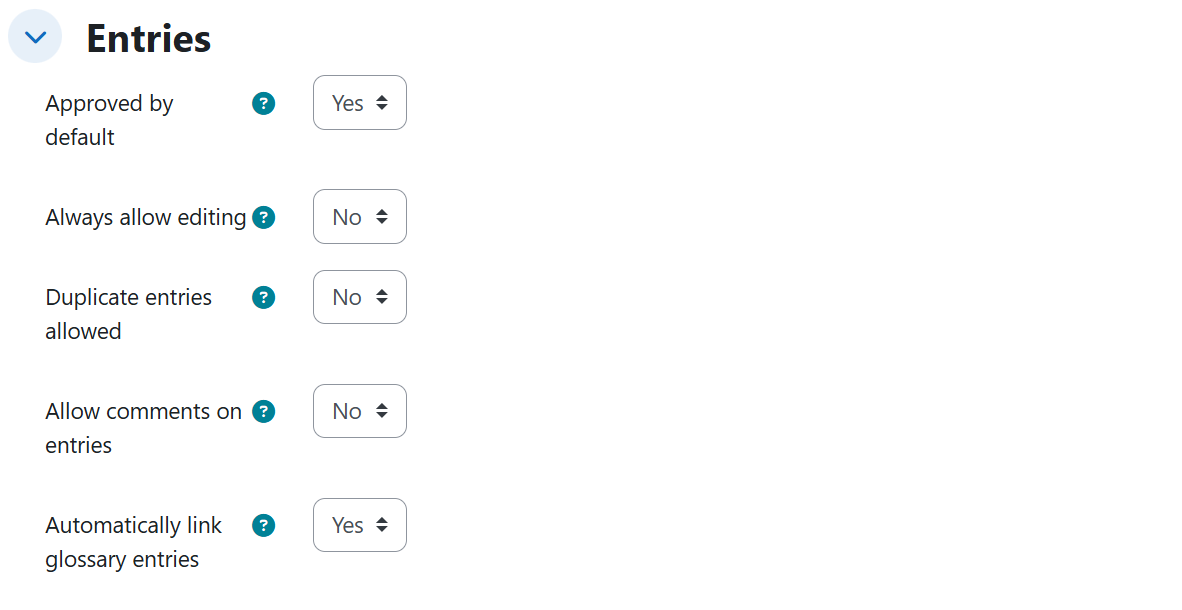
Entries
| Setting | Description | Possible values | Default |
|---|---|---|---|
| Approved by default | Whether student entries are published immediately or wait for teacher approval. | Yes / No (new entries stay pending approval) | Yes |
| Always allow editing | Students can edit their own entries at any time. | Yes / No | No |
| Duplicate entries allowed | Several entries may define the same concept. | Yes / No | No |
| Allow comments on entries | Students can comment on other entries. | Yes / No | No |
| Automatically link glossary entries | Occurrences of the concepts across course texts link automatically to their definition. | Enabled / Disabled | Enabled |
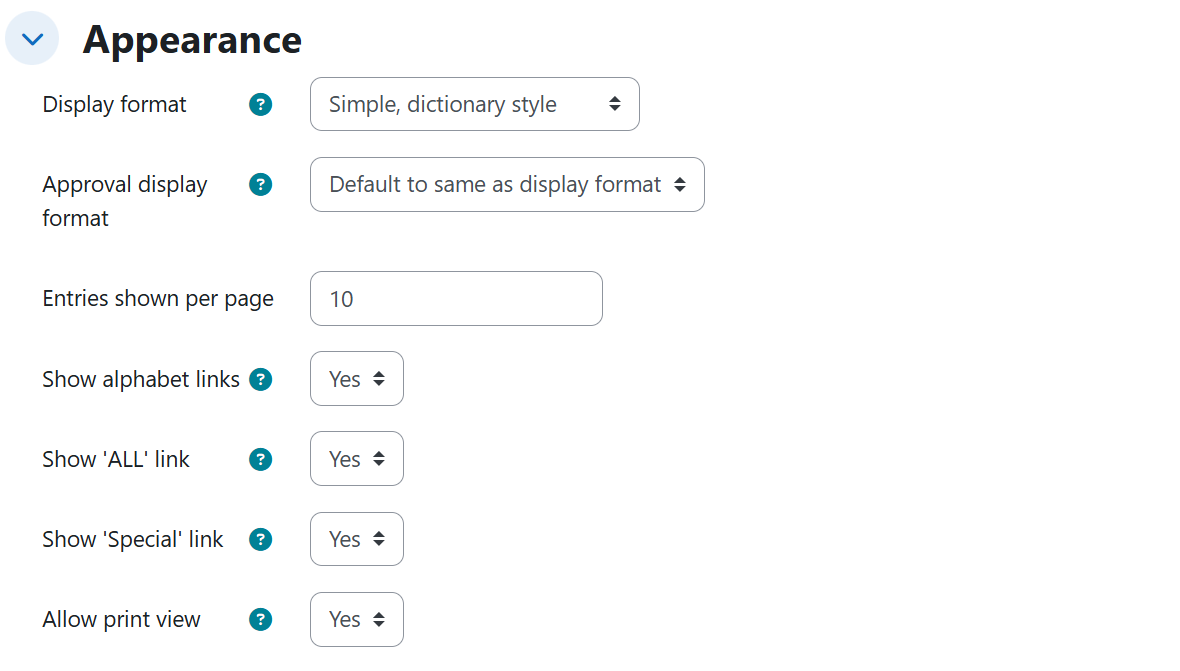
Appearance
| Setting | Description | Possible values | Default |
|---|---|---|---|
| Display format | How entries are rendered. | Simple, dictionary style / Continuous without author / Full with author / Full without author / Encyclopedia / Entry list / FAQ | Simple, dictionary style |
| Entries shown per page | Pagination size. | Number (e.g. 10, 25) | 10 |
| Show alphabet links | Letter bar for browsing by initial. | Enabled / Disabled | Enabled |
| Show 'ALL' link | Link that shows every entry at once. | Enabled / Disabled | Enabled |
| Show 'Special' link | Link for entries starting with special characters. | Enabled / Disabled | Enabled |
| Allow print view | Students can open a printer-friendly view. | Yes / No | Yes |
Ratings
| Setting | Description | Possible values | Default |
|---|---|---|---|
| Aggregate type | How entry ratings consolidate into a grade. | No ratings / Count of ratings / Sum of ratings / Average of ratings / Maximum rating / Minimum rating | No ratings |
| Scale | The rating scale. | Point type with a maximum (e.g. 10, 15, 20, 30, 50) | Point, maximum 100 |
Generated content
- Title and description of the glossary.
- Entries, each with its concept and definition:
- If the teacher asks for a specific number (e.g. 12, 15, 20 entries), exactly that many are generated.
- Without a number, the glossary comes with 5 to 10 entries.
- When a syllabus or source document is uploaded, the title, description, and all entries (concepts and definitions) are drawn strictly from the requested units of that document.
Rules and behavior
- The seven display formats and the rating aggregate types are mutually exclusive alternatives: a glossary has exactly one of each.
- Display formats map to the teacher's wording: "like a simple dictionary" is Simple, dictionary style; "like an encyclopedia, with author and inline images" is Encyclopedia; "question and answer" is FAQ; "only the list of concepts as links" is Entry list; "like a forum showing the author" is Full with author; the same without the author's name is Full without author; "definitions read one after another with no separation or author" is Continuous without author.
- Asking only for a point score on ratings, without saying how they consolidate, activates Average of ratings by default.
- The Scale is only applied when ratings are active (aggregate type other than No ratings).
- Setting Approved by default to No is what makes student entries stay pending until the teacher reviews and approves them; keeping it at Yes publishes them immediately.
Example prompts
Without syllabus
A minimal prompt that produces a glossary of 5 to 10 entries with every setting at its default value:
I need a glossary for the Human Anatomy course with the basic terms of the skeletal system, so students have at hand the vocabulary we are going to use throughout the unit.
A moderated collaborative secondary glossary in Encyclopedia format, with pending approval, always-editable entries, comments, and duplicates allowed:
Prepare a secondary glossary for the Pharmacology unit of the Nursing course with 15 entries for the terms specific to that unit. It is a unit glossary, not the course's main one. Entries added by students must not be visible until I review and approve them, but afterwards they must be able to correct their own entries at any time and comment on their classmates'. I want several students to be able to define the same term in their own words, and it should look like an encyclopedia, with the author and the images inside the definition itself.
With syllabus
A main glossary with auto-linking, dictionary display, 25 entries per page, and count-of-ratings grading:
Build the course's main glossary with the terms from the whole syllabus I uploaded, where all the course concepts will be gathered and where the unit glossaries will export their entries. When these terms appear in any text in the course, they should link to their definition on their own. It should look like a simple dictionary, without showing who wrote each entry, with 25 entries per page so there is not so much paging. Enable entry ratings and let each student's grade be the number of ratings their entries receive, up to a maximum of 20 points.
An Entry list glossary with reduced navigation (no alphabet, ALL, or Special links, no print view), auto-linking disabled, and implicit average-of-ratings grading, anchored to unit 3 of the syllabus:
Prepare a glossary with 12 entries on the digital strategies and the digital SWOT analysis of unit 3 of the document I uploaded. Since there are few terms, do not show the letter bar for browsing, or the link that shows all the entries at once, or the special characters one, and I do not want them to be able to open the printable version. Show only the list of concepts as links, with the definition opening on click. Do not underline or automatically link these words in the rest of the course, because it fills the texts with links. Entries are graded out of 30 points.