Lesson
The Lesson activity (mod_lesson) delivers content through a path of pages that mix explanations with questions. The AI generates the full lesson — title, description, content pages, and question pages — and configures the lesson settings requested in the prompt.
AI-generated settings
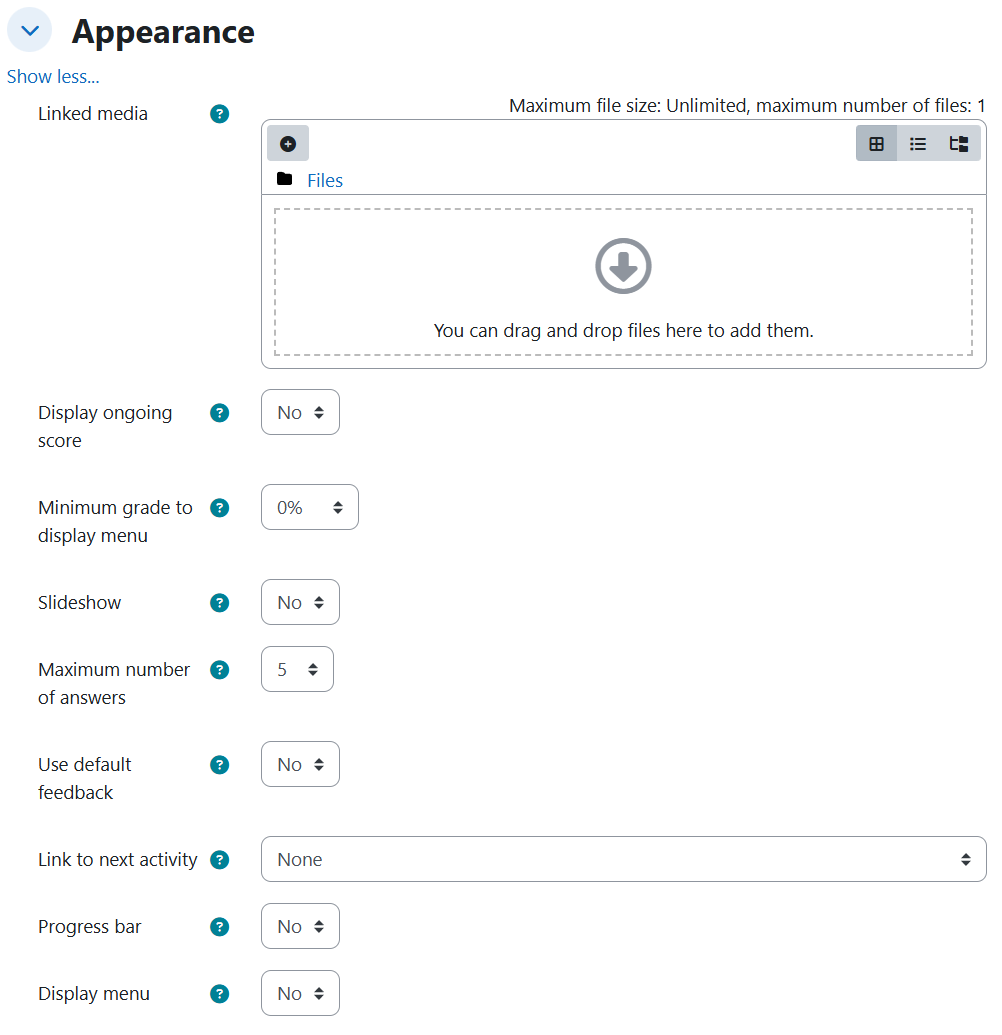
Appearance
| Setting | Description | Possible values | Default |
|---|---|---|---|
| Progress bar | Shows a progress bar at the bottom of the lesson. | Yes / No | No |
| Display ongoing score | Shows the accumulated score on each page. | Yes / No | No |
| Display menu | Shows a side menu with the list of pages. | Yes / No | No |
Availability
| Setting | Description | Possible values | Default |
|---|---|---|---|
| Available from | Date from which the lesson can be taken. | Disabled, or a date resolved from the prompt | Disabled |
| Deadline | Date on which the lesson closes. | Disabled, or a date resolved from the prompt | Disabled |
| Time limit | Time limit for completing the lesson. | Disabled, or a duration (e.g. 45 minutes) | Disabled |
| Password protected lesson | Requires a password to enter the lesson. | Yes / No | No |
| Password | The access password. | The literal password dictated in the prompt | — |
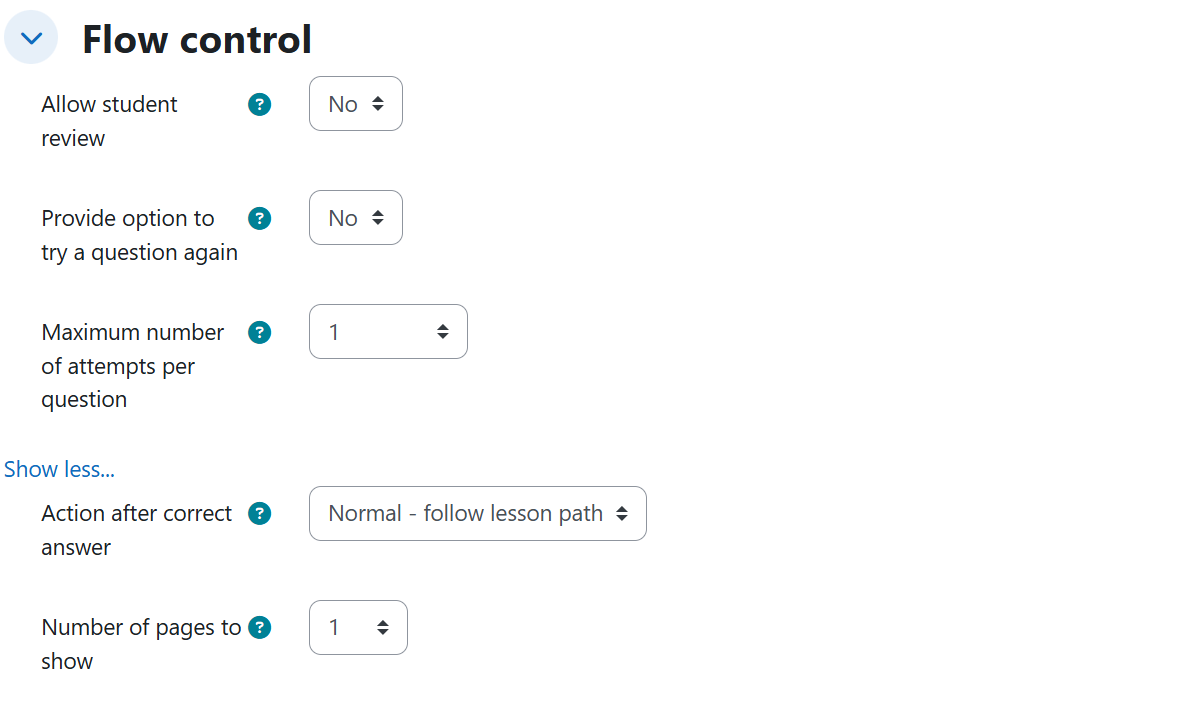
Flow control
| Setting | Description | Possible values | Default |
|---|---|---|---|
| Provide option to try a question again | Offers the student the option to retry a question after a wrong answer. | Yes / No | No |
| Maximum number of attempts per question | How many tries a student gets on each question. | Number (e.g. 1, 3) | 1 |
| Allow student review | Lets students navigate back to review and change answers they already gave. | Yes / No | No |
| Action after correct answer | Where the lesson goes after a correct answer. | Normal - follow lesson path / Show an unseen page / Show an unanswered page | Normal - follow lesson path |
| Number of pages to show | Number of pages shown in a random lesson path. | Number (0 = show all) | 0 |
Grade
| Setting | Description | Possible values | Default |
|---|---|---|---|
| Grade | Maximum grade for the lesson. | Number of points (e.g. 30, 50, 100) | 100 |
| Practice lesson | A practice lesson is not recorded in the gradebook. | Yes / No | No |
| Re-takes allowed | Lets students take the lesson more than once. | Yes / No | No |
| Handling of re-takes | How the final grade is computed across attempts. | Use mean / Use maximum | Use mean |
Generated content
Beyond the form settings, the AI produces a complete lesson path:
- A title and a description for the activity.
- A linear path of pages that alternate content and questions.
- Content pages, each with its own title, its body, and the text of the continue button.
- Multiple choice question pages with 3-4 options, one correct answer, and feedback per option.
- True/false question pages.
- When the prompt asks for an exact number of pages, the path contains exactly that number of pages.
Rules and behavior
- Password protection and the password are always emitted together. The password is stored only when the prompt dictates it literally.
- Handling of re-takes is only emitted when re-takes are allowed. The setting appears only because the same prompt asks to let students repeat the lesson.
- Number of pages to show only takes effect in a random path. It is emitted together with a random navigation mode (Show an unseen page / Show an unanswered page), the only mode in which the setting has a real effect.
- A relative deadline chains from the opening date requested in the same prompt (e.g. "opens tomorrow and stays open for two weeks" closes 14 days after the opening, not 14 days from today).
Provide option to try a question again and Allow student review are two distinct fields: the first offers a retry after a wrong answer, the second lets the student go back and change answers already given. A prompt can request both explicitly.
Example prompts
Without syllabus
A baseline lesson with all settings at their default values, alternating content and question pages:
I need a lesson for the Cell Biology course that explains the phases of mitosis step by step, alternating explanations with questions so students can check whether they are keeping up.
Appearance options, exact dates, time limit, password, unlimited re-takes graded by the mean, and normal flow:
Prepare a lesson for the Civil Law course on the types of contract. Show a progress bar at the bottom, the accumulated score on each page, and the side menu with the list of pages. It must be available from September 1, 2026 and close on September 30, 2026, with a 45-minute time limit to complete it and protected with the password contratos2026. It is graded out of 30 points: let them retake it as many times as they want and make the final grade the average of the attempts. When they answer a question correctly, have them follow the normal lesson path.
With syllabus
A practice lesson with question retries, student review, relative dates, and a random path of unseen pages:
Create a lesson on unit 3 of the syllabus, the one on digital strategies and digital SWOT analysis, with exactly 9 pages. It is practice only: it must not record anything in the gradebook. When they get a question wrong, give them the option to try it again, with a maximum of 3 attempts per question, and also let them go back to review and change the answers they already gave. When they answer correctly, show a random page from those they have not seen yet, and show only 6 pages in total. Have it open tomorrow and stay open for two weeks.
Re-takes graded by the maximum and a random path of unanswered pages, covering the whole syllabus:
I need a lesson that covers the whole syllabus I uploaded, from digital leadership to strategies for leading in digital environments, graded out of 50 points. Let them retake it as many times as they want and make the final grade the one from their best attempt. When they answer a question correctly, jump to a random page they have not answered yet.