General Rating report
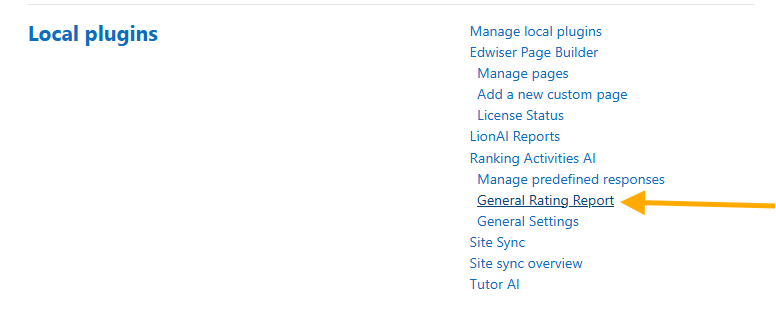
Click on General ratings report to access this section.
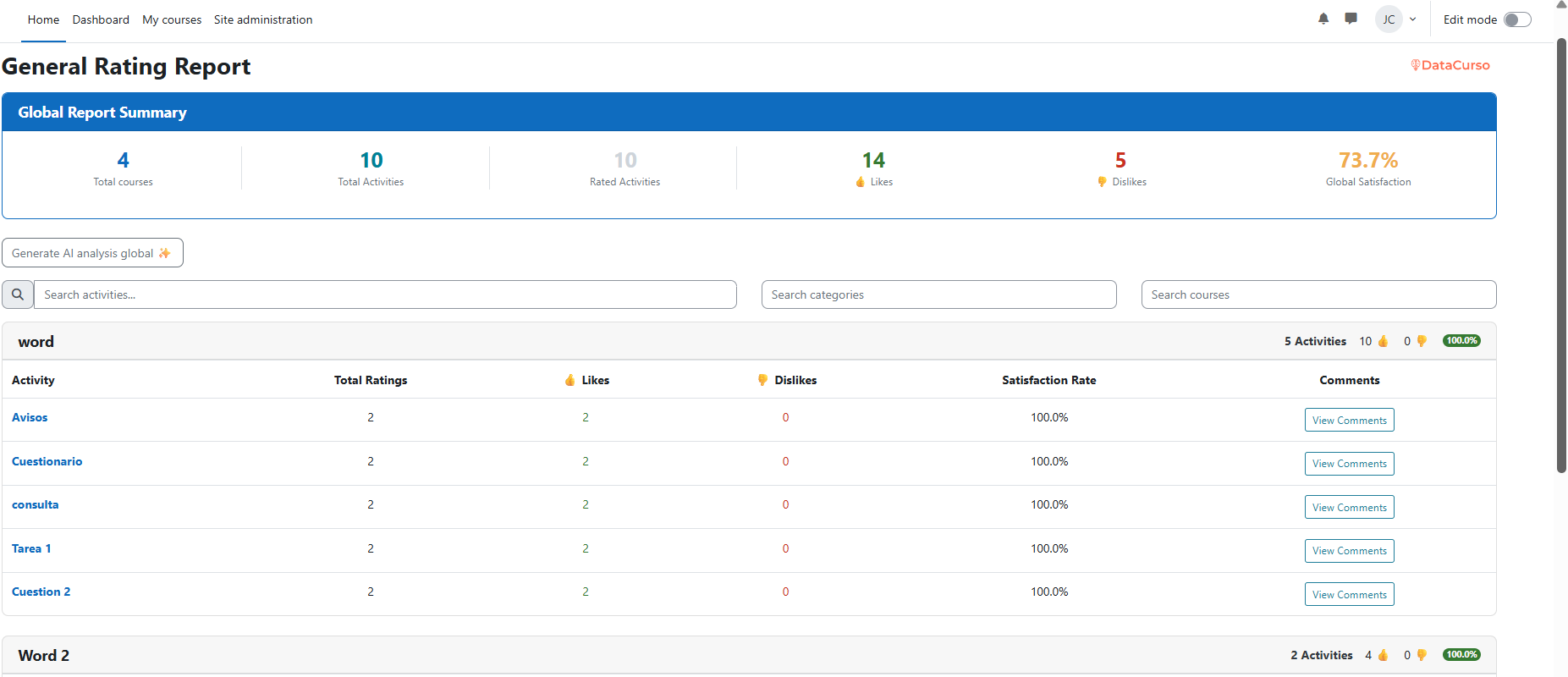
On this page, administrators can view a comprehensive report of all student ratings across every course activity.
The global report is available only to site administrators: the page and its web services check moodle/site:config. See Permissions.
Filtering the report
The report summary shows total courses, total activities, rated activities, likes, dislikes and global satisfaction. Below it, the filter bar lets you narrow down the data (filters are applied server-side and the report reloads automatically):
- Search activities – Filter by activity name.
- Search categories – Pick a course category, or All categories.
- Search courses – Pick a course, or All Courses.
- Date from / Date to – Restrict the ratings to a date range.
Pagination
Courses are listed in pages:
- Use Show courses to choose how many courses to display per page: 5, 10, 25, 50 or 100.
- Use the Previous / Next arrows to move between pages; the current page and total pages are shown between them.
Exporting the report
Click Export CSV to download the currently filtered report. The file is named ratings_report_YYYY-MM-DD.csv (file name and column headers are localised to the current language).
If no ratings have been submitted yet, the page shows a Refresh button instead of the report.
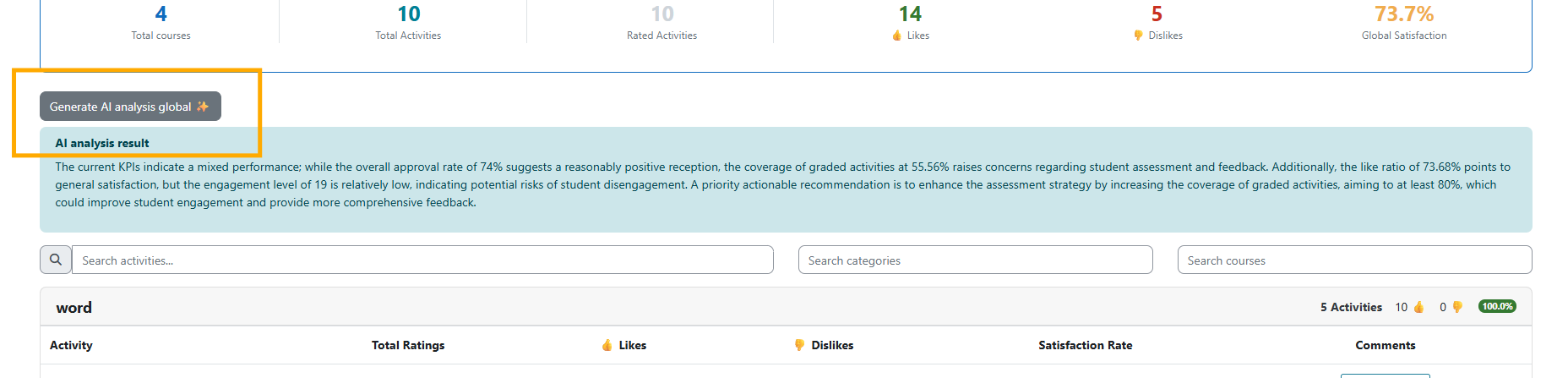
Generate Global AI Analysis
By clicking the Generate AI analysis global button, the AI will create an analysis based on the global data gathered from all courses.
Activity-Specific AI Analysis
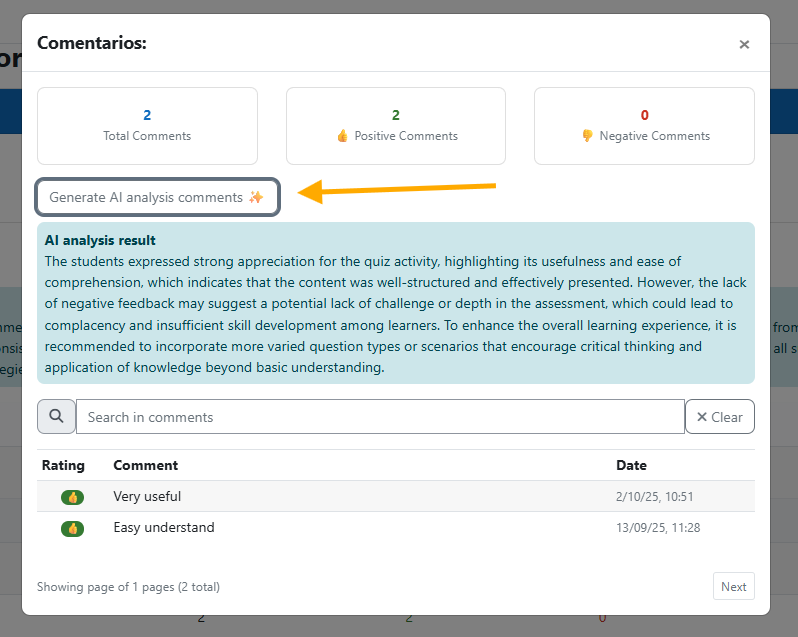
Click on View Comments to open the comments of a specific activity in a modal window.

Inside the modal you can:
- Use Search in comments to filter the comments by text, and Clear to reset the search.
- Browse the comments with the Previous / Next buttons.
- Click Generate AI analysis comments to generate an AI analysis of the comments. This button is shown only to users with the
local/datacurso_ratings:generateanalysisactivitycapability.