Student Guide
This section explains how students interact with the Ranking Activities AI plugin.
Rating Activities
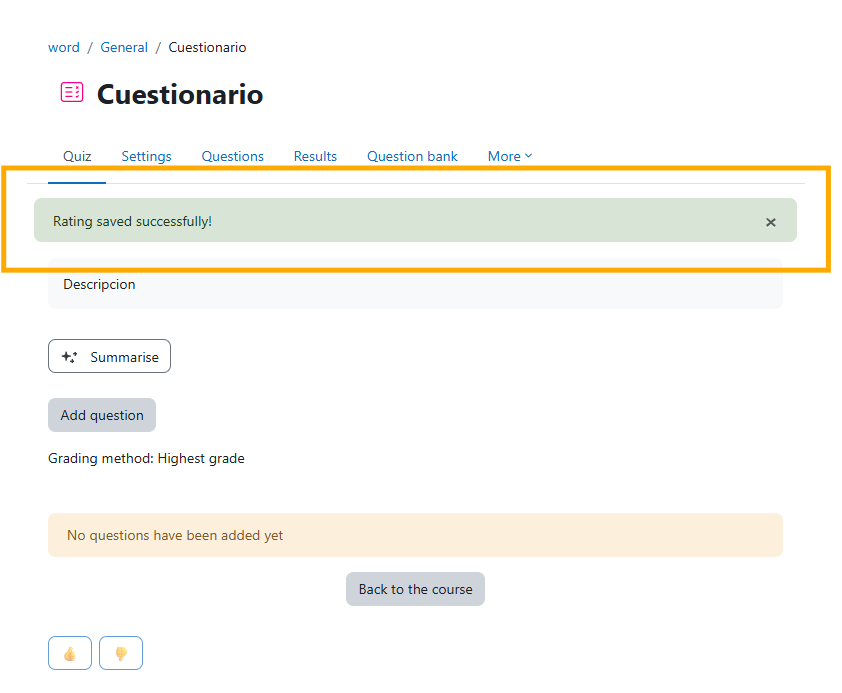
When a student enters an activity or resource, they will see rating buttons to provide feedback.
Like/Dislike Selection
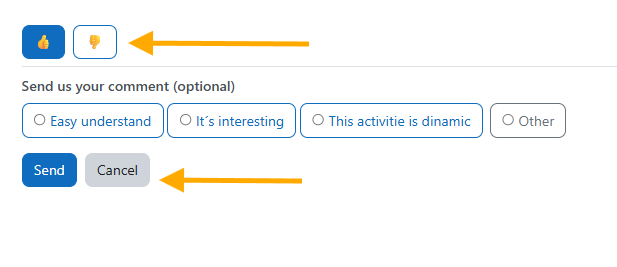
When selecting Like or Dislike, a set of predefined responses will appear for the student to choose from and submit their feedback.
Custom Comments
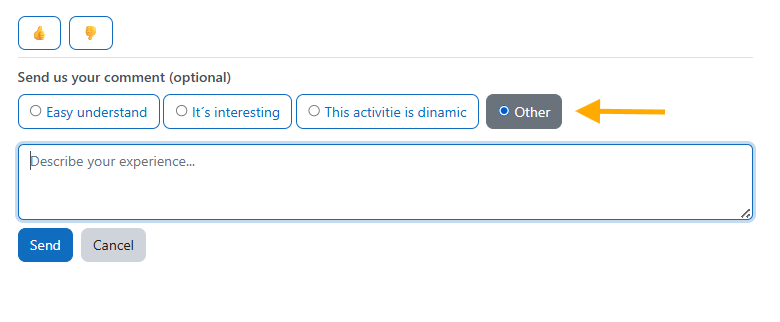
If the student selects Other, a text field will appear where they can write their own comment. The placeholder shows the maximum length allowed, for example "Describe your experience... (200 max.)"; the limit is set by the administrator in Maximum character limit for student comments (default 200) and applies only to this free-text comment.
Confirmation
After clicking Send, the student will see a confirmation message indicating that their feedback was successfully sent. Clicking Cancel closes the feedback options without sending a rating.