Overview
AI placements define where Moodle’s built-in AI actions can be used within your site.
While AI actions define what the AI can do (for example, generate text or summarise content), placements define where those actions are available inside Moodle. This allows you to control in which parts of the platform AI features can be used.
From this section, you can enable each placement and decide which AI actions are available in it.
Access to AI placements settings
To access this section in Moodle:
-
Go to
Site administration > General > AI > AI placements.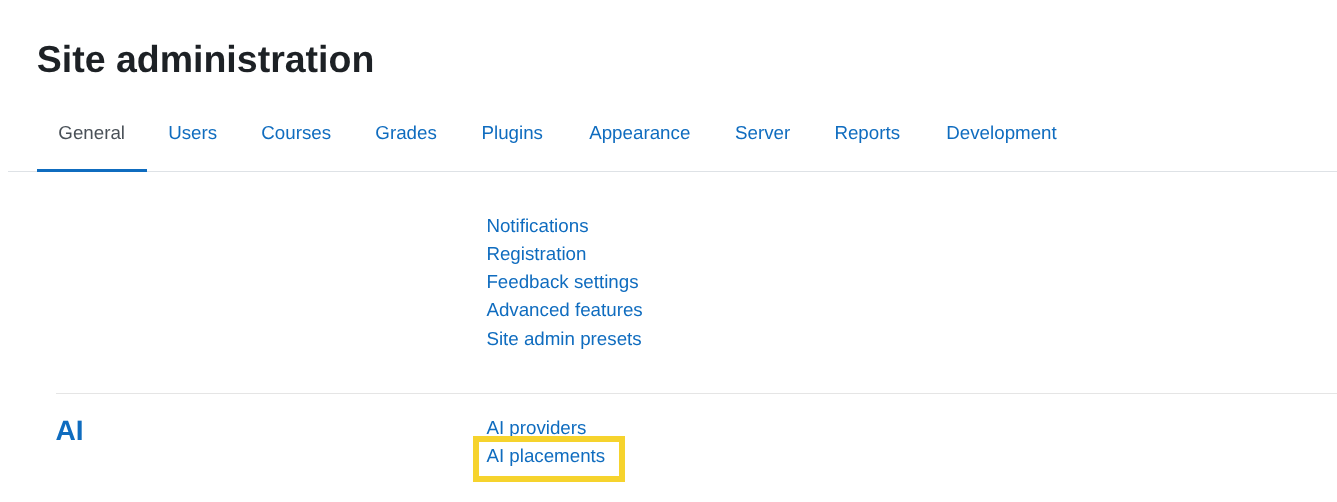
-
You will see a table listing all available placements.
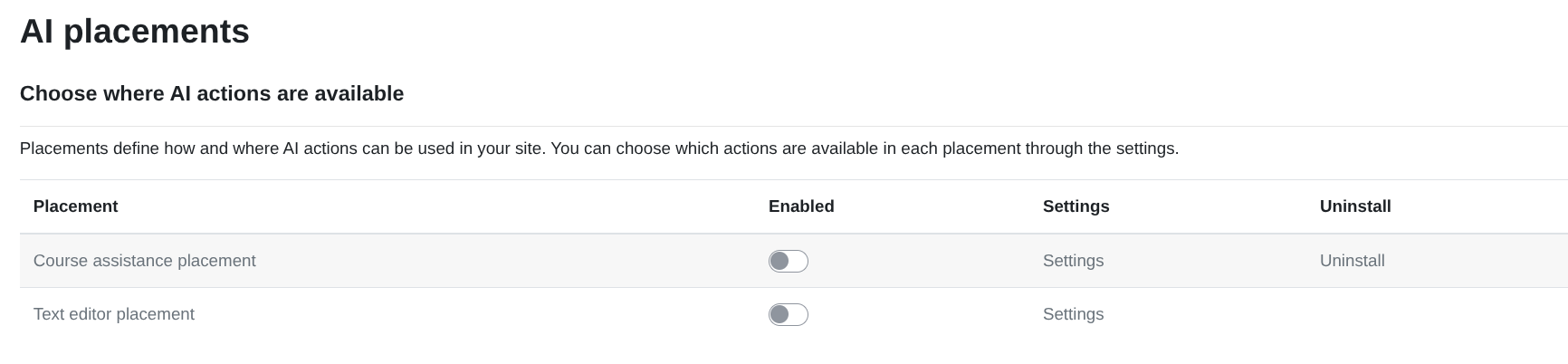
Available placements
Each placement represents a specific area of Moodle where AI actions can appear.
Select a placement below to view detailed configuration instructions.
The following placements are available to use with Datacurso AI Provider: