Course assistance placement
The Course assistance placement makes AI actions available directly inside course activities.
When properly configured, it allows users to generate a summary of the content of an activity from within the activity page itself.
Enable the placement
-
Go to
Site administration > General > AI > AI placements.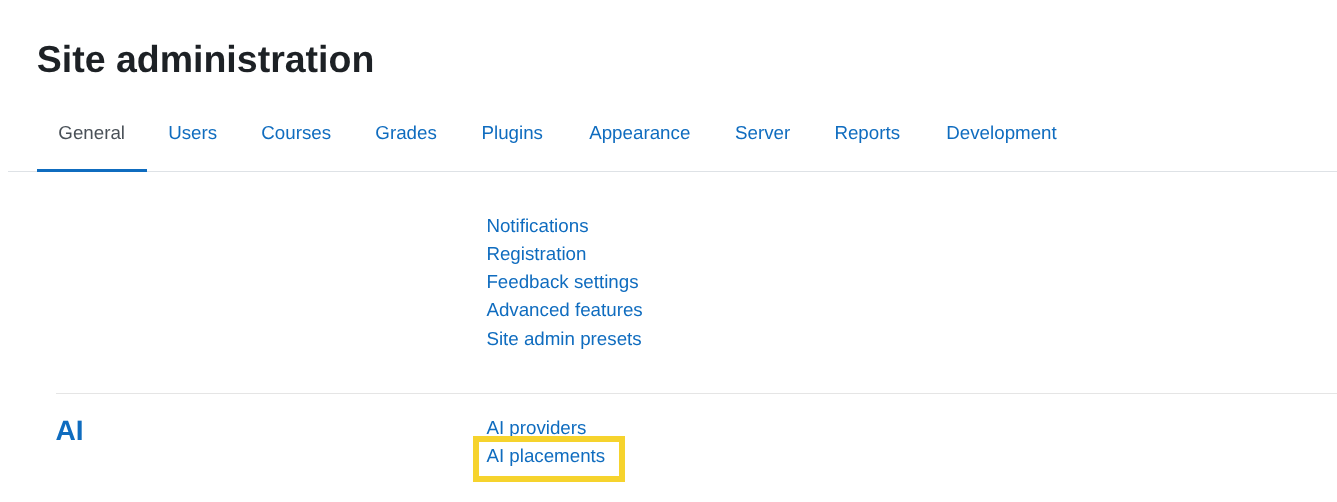
-
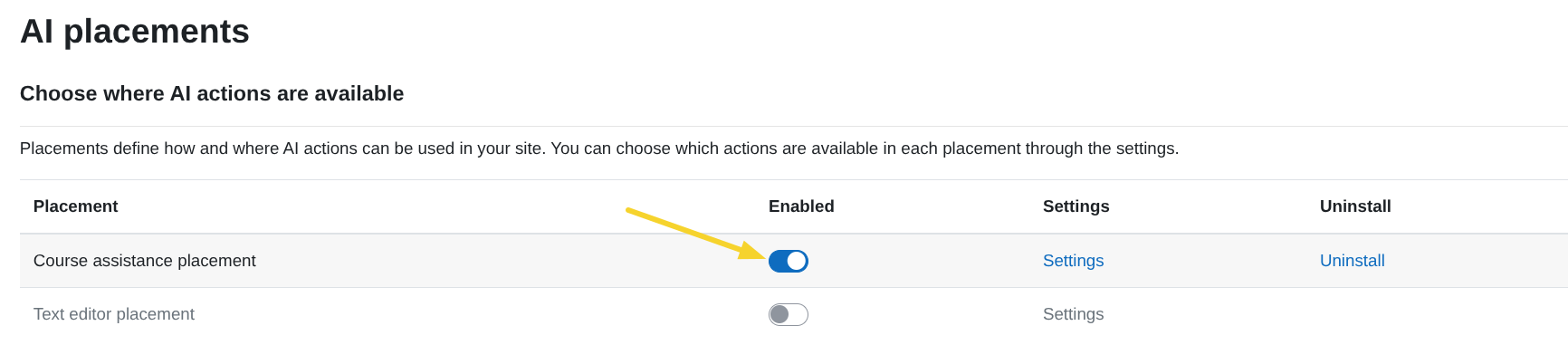
In the AI placements table, activate the toggle in the Course assistance placement row.
-
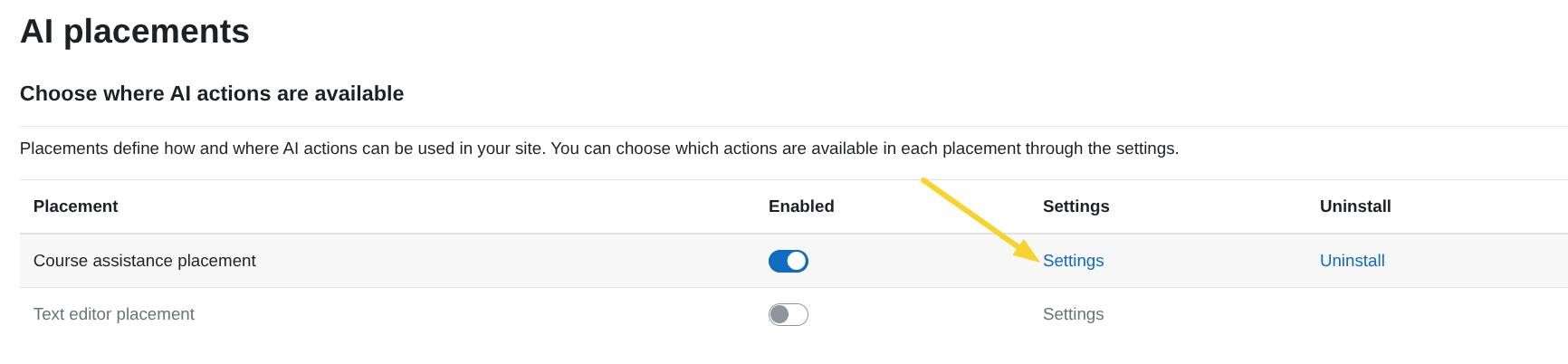
Once enabled, click Settings to configure it.
Enable actions for this placement
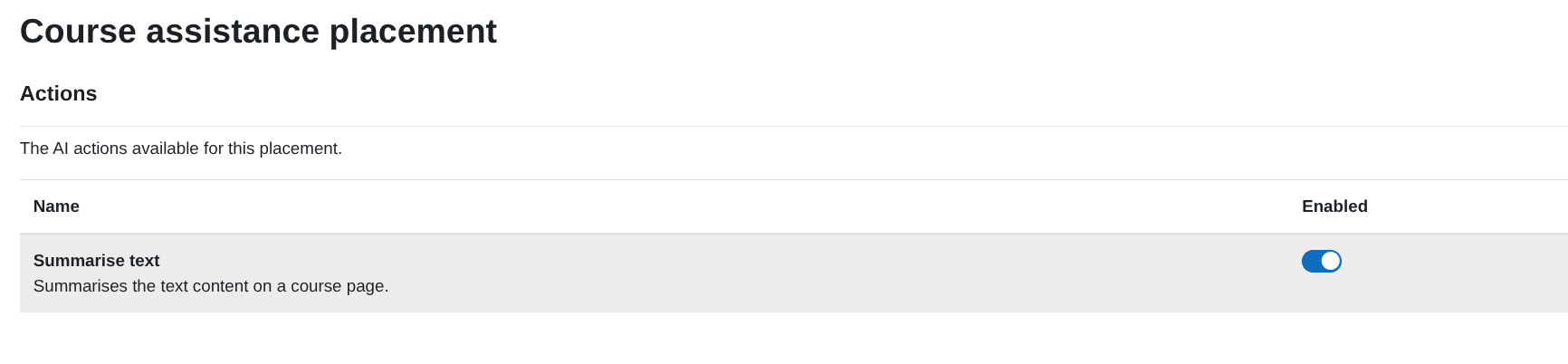
Inside the Course assistance placement settings, you will see the list of available AI actions.
Enable Summarise text
To enable summarising inside course activities:
-
Make sure the Summarise text action is enabled in the AI Provider settings:
Summarise text action configuration -
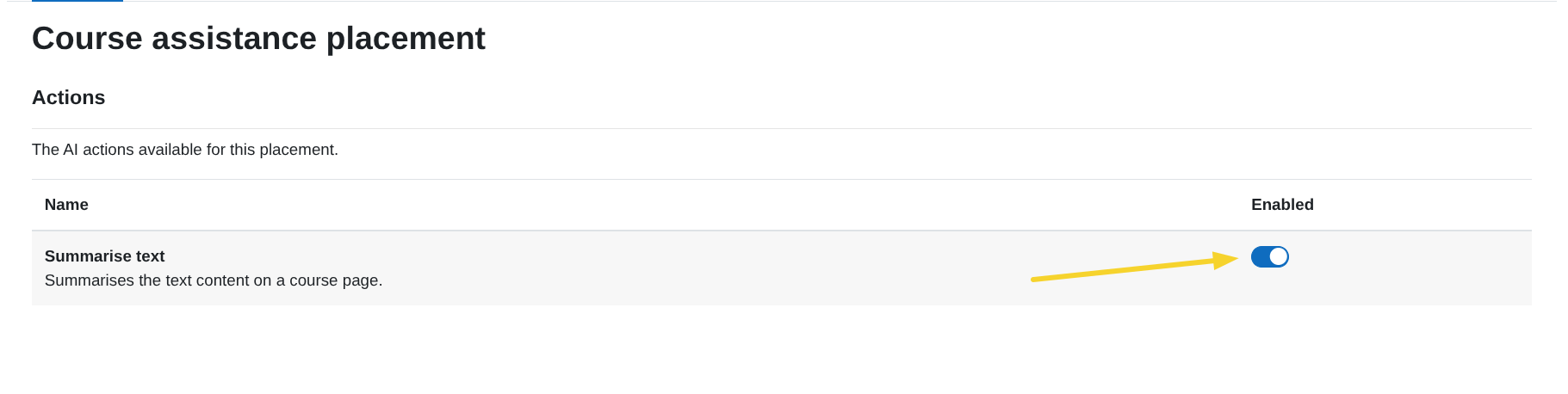
In the Course assistance placement table, activate the toggle in the Summarise text row.
What this enables inside a course
Once enabled:
-
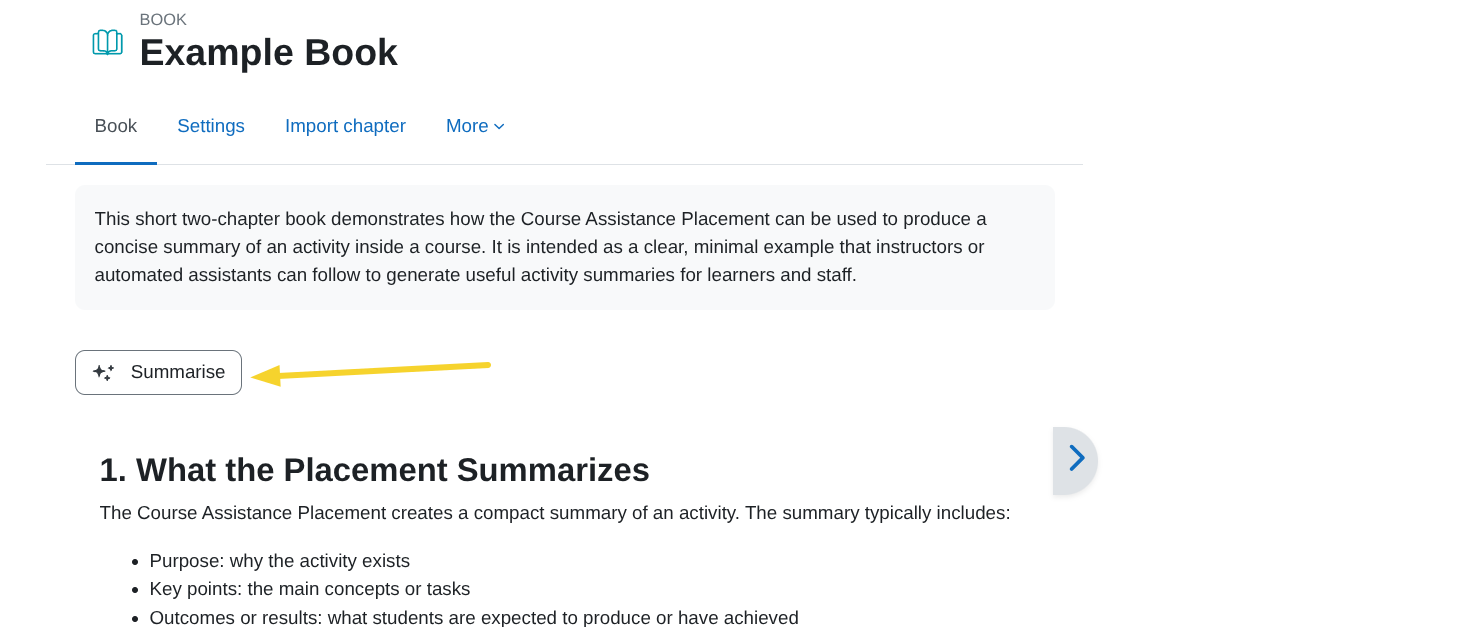
A Summarise button appears inside supported course activities.
-
Clicking Summarise opens a sidebar on the right side of the page.
-
The AI generates and displays a summary of the activity’s content.
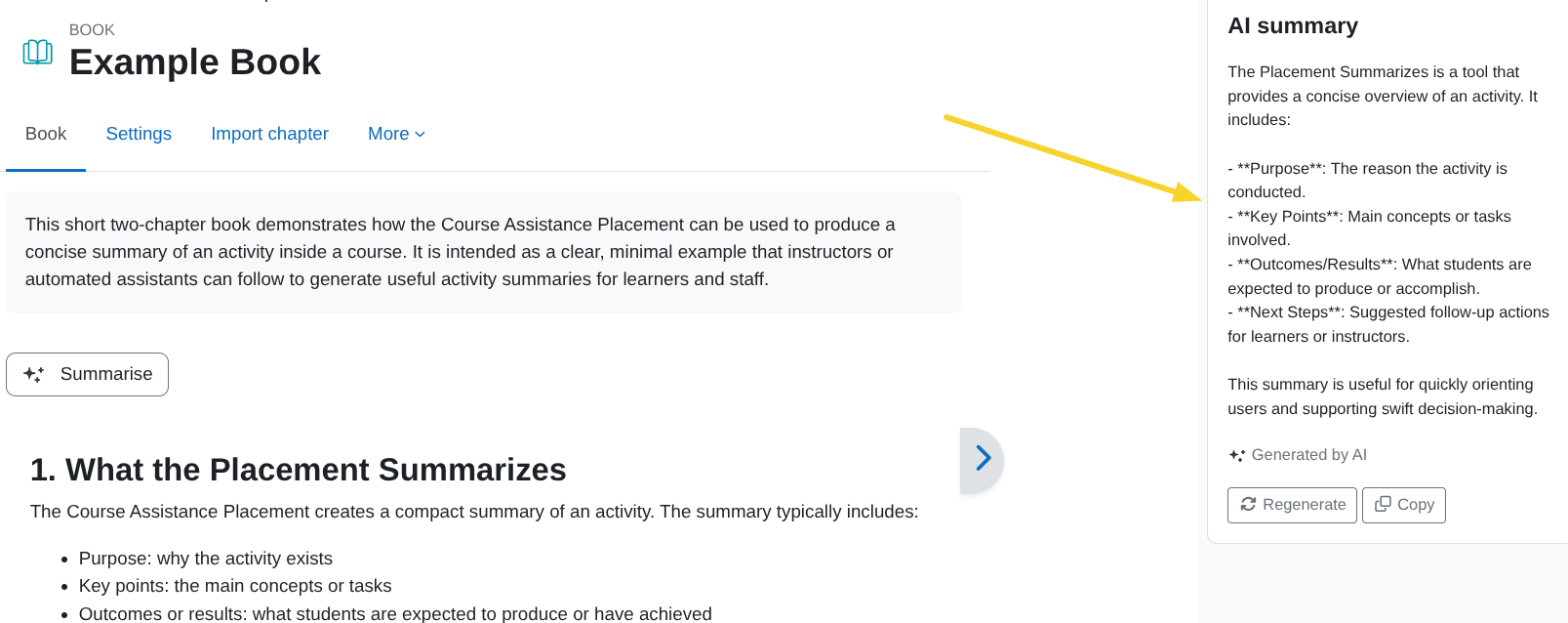
The summary provides a clear and concise overview of the activity content.