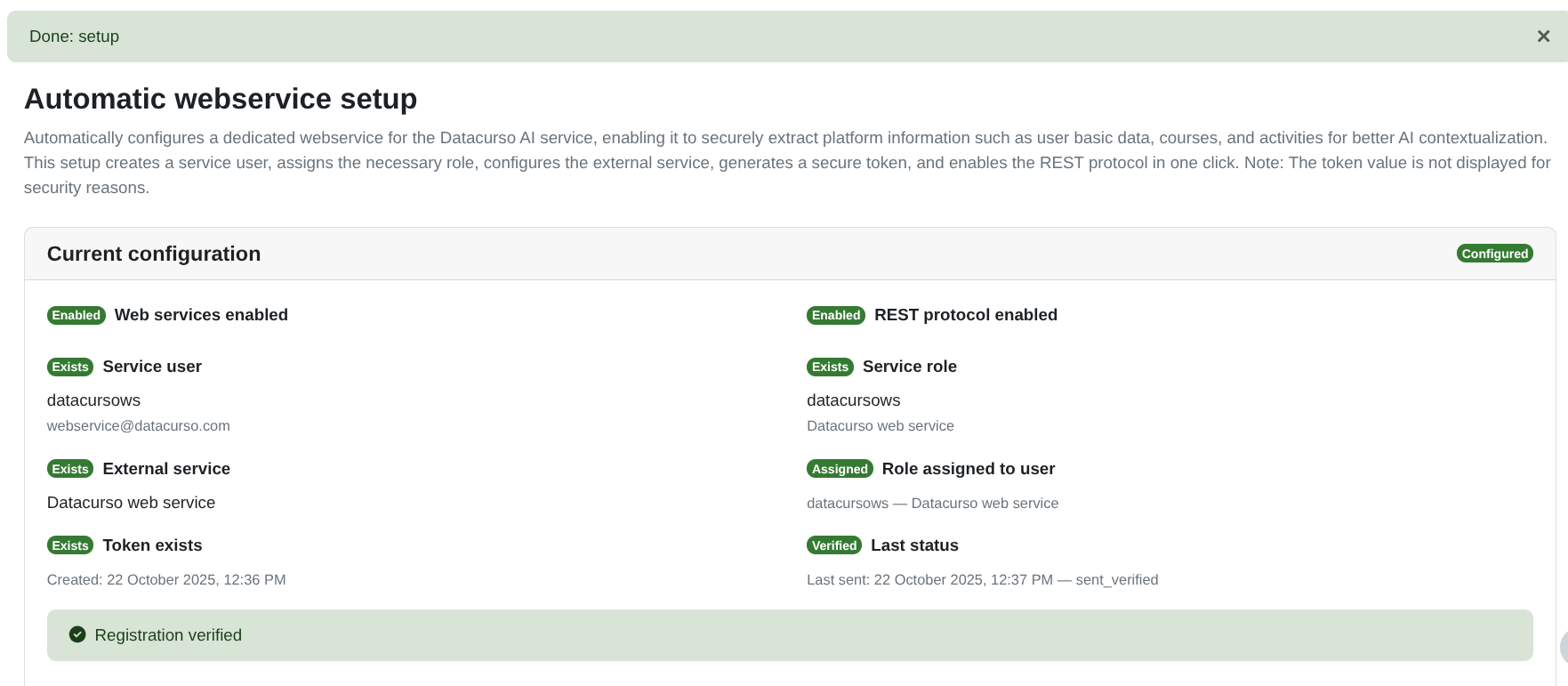
Datacurso webservice setup
The Datacurso webservice setup allows you to automatically configure the web service required for Datacurso AI plugins to securely access contextual information from your Moodle site.
This configuration enables Moodle to share course and activity data with Datacurso AI services in a secure way.
⚠️ Important
Without completing this setup, the following Datacurso AI plugins will not function correctly:
- Forum AI: More information about this plugin can be found in Forum AI documentation
- Assign AI: More information about this plugin can be found in Assign AI documentation
- Tutor AI: More information about this plugin can be found in Tutor AI documentation
Make sure the configuration status shows green (Success) before using these plugins.
Access to Datacurso webservice setup
To configure the web service:
-
Go to
Site administration > Server > Datacurso webservice setup.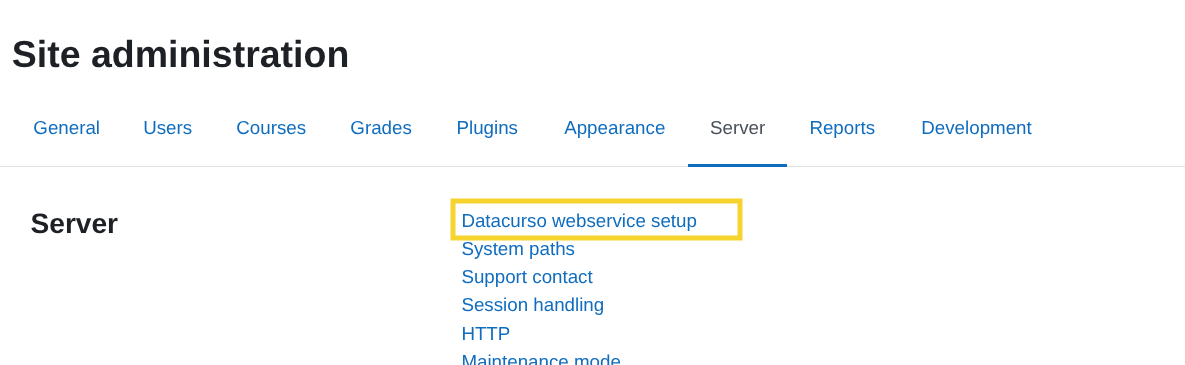
Current configuration status
The page displays the current status of all required components.
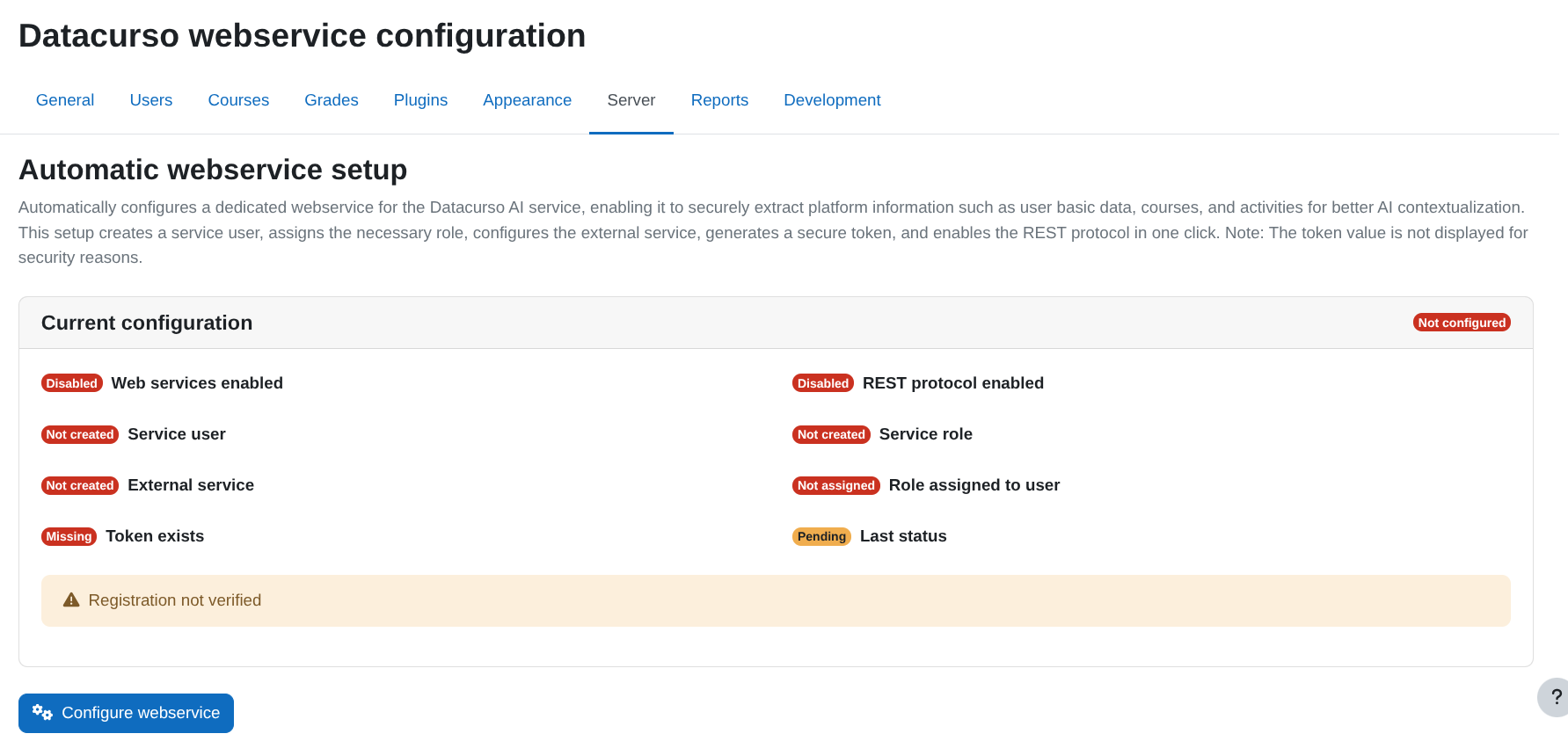
Each item may appear as:
- Red – The component is not configured or not enabled.
- Green (Success) – The component is correctly configured.
⚠️ Not all items will necessarily appear in red.
Some components may already be configured in your platform.
The setup is complete when all required items appear in green (Success).
The system checks:
- Web services enabled
- REST protocol enabled
- Service user
- Service role
- Role assigned to user
- External service
- Token exists
- Registration status
If any required item is not configured, click Configure webservice to automatically complete the setup.
What happens when you click "Configure webservice"
When you click Configure webservice, Moodle automatically:
- Enables Web services and REST (if needed)
- Creates or reuses the user
datacursows - Creates or reuses the role Datacurso web service
- Assigns that role at system level to the service user
- Creates or reuses the external service Datacurso web service
- Adds the required web service functions
- Generates (or reuses) a secure token
- Registers the site with Datacurso
Role capabilities configured
The setup creates (or updates) the role Datacurso web service and assigns it to the service user.
This role includes the following permissions:
webservice/rest:usemoodle/category:viewhiddencategoriesmoodle/course:enrolreviewmoodle/course:viewmoodle/course:viewhiddencoursesmoodle/course:viewhiddensectionsmoodle/course:viewparticipantsmoodle/course:viewhiddenactivitiesmod/forum:viewdiscussionmod/forum:viewqandawithoutpostingmod/wiki:viewpagemod/glossary:viewmod/book:readmod/lesson:viewmod/choice:choosemod/choice:readresponsesmod/feedback:viewmod/feedback:viewanalysepagemod/scorm:viewreportmod/scorm:viewscoresmod/h5pactivity:viewmod/h5pactivity:reviewattemptsmod/resource:viewmod/page:viewmod/assign:viewmod/assign:viewgradesmod/data:viewentrymod/data:viewmod/folder:viewmod/label:viewmod/url:viewmod/workshop:view
These permissions allow the AI service to securely read course and activity information required to generate contextual responses.
Web service functions enabled
The following Moodle web service functions are added to the Datacurso web service:
core_course_get_contentscore_course_get_courses_by_fieldmod_forum_get_forums_by_coursesmod_forum_get_forum_discussionsmod_forum_get_discussion_postsmod_wiki_get_wikis_by_coursesmod_wiki_get_subwikismod_wiki_get_subwiki_pagesmod_wiki_get_page_contentsmod_wiki_get_subwiki_filesmod_glossary_get_glossaries_by_coursesmod_glossary_get_entries_by_searchmod_glossary_get_entry_by_idmod_book_get_books_by_coursesmod_lesson_get_lessons_by_coursesmod_lesson_get_pagesmod_lesson_get_page_datamod_choice_get_choices_by_coursesmod_choice_get_choice_optionsmod_choice_get_choice_resultsmod_feedback_get_feedbacks_by_coursesmod_feedback_get_itemsmod_feedback_get_finished_responsesmod_feedback_get_analysismod_scorm_get_scorms_by_coursesmod_scorm_get_scorm_scoesmod_scorm_get_scorm_user_datamod_scorm_get_scorm_sco_tracksmod_h5pactivity_get_h5pactivities_by_coursesmod_h5pactivity_get_attemptsmod_h5pactivity_get_resultsmod_resource_get_resources_by_coursesmod_resource_view_resourcemod_page_get_pages_by_coursesmod_assign_get_assignmentsmod_assign_view_assignmod_assign_get_submission_statusmod_data_get_databases_by_coursesmod_data_get_entriesmod_data_get_fieldsmod_folder_get_folders_by_coursesmod_folder_view_foldermod_label_get_labels_by_coursesmod_url_get_urls_by_coursesmod_url_view_urlmod_workshop_get_workshops_by_coursesmod_workshop_view_workshopmod_workshop_get_submissions
These functions allow Datacurso AI to retrieve structured course data needed to improve contextual responses.
Buttons available
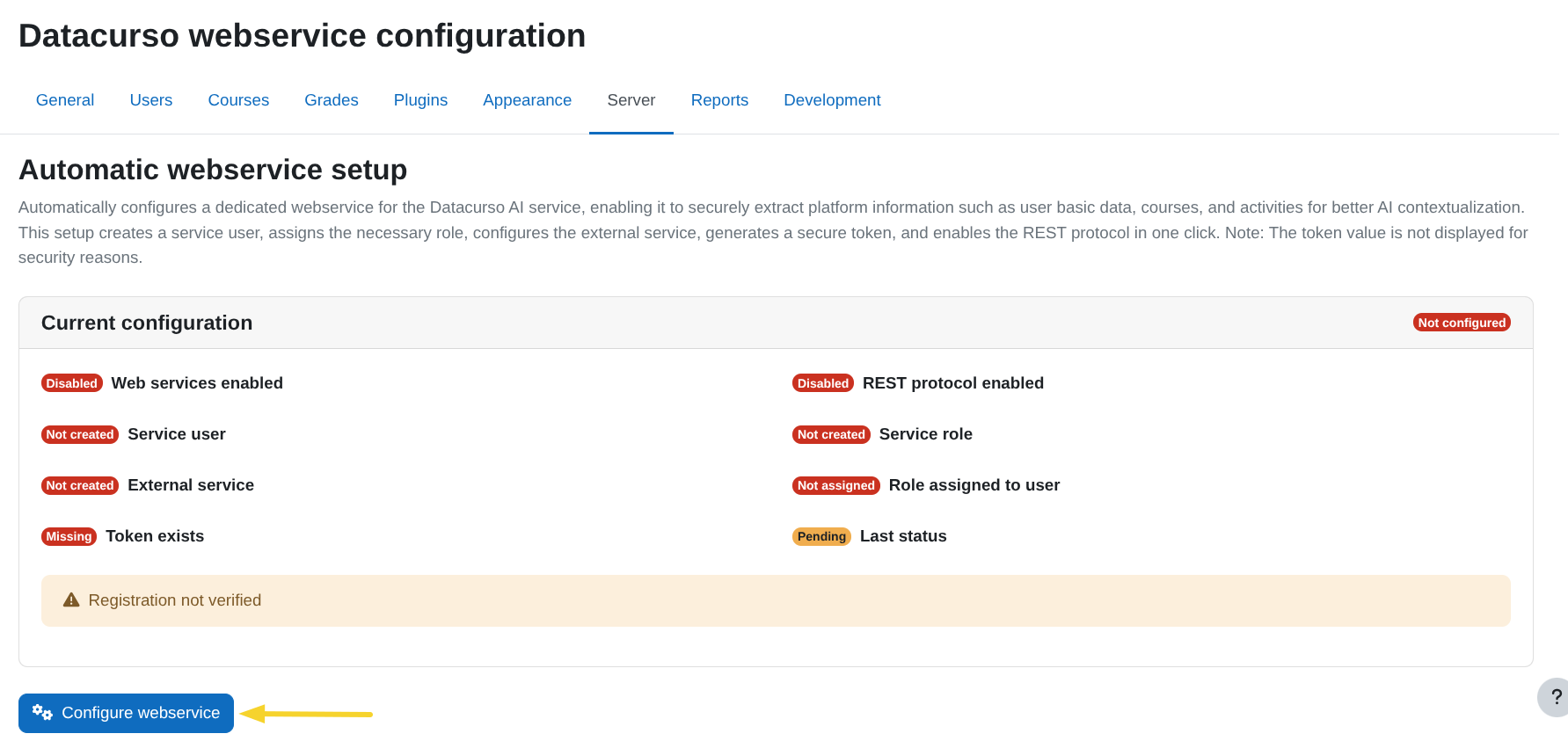
- Configure webservice – Runs the full automatic setup.
- Retry – Attempts to resend the registration if it failed.
- Regenerate token – Creates a new token and updates the registration.
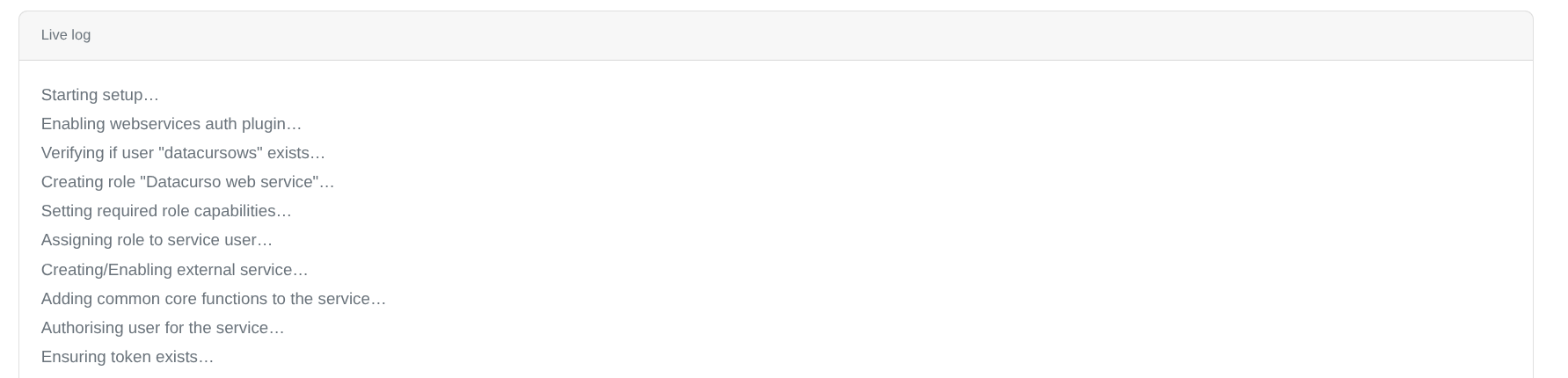
Live activity log
During the setup process, a live log shows each step being executed.
Successful configuration
When everything is configured correctly:
- All required status indicators appear in green (Success).
- The registration is verified.
- The web service is fully operational.