Whole forum evaluation
This section explains the workflow to apply AI-assisted global grading at forum level.
Unlike per-post ratings, this flow evaluates the student's overall participation in the forum activity and applies a single final grade according to the grading method configured in Moodle.
Use this workflow when your course grading policy requires one consolidated forum grade per student.
Open the forum grading view
Inside the forum, click Grade users to open the grading interface for enrolled participants.
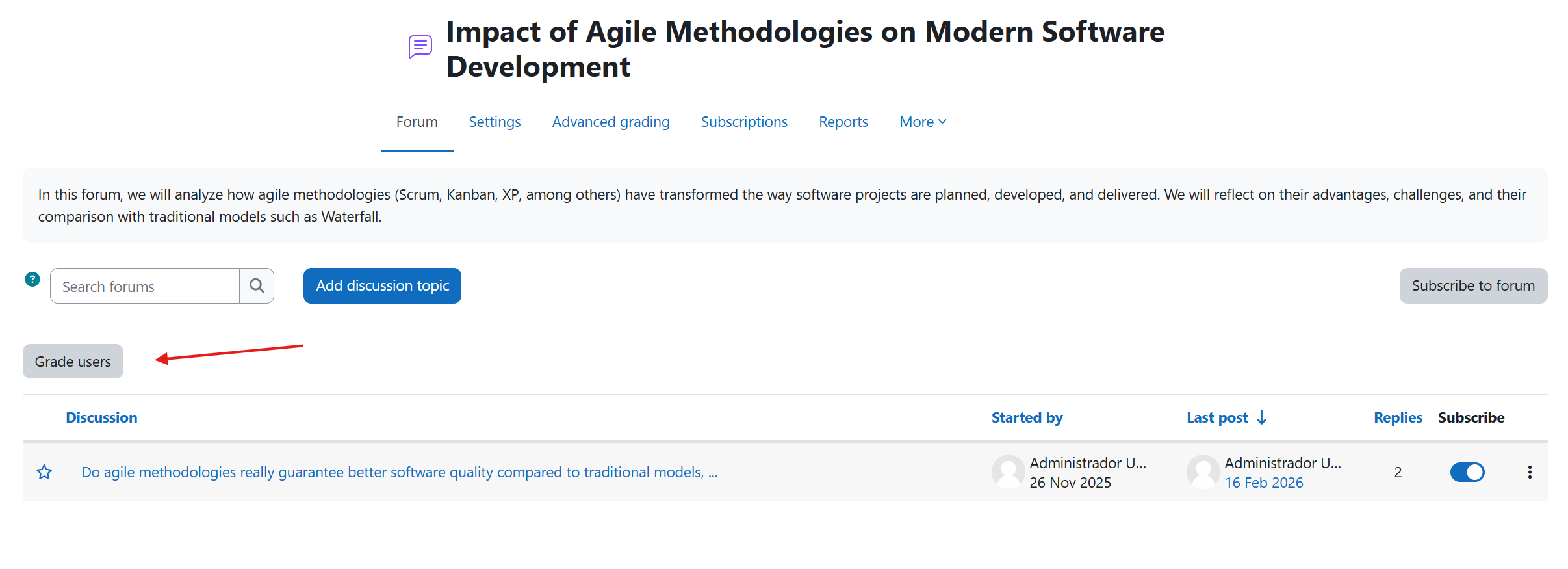
This view centralizes student grading actions and is the entry point for whole forum evaluation.
Run global review with AI
In the grading view, click Review with AI.
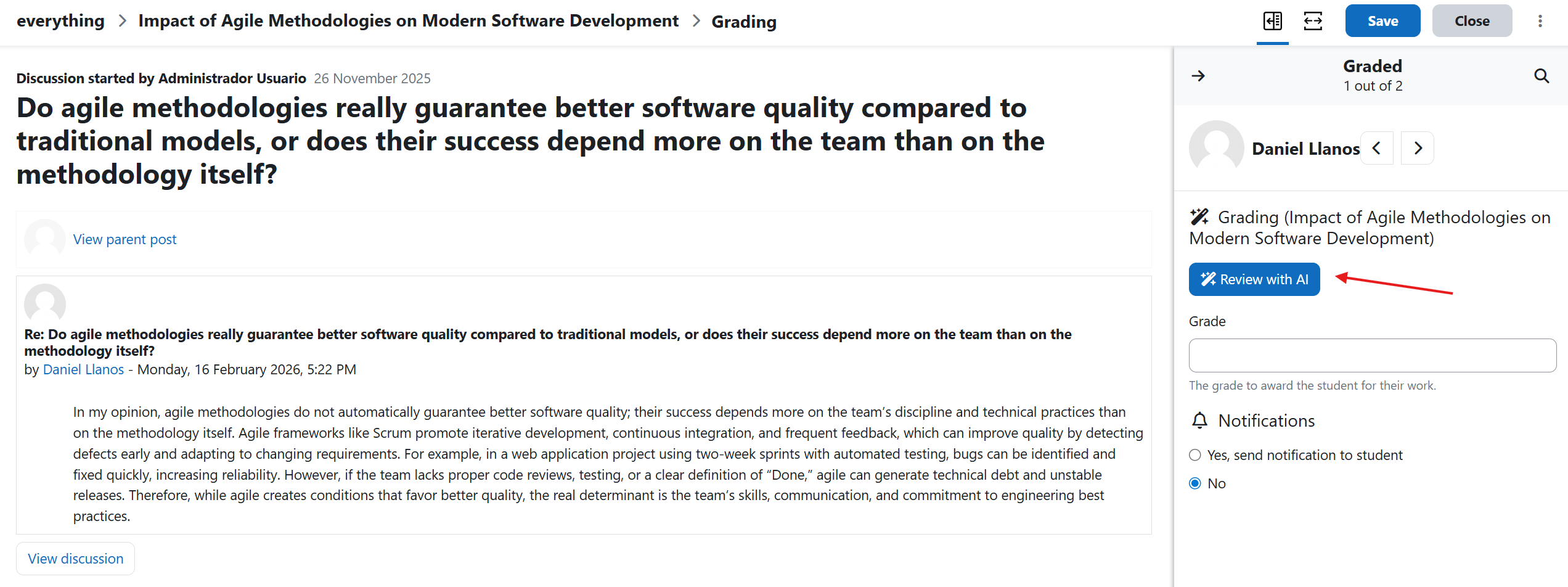
When this action is triggered, Forum AI evaluates each student globally based on forum participation and the grading configuration defined by your institution (for example: direct grading, marking guide, or rubric).
The analysis is performed using the activity setup and participation evidence available in the forum.
Confirm AI-applied grade and notification
After processing, the interface shows the AI-reviewed grade and a confirmation notification indicating the action was applied successfully.
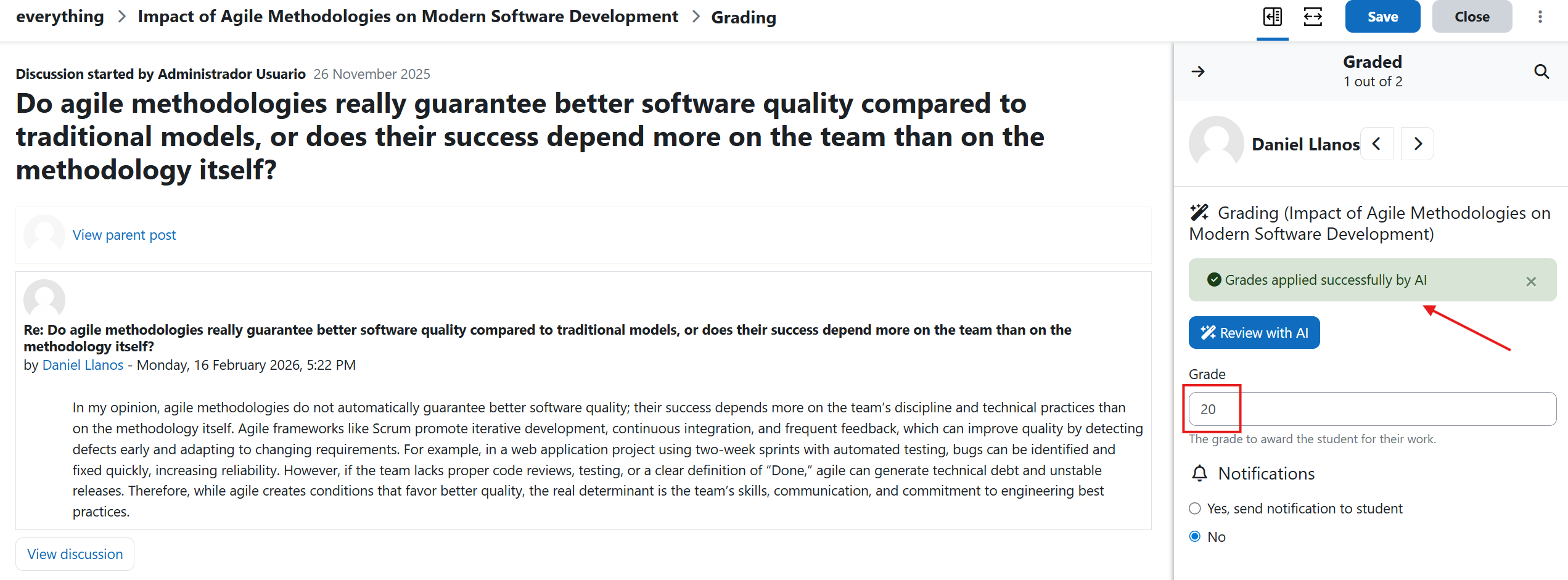
At this point, teachers can continue with manual validation or adjustments if needed, based on their academic policy.
Recommended practice
- Verify grading method configuration before running Review with AI.
- Use this flow for whole-forum grading, not for per-post rating workflows.
- Keep teacher validation in place for high-stakes assessments.