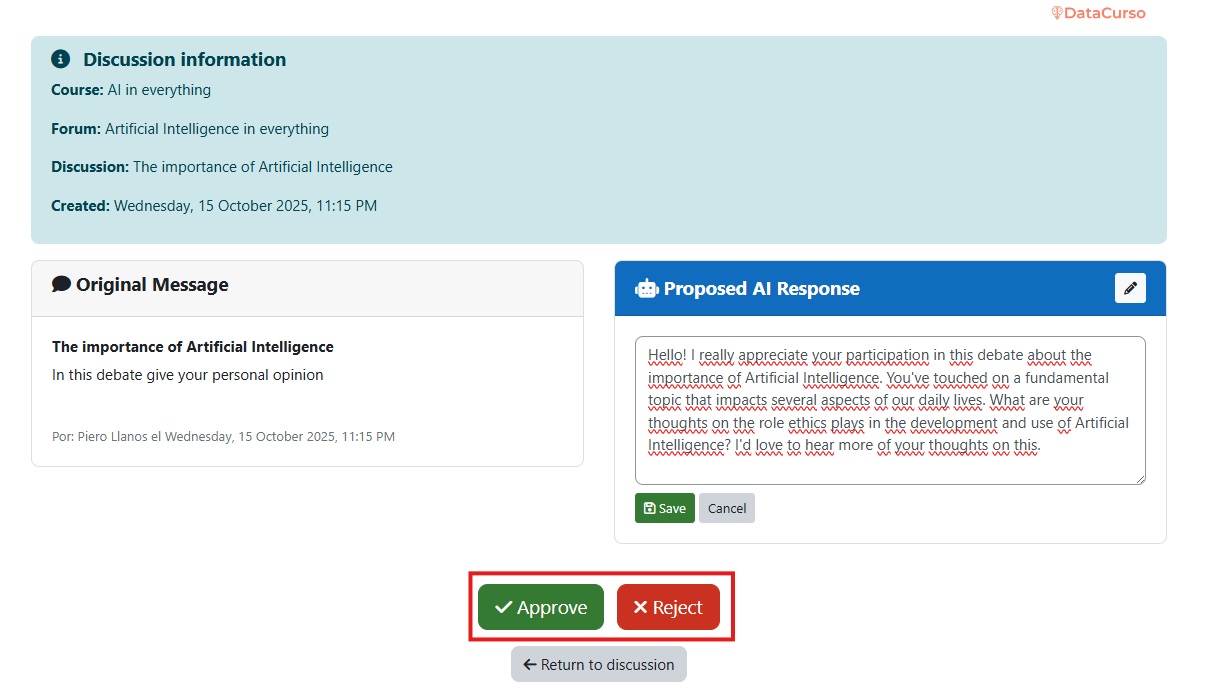
AI response review - Notification
This workflow allows reviewers to manage AI-generated replies directly from Moodle notifications.
It is the fastest path for teachers to validate AI output when response review is enabled.
Use this method when you want immediate action per notification instead of reviewing from a report list.
1. Review through notification.
When Forum AI generates a response proposal, eligible reviewers receive a same-site notification.

Open the notification to access the pending item.

2. Access response details.
By clicking the notification, you open a detailed view with:
- the original discussion context,
- the student post,
- and the AI-generated reply suggestion.
Review the full context before making any publication decision.
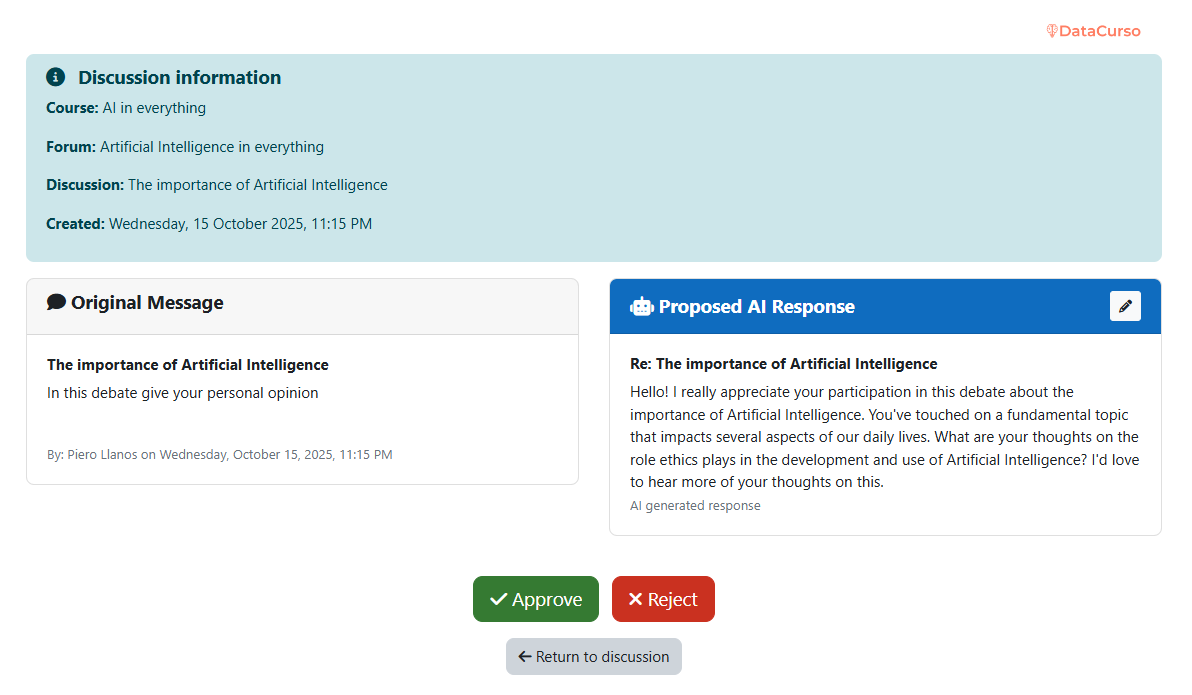
3. Edit the AI message.
Teachers can edit the suggestion to align with course policy and instructional style.
Typical edits include:
- adjusting tone,
- clarifying feedback,
- correcting terminology,
- shortening or expanding the response.
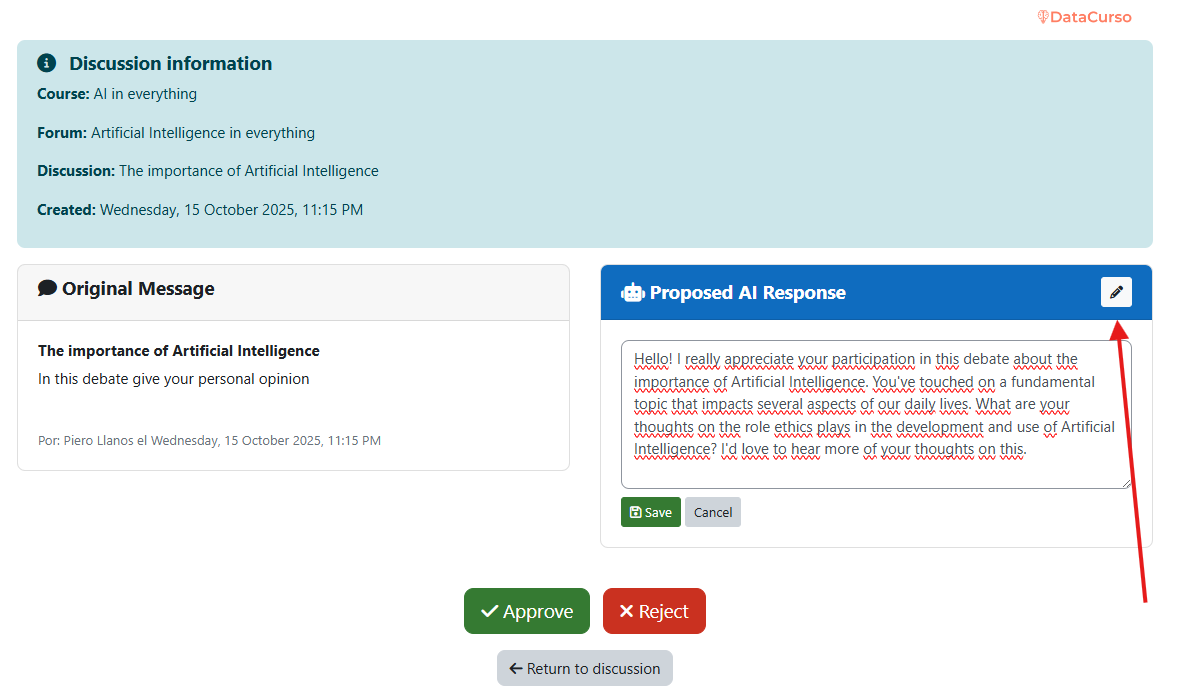
4. Approve or reject.
After reviewing, choose one action:
- Approve: publishes the AI response to the forum.
- Reject: discards the proposal and keeps it out of the discussion.
Both actions are recorded and can later be audited in AI response history.