Use cases (Templates)
This page provides ready-to-use rule templates you can copy and adapt. Each template follows the same pattern:
Condition (If…) → Action (Then…)
Tip: If you are new, start with Template 1 (simple and reliable).
Template 1 — Inactivity reminder (No course access → Send notification)
Goal
Send a friendly reminder when a learner hasn’t accessed the course for a number of days.
When to use it
- Engagement drops and learners “disappear”
- You want an automatic nudge without manual tracking
Rule setup
Condition: No course access
- Period:
7 days(or your preferred interval)
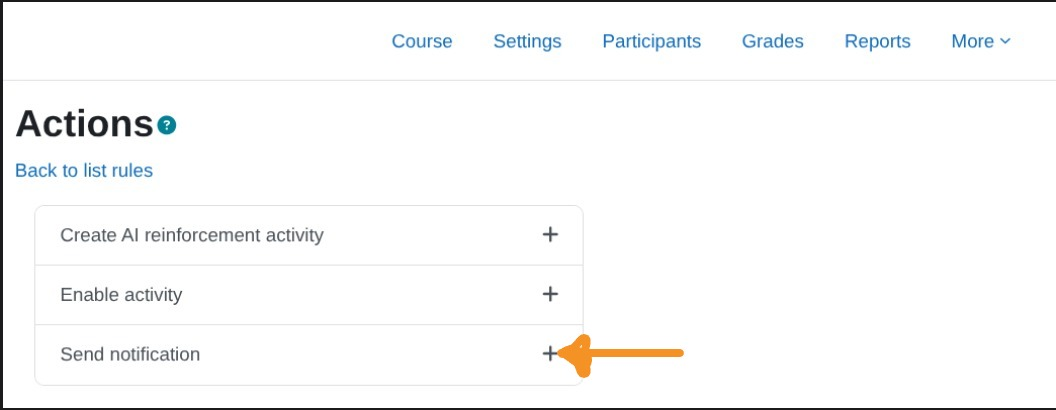
Action: Send notification
- Subject:
We miss you in {$a->coursename} - Body:
Hi {$a->firstname}, we noticed you haven’t accessed the course recently. Continue here: {$a->courselink}
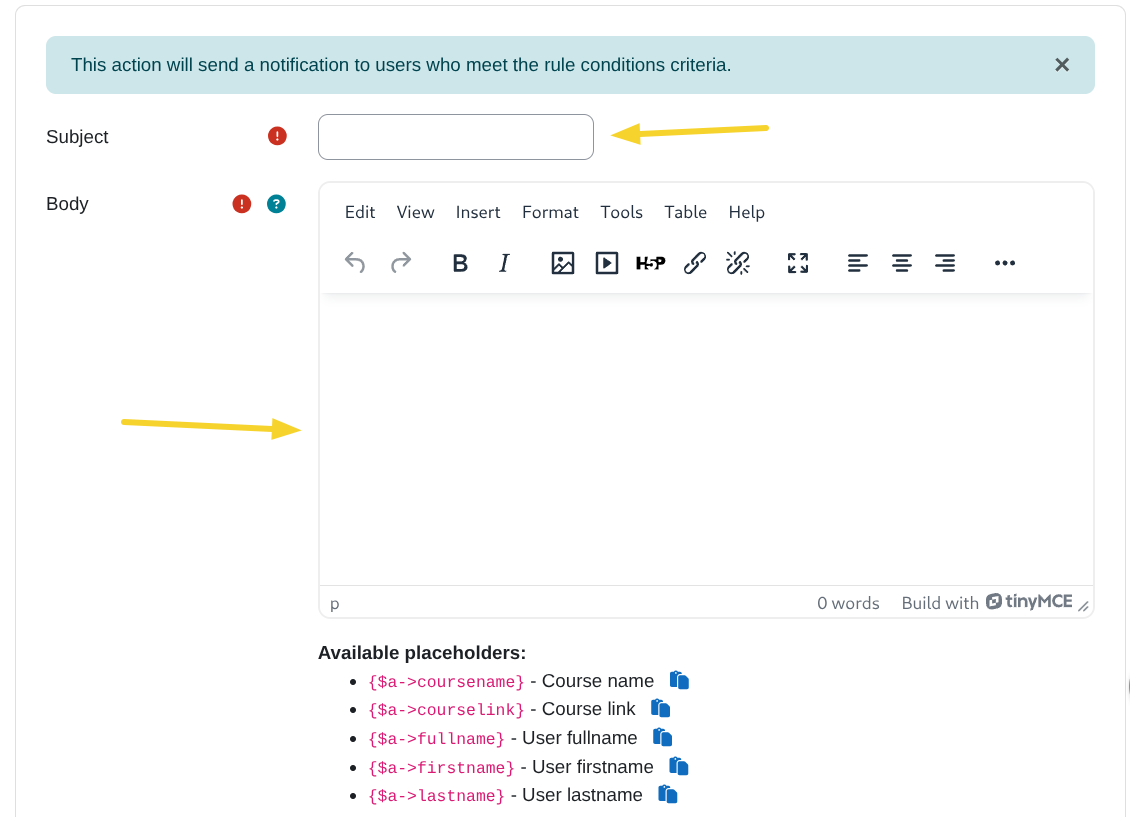
Roles to notify: Student
(Optional: add Teacher if you want teachers notified too.)
Template 2 — “You passed!” message (Activity completion with passing grade → Send notification)
Goal
Congratulate learners automatically when they pass an activity.
When to use it
- Reinforce progress and increase motivation
- Celebrate completions without extra teacher effort
Rule setup
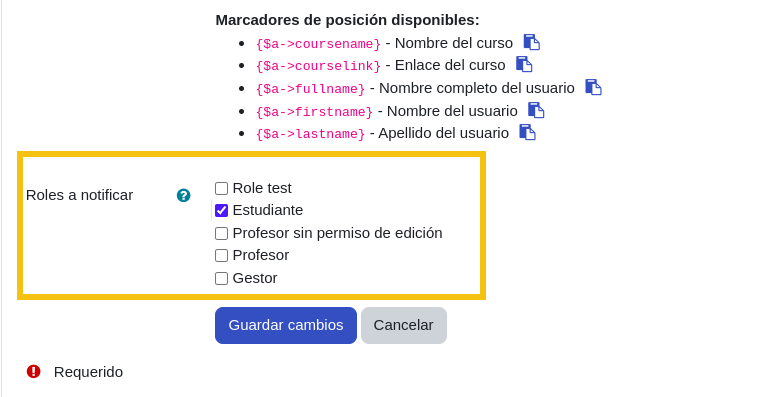
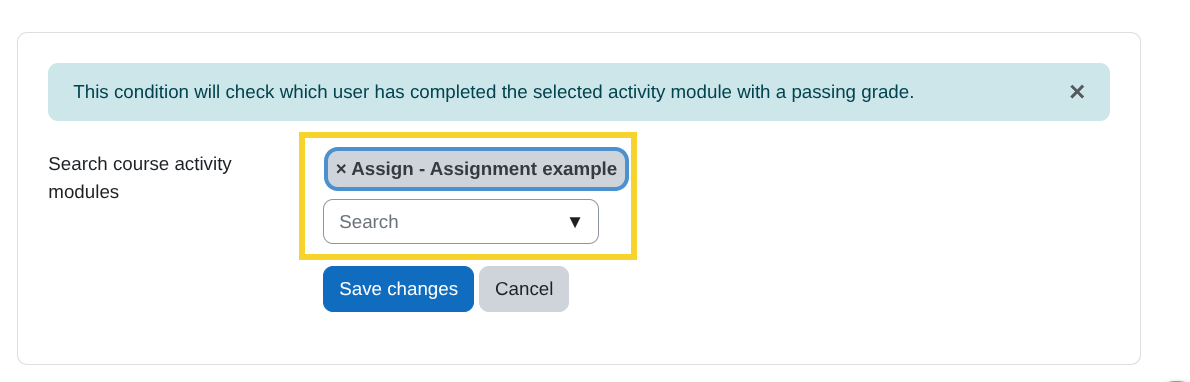
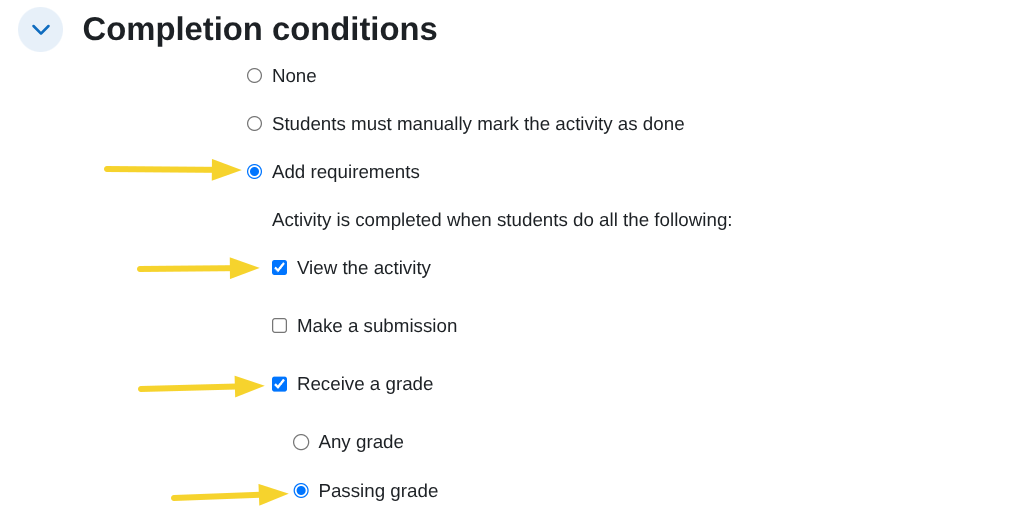
Condition: Activity completion with passing grade
- Select the target activity (the one that has a passing grade)
Action: Send notification
- Subject:
Great job! You passed - Body:
Hi {$a->firstname}, congratulations on passing the activity in {$a->coursename}! Keep going: {$a->courselink}
Roles to notify: Student
Make sure the activity has completion/grade settings configured (see the Conditions reference).
Template 3 — Low grade follow-up (Grade in activity → Send notification)
Goal
Notify learners when their grade is below a threshold and encourage them to review content or try again.
When to use it
- Early intervention for struggling learners
- Reduce drop-off by reacting quickly to low performance
Rule setup
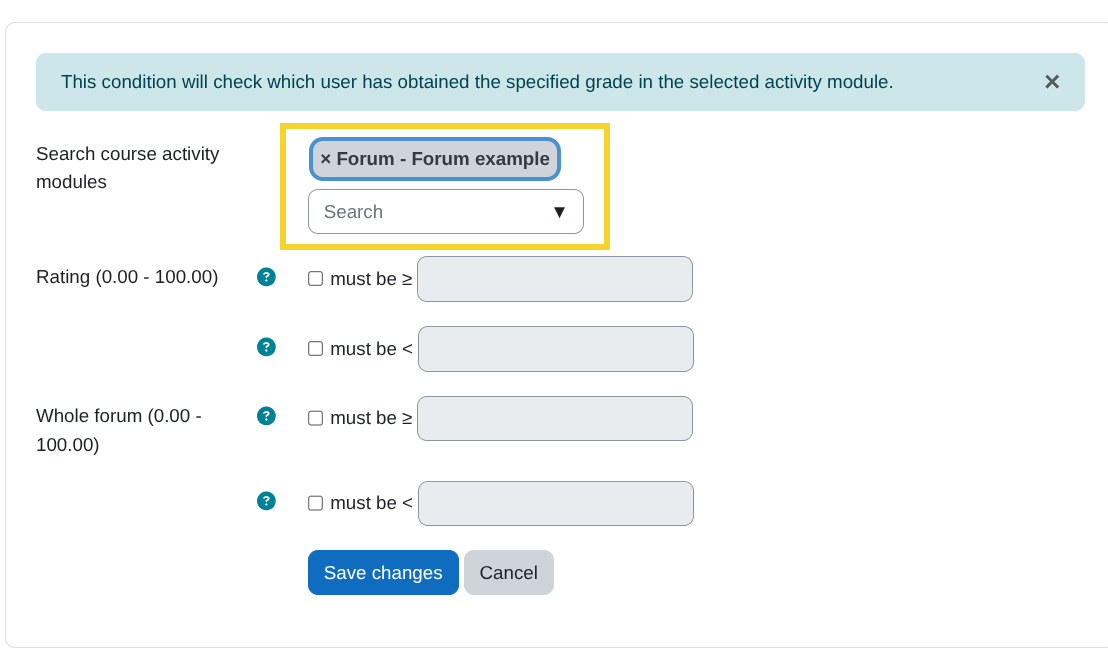
Condition: Grade in activity
- Select the activity
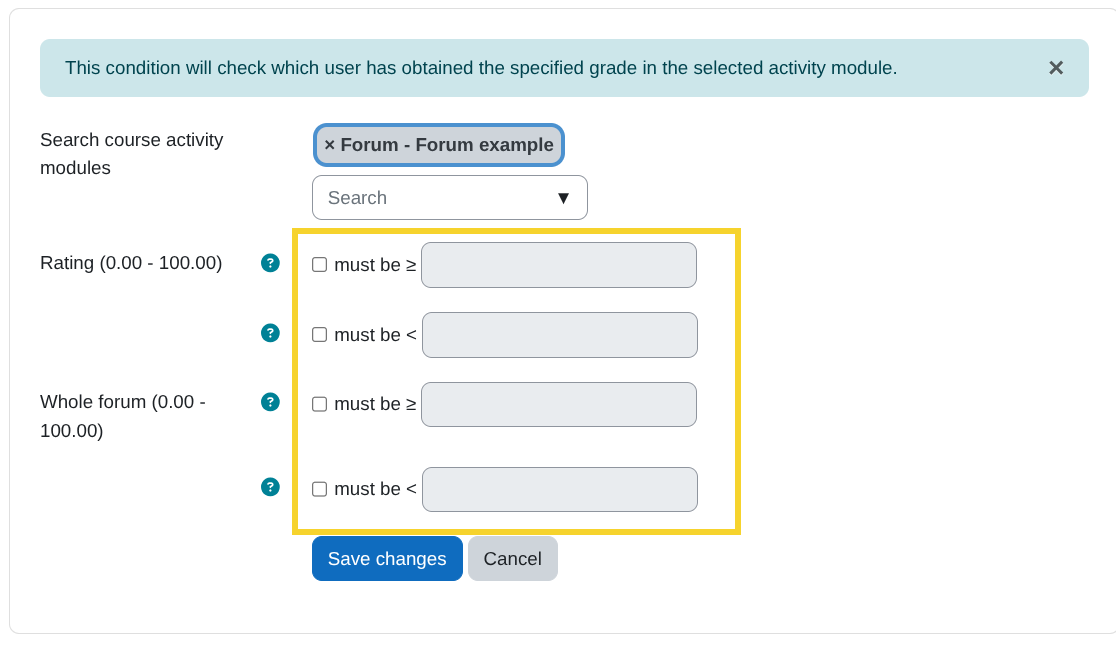
- Comparison:
Must be < - Threshold: e.g.,
60(adjust to your grading scale)
Action: Send notification
- Subject:
Quick tip to improve your score - Body:
Hi {$a->firstname}, we noticed your score is below the target in {$a->coursename}. Please review the materials and try again: {$a->courselink}
Roles to notify: Student
(Optional: add Teacher if you want a teacher alert too.)
Template 4 — Activity not completed on time (Activity not completed → Send notification)
Goal
Remind learners who did not complete a required activity by the expected date.
When to use it
- Deadlines matter (weekly tasks, required checkpoints)
- You want automatic reminders after due dates
Rule setup
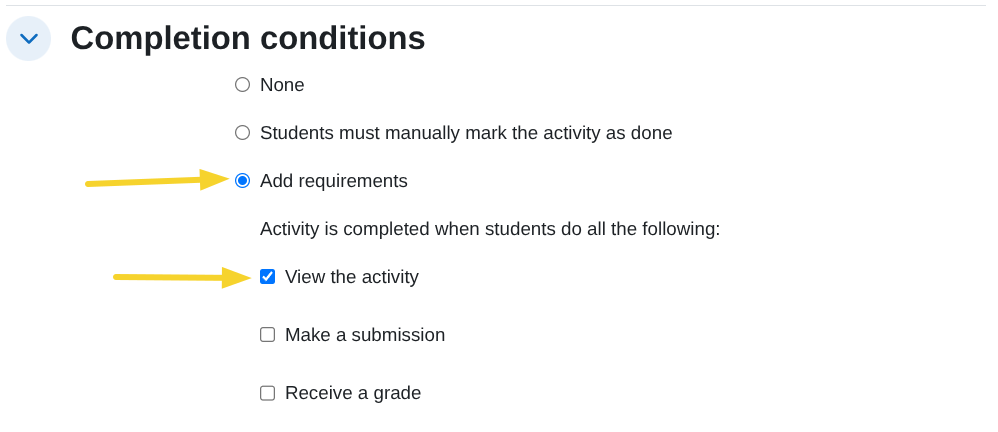
Condition: Activity not completed
- Select the activity
- Set the expected completion date/time
Action: Send notification
- Subject:
Reminder: please complete the activity - Body:
Hi {$a->firstname}, this is a reminder to complete the activity in {$a->coursename}. Access the course here: {$a->courselink}
Roles to notify: Student
Template 5 — Personalized practice (Course inactivity OR low grade → Create AI reinforcement activity)
This template requires extra plugins. See Prerequisites.
Goal
Automatically create a reinforcement activity (generated with AI) for learners who need extra practice.
When to use it
- You want differentiated practice at scale
- You want to react to inactivity or low performance with targeted support
Rule setup (example)
Condition (choose one):
No course access(e.g., 14 days), orGrade in activity(e.g., must be< 60)
Action: Create AI reinforcement activity
- Prompt example:
  `Create a short reinforcement activity for {$a->firstname} based on the content of {$a->coursename}.
  Focus on the concepts they likely struggled with and include 5 practice questions.`
- Section: choose where the activity will appear
- (Optional) Insert before: select a relevant activity
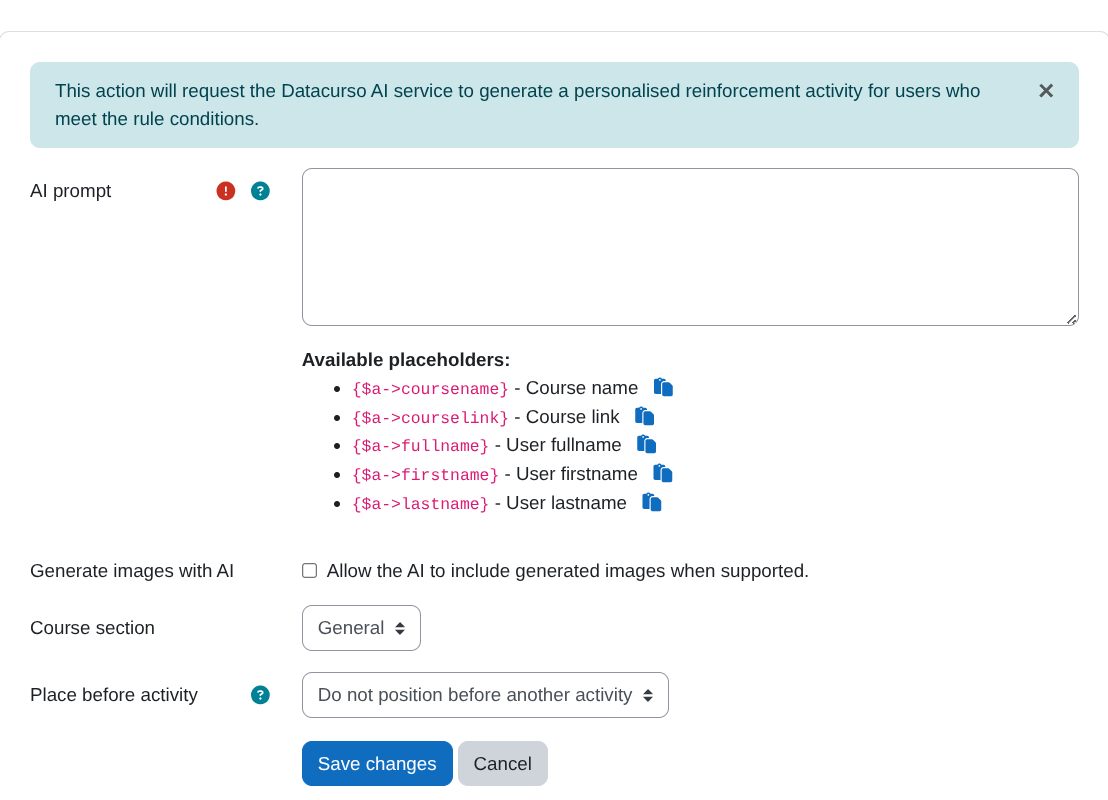
This action requires:
- Restriction by user
- Course Creator AI (See Prerequisites.)
How to choose the right template
- Want more learners to return? → Template 1
- Want to reinforce progress? → Template 2
- Want early intervention? → Template 3
- Want deadline follow-up? → Template 4
- Want differentiated practice at scale? → Template 5