Administrator Guide
This section covers all administrative features of the Ranking Activities AI plugin.
Accessing the Administration Panel
-
Go to Administration under the Plugins section.
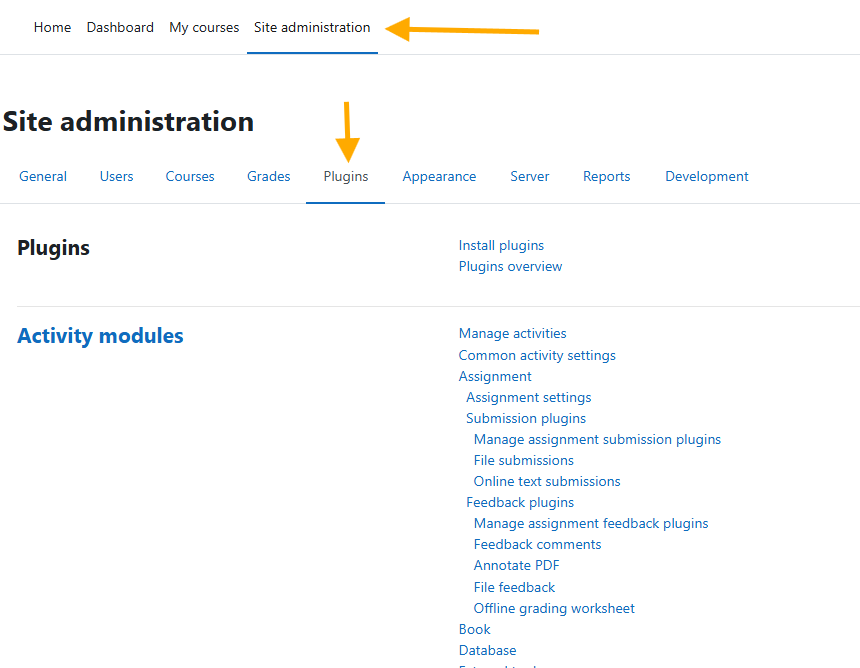
-
Find Local Plugins and locate the Ranking Activities AI links. Here you will find three links related to this plugin:
- Manage predefined responses
- General ratings report
- General settings
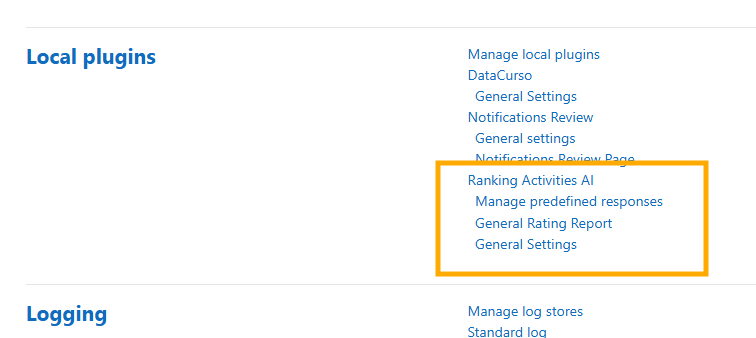
Available Sections
- Manage Predefined Responses: Create and manage response options for students
- General Rating report: View comprehensive ratings data and generate AI analyses
- General settings: Enable or disable the plugin’s visibility in courses