Configuration
Once installed, follow these steps to configure the plugin:
- Log in as an administrator.
- Go to any Moodle course and locate the Ranking Activities AI section.
- Ensure the DataCurso AI Provider plugin is active and licensed.
- Students can now start rating activities. Teachers and admins can generate AI-based analyses using the “Generate AI Analysis” button.
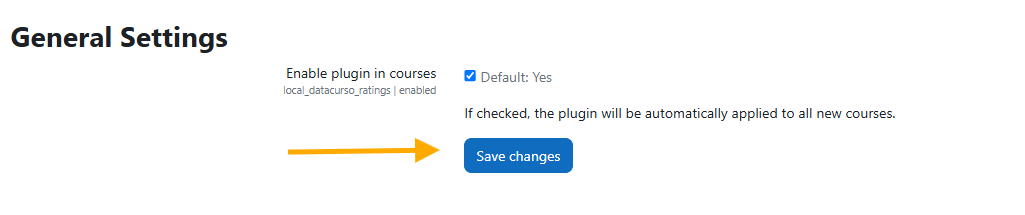
General Settings
Administrators can enable or disable the plugin's visibility in courses through the administration panel:
Site administration > Plugins > Local plugins > Ranking Activities AI > General settings.