Public verification of certificates
For the credential link published on LinkedIn to be verifiable by anyone — including visitors who have not logged in to the site — the administrator must enable public verification in the Custom certificate activity. These settings do not belong to Share Certificate AI, but they determine the value of the published credential: while they are disabled, the panel warns the learner that the link will not be verifiable by third parties.
In Site administration → Plugins → Activity modules → Custom certificate → Custom certificate settings:
-
Allow verification of all certificates (
customcert | verifyallcertificates): must be enabled. Its default value is No. When enabled, anyone can visit the site verification link to check a certificate, instead of having to use the verification link of each individual certificate.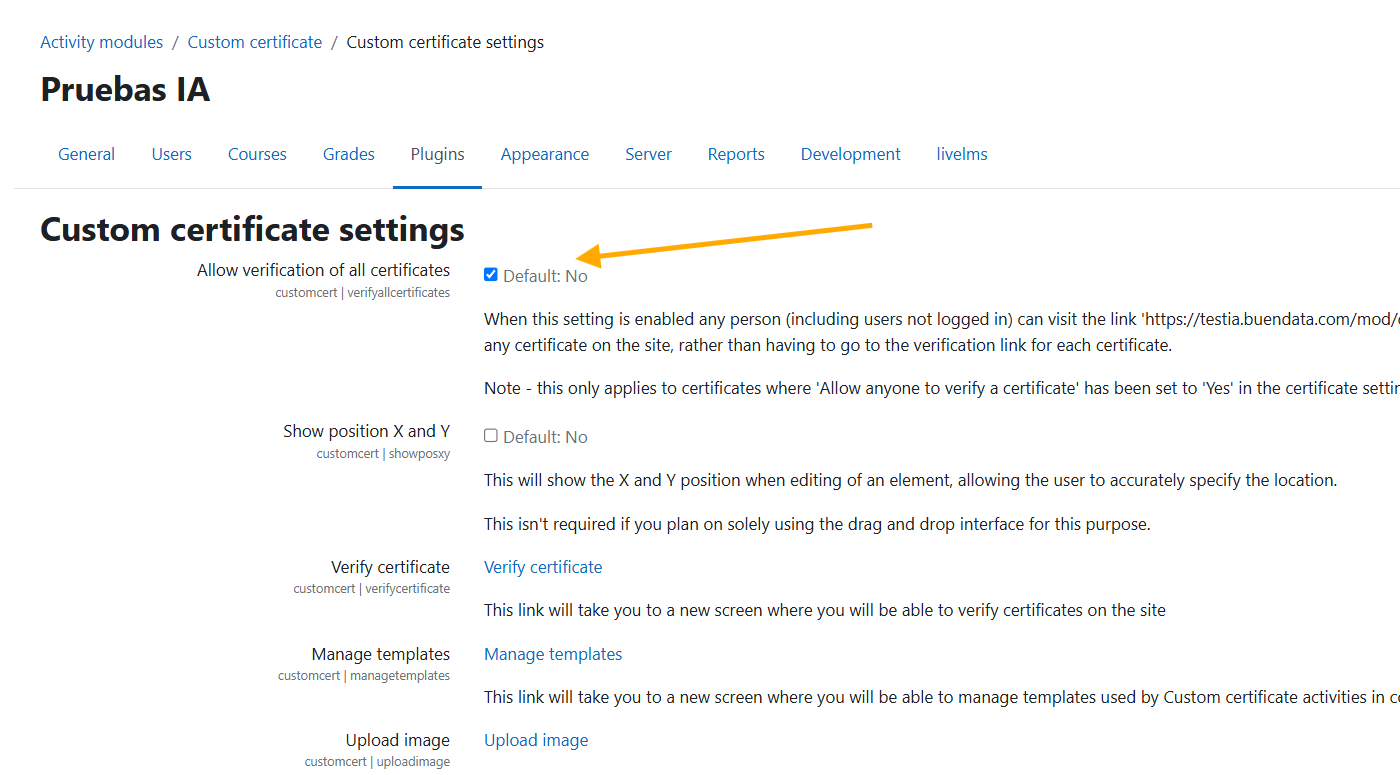
-
In the Activity defaults section, set Allow anyone to verify certificates (
customcert | verifyany) to Yes. Its default value is No, and it is the value that new certificate activities created on the site will take.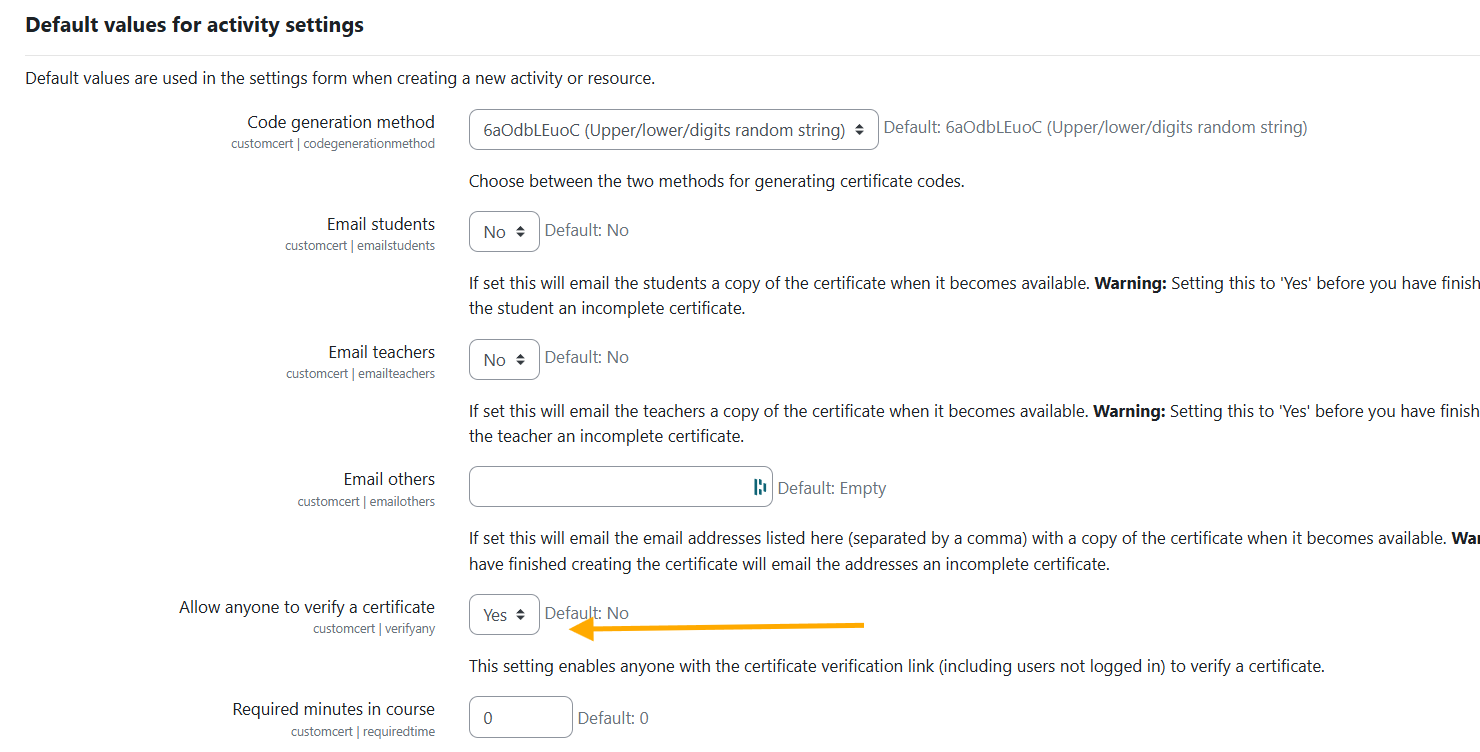
Both settings are necessary and play different roles: the first enables verification at site level, and the second determines that each certificate can be verified by anyone. Activities created before this change keep the value they already had, so review the Allow anyone to verify certificates option inside the settings of each existing activity.