Payment Account Configuration
Configure a payment account to start receiving transactions:
-
Go to
Site administration > General > Payments > Payment accounts.
-
Click on
Create payment account.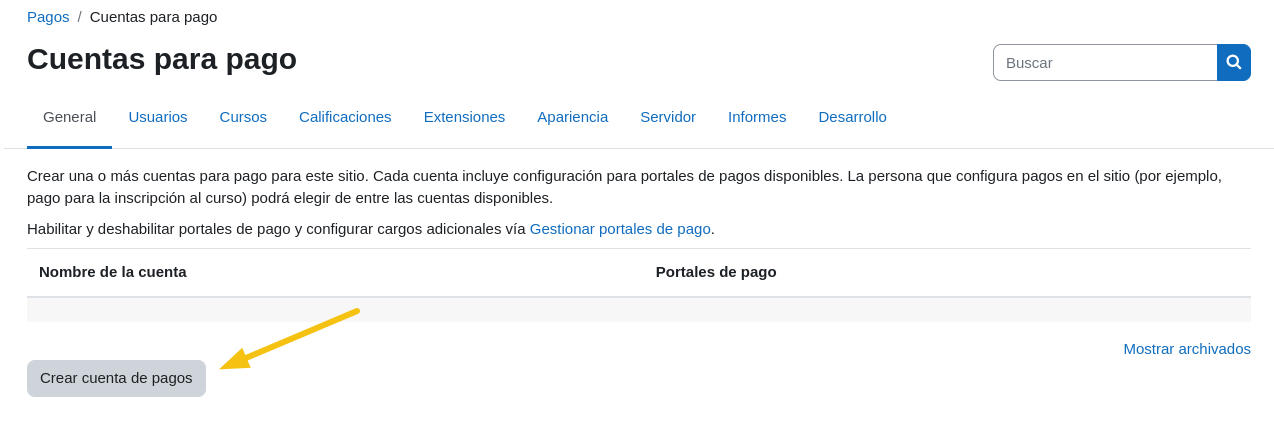
-
Assign a name (e.g.,
Example Payments), checkEnabled, and save.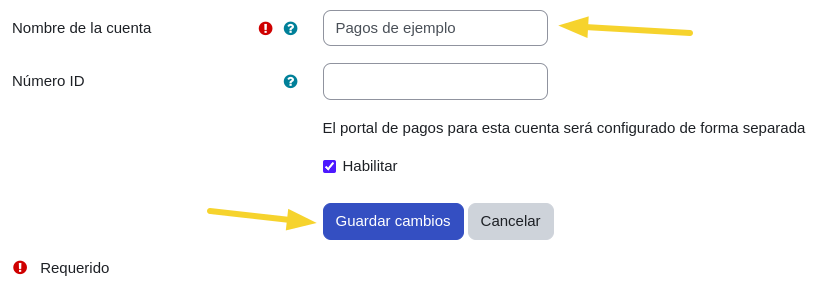
-
Select the
Mercado pagooption.
Environment Modes
-
Sandbox (Testing): Enter your test credentials and set the environment to
Sandbox. Use test cards.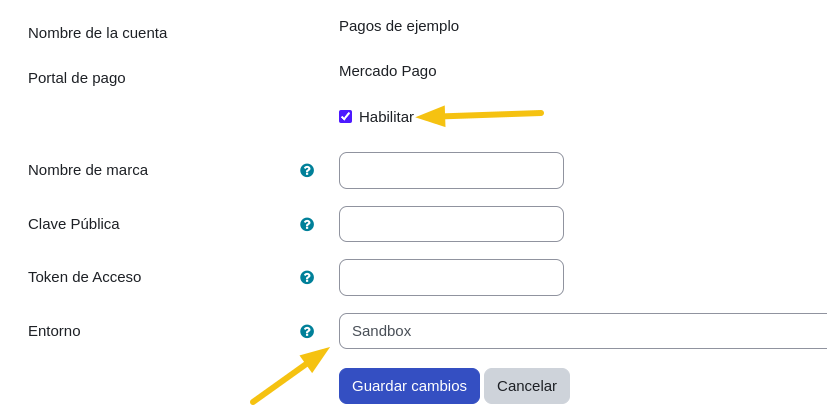
-
Production (Real): Enter your production credentials and set the environment to
Production.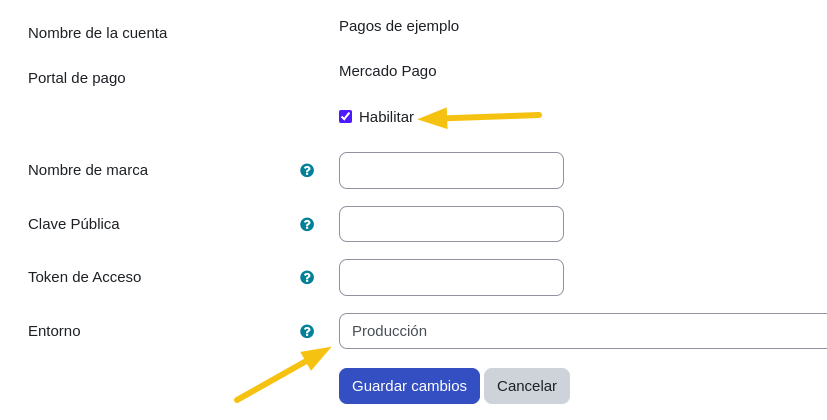
-
Verify that the gateway appears as active.
