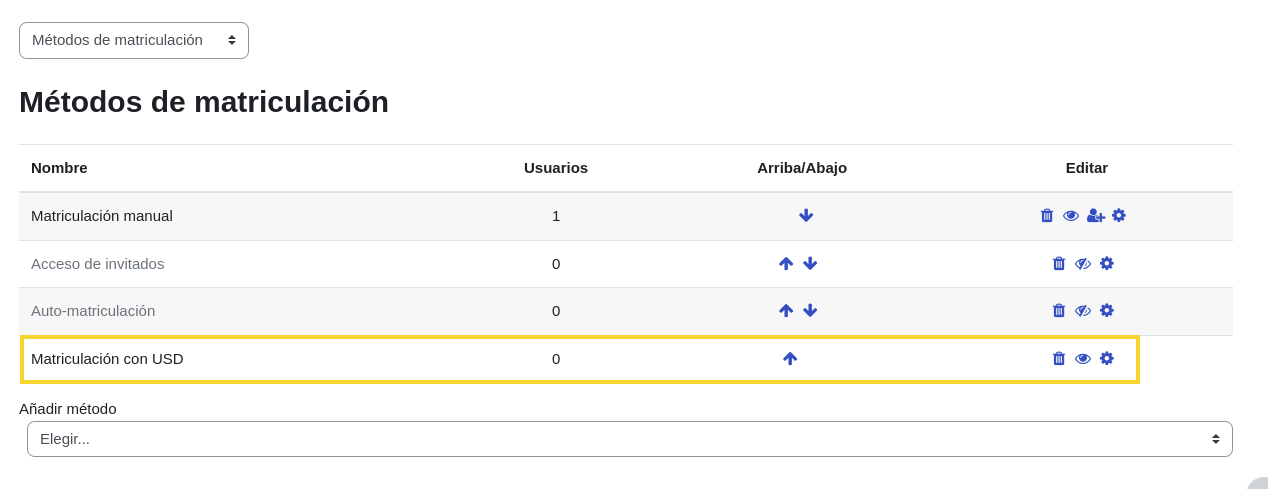
Configuration for Enrollments
Allows charging for full course enrollment.
-
Go to
Site administration > Plugins > Enrolments > Manage enrol plugins. -
Enable the
Enrolment on paymentplugin.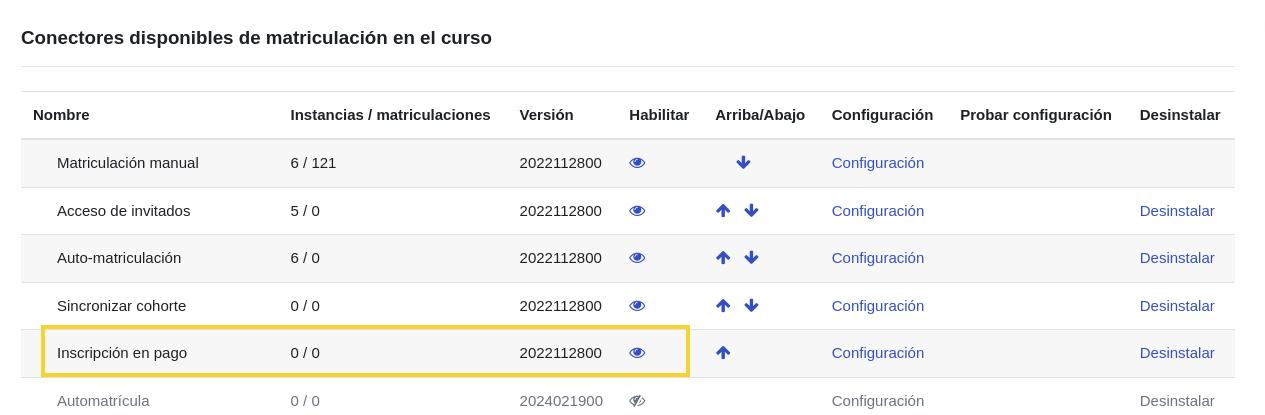
-
Inside the course, go to
Participants > Enrolment methods. -
In
Add method, selectEnrolment on payment.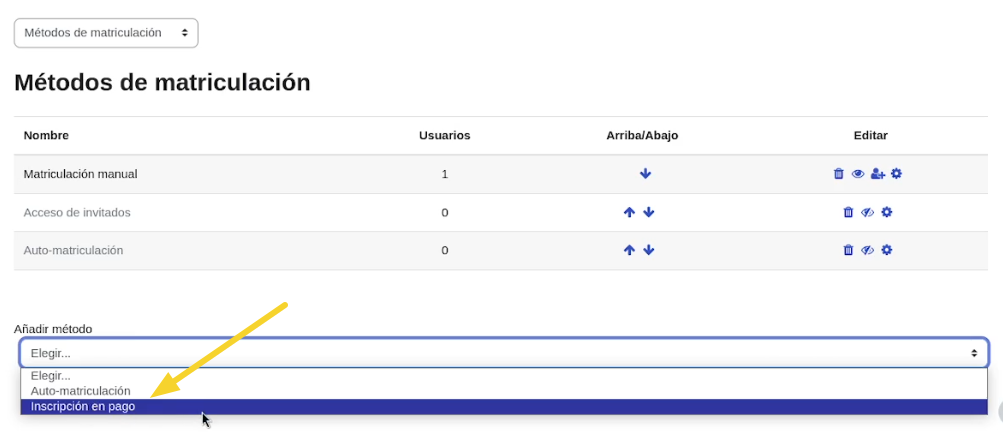
-
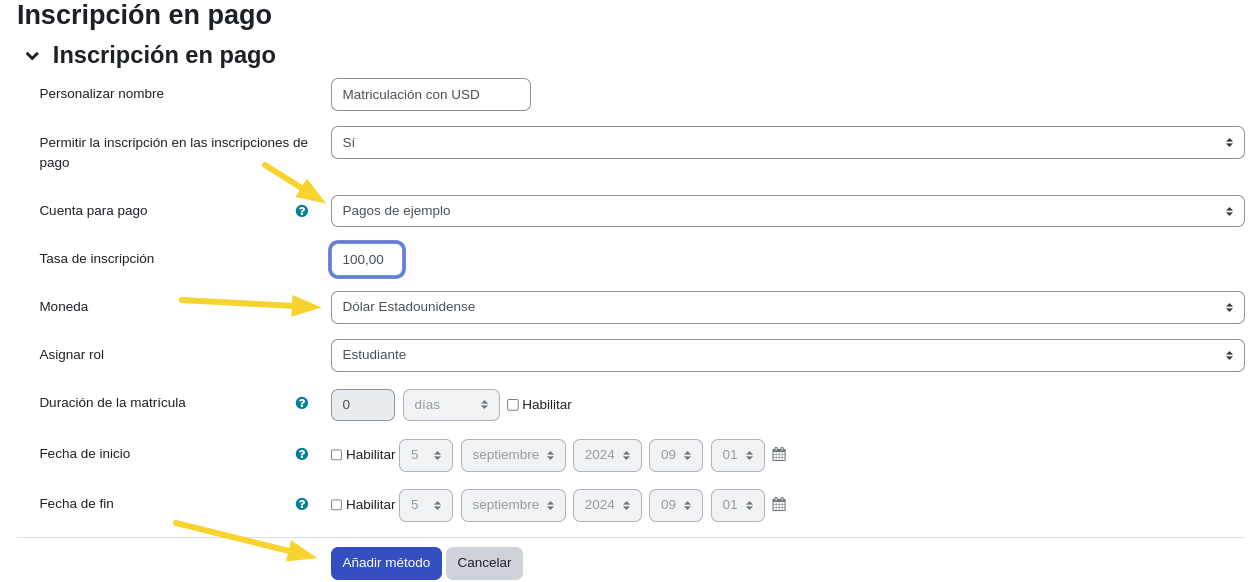
Configure the instance:
- Custom name: e.g.,
USD Enrollment. - Payment account: Select the previously configured account.
- Enrolment fee: Amount to charge.
- Currency: e.g.,
USD.
- Custom name: e.g.,
-
Save changes to activate the charge.