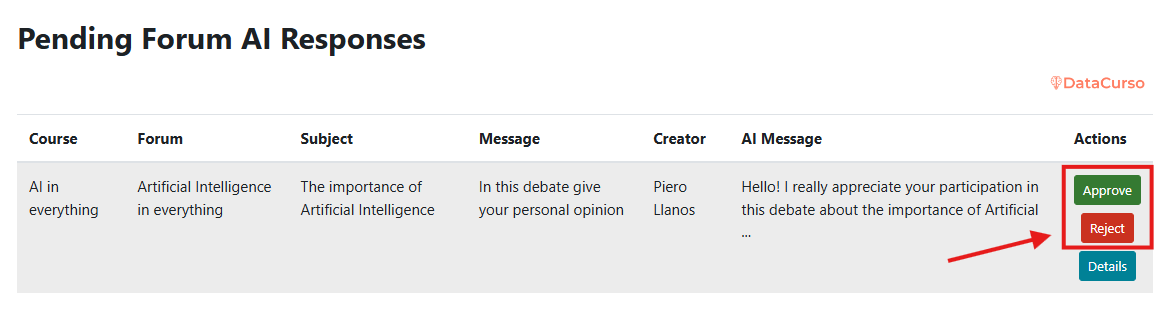
AI response review - List
The report-based workflow is designed for batch review.
Use Pending AI Responses when reviewers need to process multiple AI-generated messages in a controlled queue.
This view is especially useful in large courses with high forum activity.
Enter Pending AI Responses.
Select Pending AI Responses to view all AI messages awaiting review.
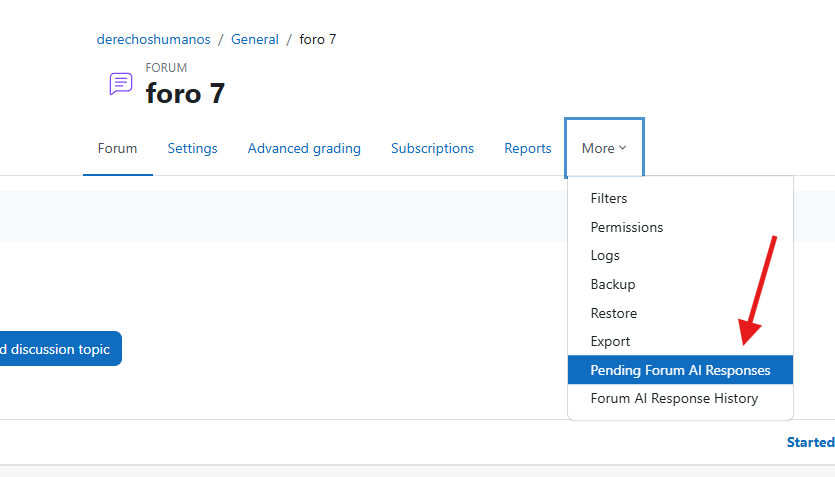
View pending items.
A list of AI-generated replies appears, including the related forum thread and current review status.
Use this list to prioritize urgent items or high-impact discussions first.
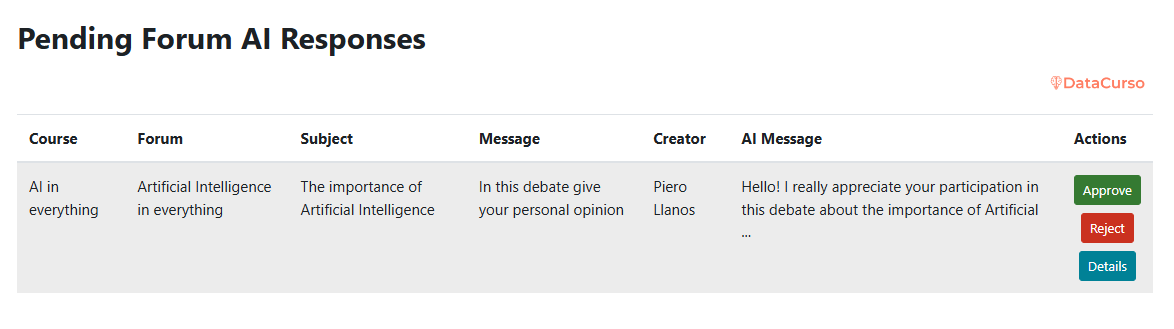
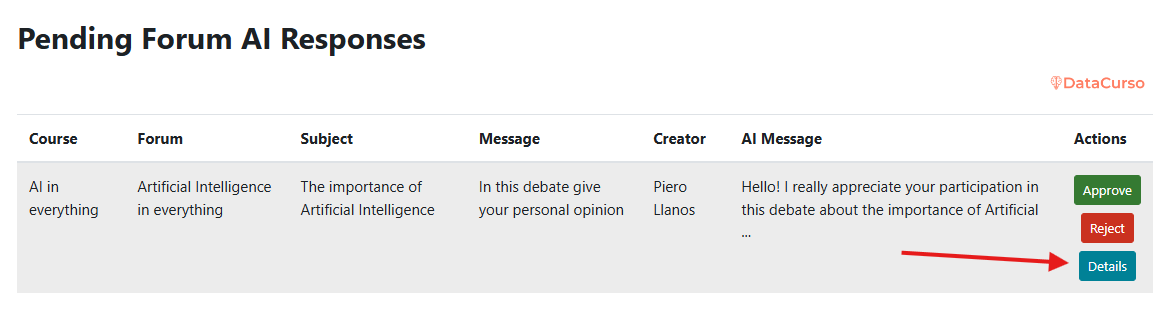
See detailed response.
Click Details to open the selected proposal with the associated discussion context.
View modal with details.
The detail modal displays:
- original thread content,
- AI-generated response,
- available review actions.
This helps reviewers validate relevance and accuracy before deciding.
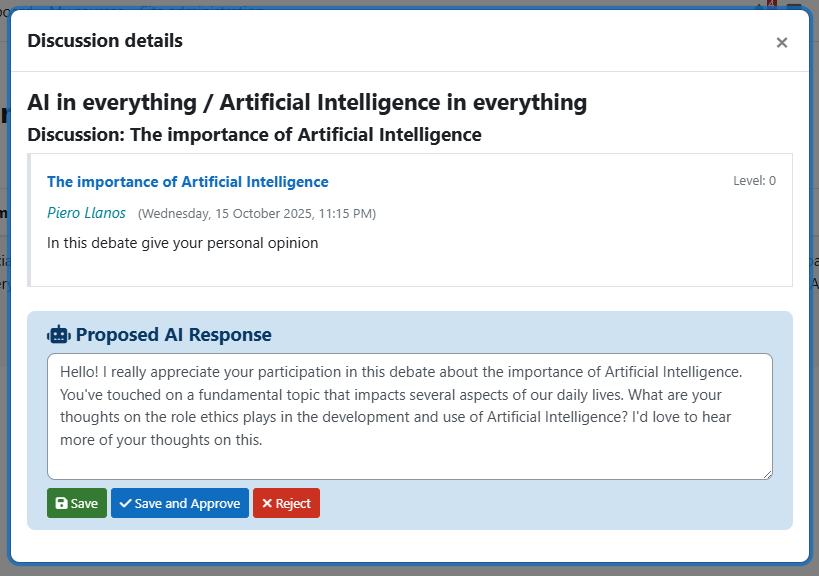
Edit and save.
The reviewer can edit the AI message to improve quality and then continue with the review flow.
Use edits to align feedback with rubric language, expected tone, or course-specific standards.
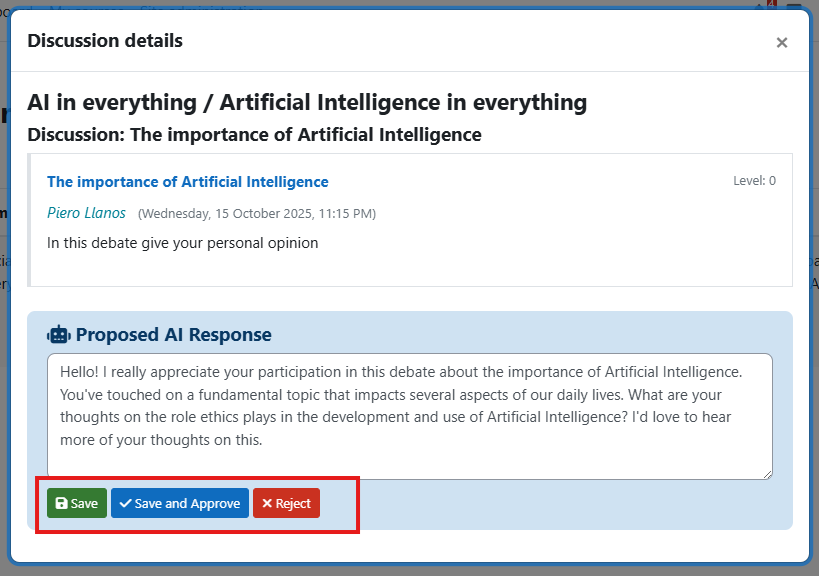
Approve or reject.
Choose whether to:
- Approve: publish the response in the forum.
- Reject: discard the response if it does not meet content, tone, or instructional quality.
Approved and rejected decisions are tracked for audit purposes.