Course Creator AI plugin permissions
The following table summarises the main permissions used by the Course Creator AI plugin and their default role assignments.
| Name | Description | Default roles |
|---|---|---|
local/coursegen:view_syllabus | View and download the syllabus file used by the AI in the course configuration. | Manager, Editing teacher |
local/coursegen:managesysteminstructions | Manage system instructions (create, edit, delete base AI prompts). | Manager |
local/coursegen:createcoursewithai | Create complete courses using AI. | Manager |
local/coursegen:createactivitywithai | Create activities within a course using AI. | Manager, Editing teacher |
local/coursegen:generatecourseimages | Generate images with AI when creating a course. | Manager |
local/coursegen:generateactivityimages | Generate images with AI when creating an activity. | Manager |
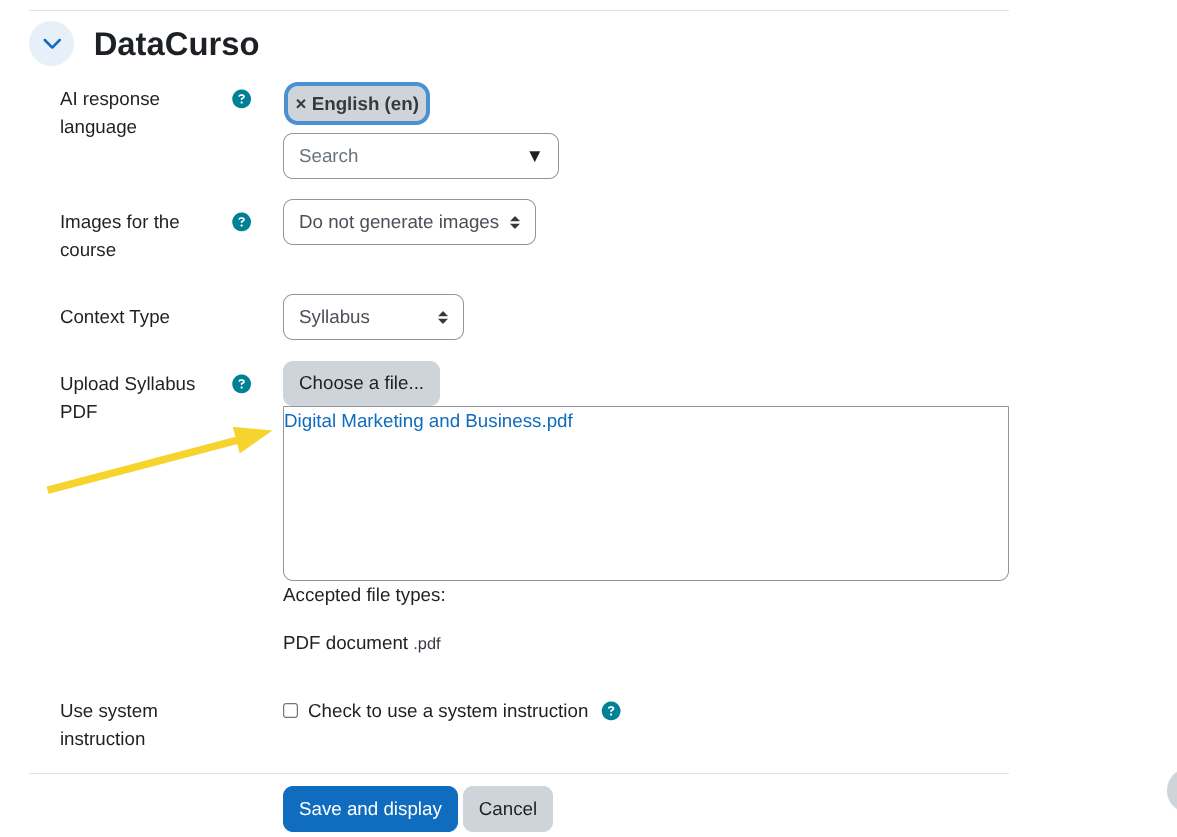
local/coursegen:view_syllabus
Allows users to view and download the syllabus file uploaded in the course configuration.
With this permission, a user can:
- View the uploaded syllabus PDF.
- Download the syllabus used by the AI as course context.
local/coursegen:managesysteminstructions
Allows users to manage the system instructions (base AI prompts).
Users with this permission can:
- Create new system instructions.
- Edit existing instructions.
- Delete instructions.
- Access the system instructions management page.
This permission is intended primarily for administrative roles within the platform.

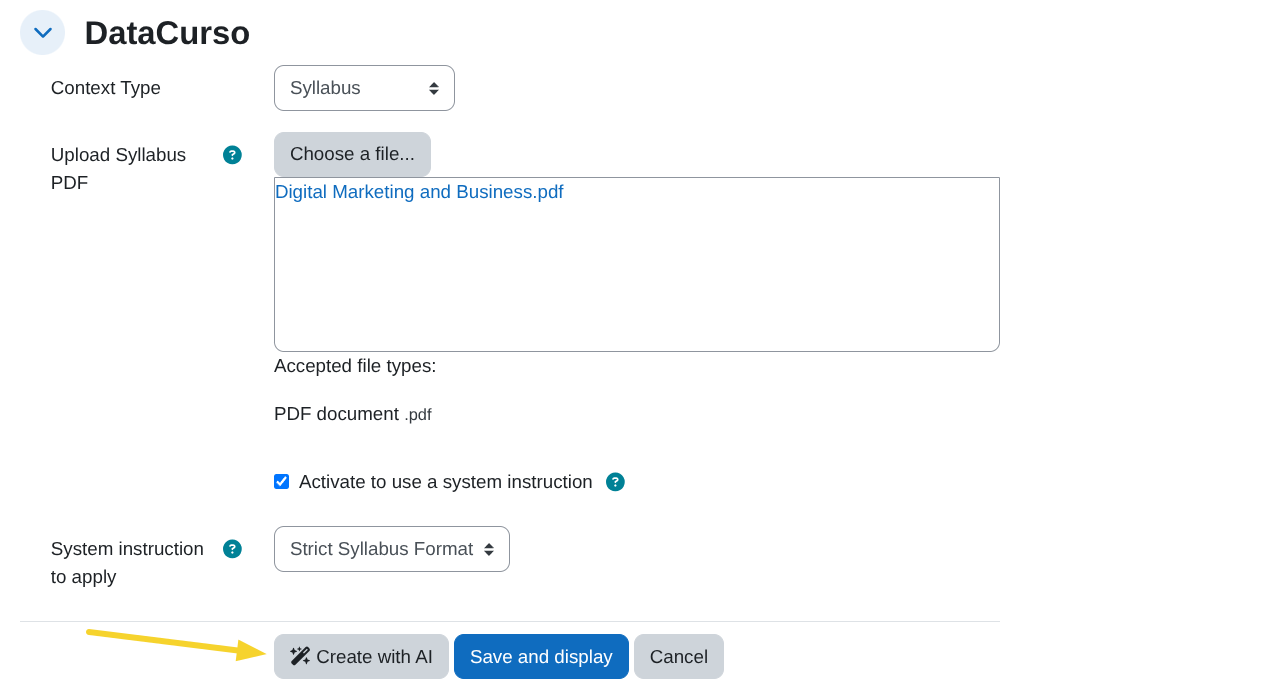
local/coursegen:createcoursewithai
Allows users to see the Create with AI button to generate complete courses using AI.
This permission is not sufficient on its own. The button appears only when all of the following hold:
- On the new course form: the Enable AI course creation setting is on, and the user holds
moodle/course:createin the target category. - On the edit form of an existing empty course: the Enable AI generation for empty courses setting is on, the course is genuinely empty (no activities or resources, apart from the Announcements forum Moodle adds automatically), and the user holds
moodle/course:updatein that course.
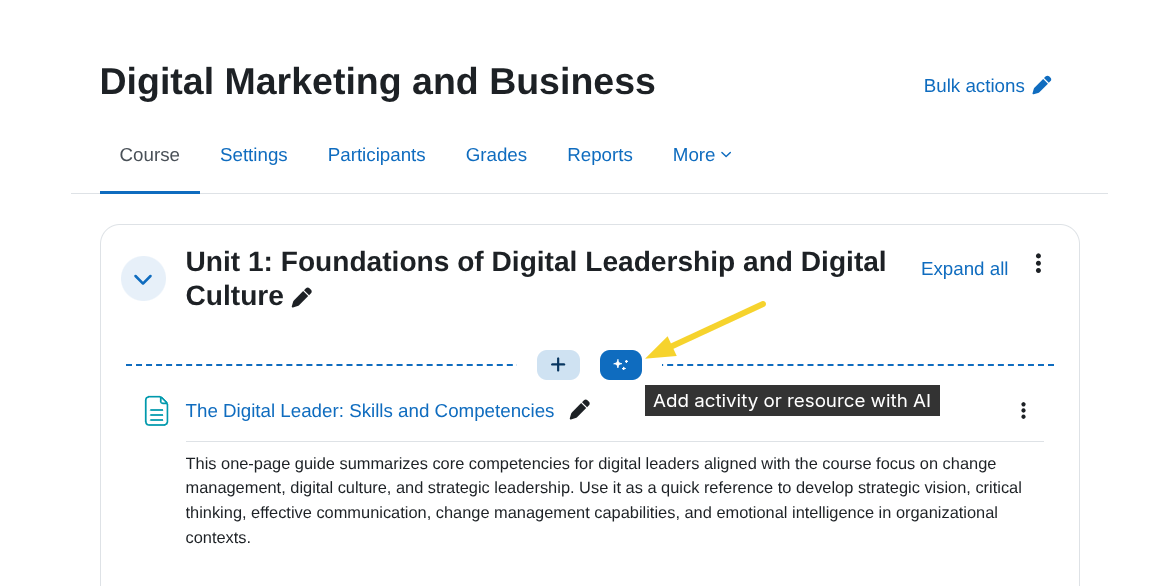
local/coursegen:createactivitywithai
Allows users to see the Add activity or resource with AI button inside a course section.
This permission is not sufficient on its own. The button appears only when the Enable AI activity creation setting is on and the user also holds moodle/course:update and moodle/course:manageactivities in that course.
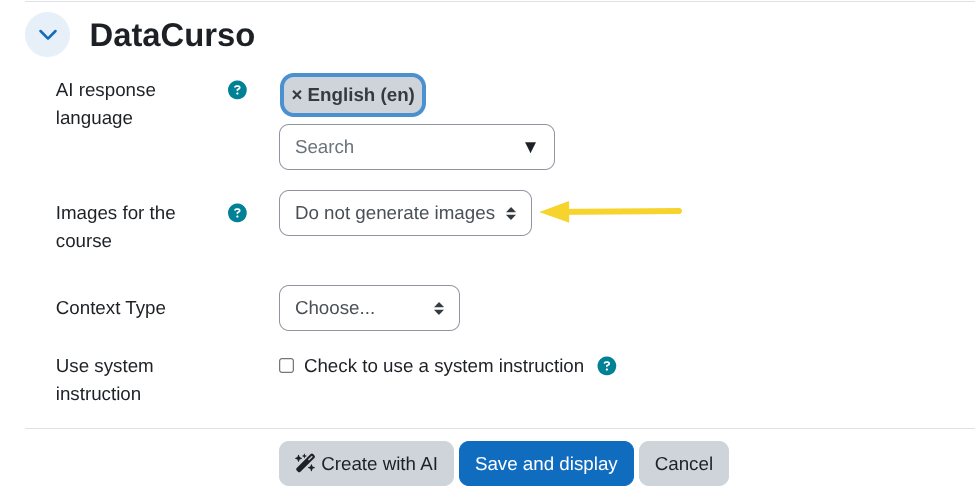
local/coursegen:generatecourseimages
Allows users to see the Images for the course selector on the course creation form, used to let the AI generate images for the course.
This permission is checked together with the Enable image generation for courses setting: if either the setting is disabled or the user lacks this permission, the selector does not appear, and images will not be generated.
local/coursegen:generateactivityimages
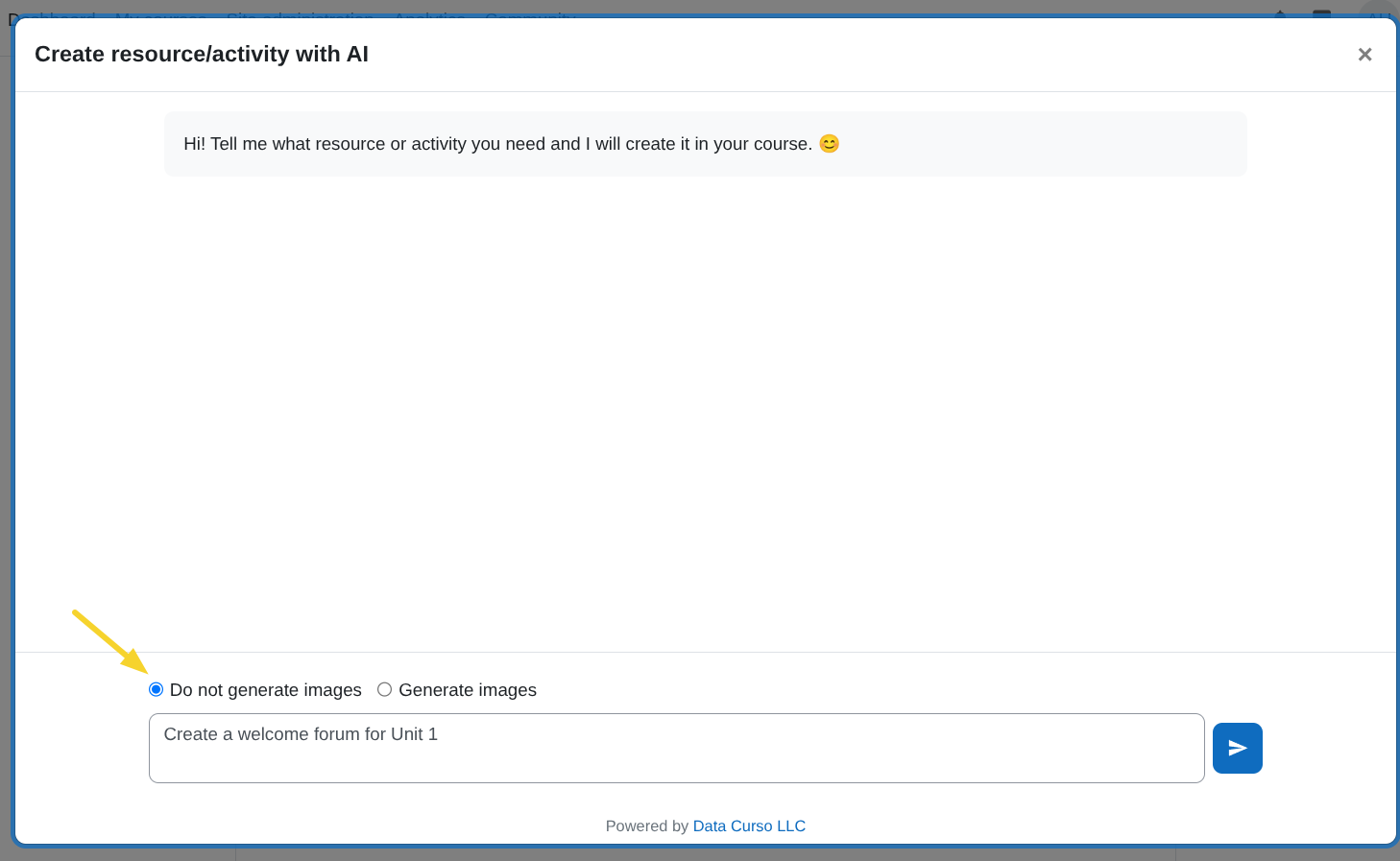
Allows users to see the Images in the activity selector inside the AI activity creation modal, used to let the AI generate images for the activity.
This permission is checked together with the Enable image generation for activities setting: if either the setting is disabled or the user lacks this permission, the selector does not appear, and images will not be generated.
For details on the related site-wide settings, see General settings.