Datacurso Message Hub Configuration
The output plugin message_output_datacurso_msghub is responsible for registering the Message Hub as a valid output method within Moodle's core messaging system.
1. Accessing Output Configuration
To enable the output plugin:
- Navigate to
Site administration > Messaging > Notification settings. - Look for the Datacurso Message Hub entry in the list of available outputs.
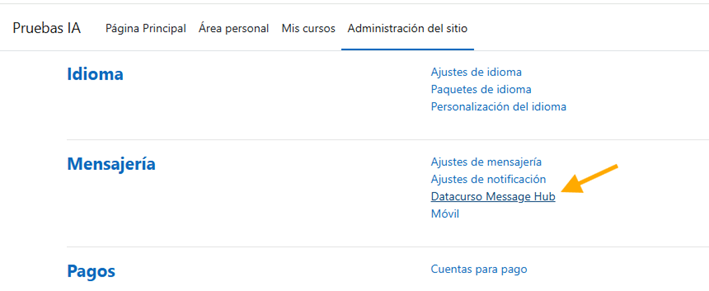
2. Enabling the Provider
Within the output settings, you can check its status and ensure it's properly linked to the local hub.
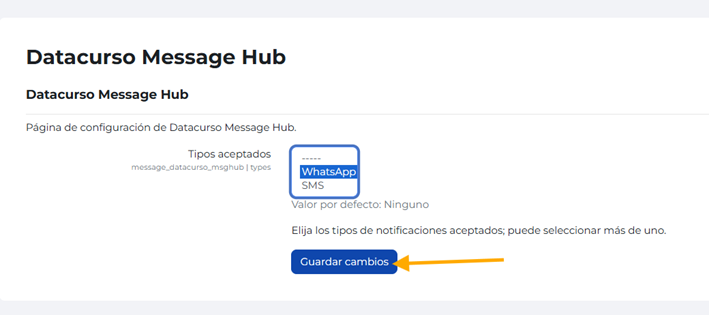
3. User Preferences
Once enabled globally, users can go to their profile settings and specifically opt-in to receive notifications via the Centro de mensajes for different event types (e.g., assignment submissions, forum posts, etc.).