Payment Account Configuration
-
Go to
Site administration > General > Payments > Payment accounts.
-
Create a payment account.
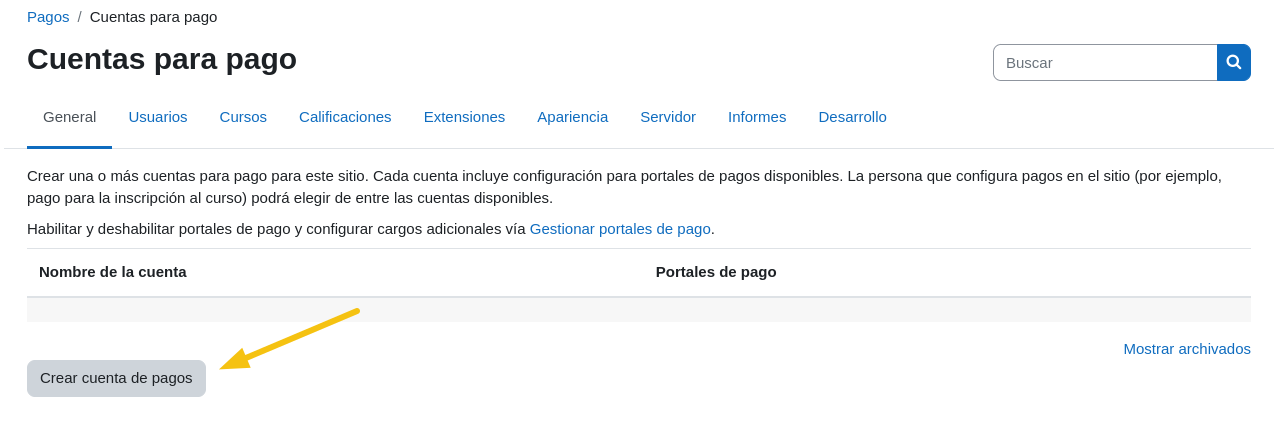
-
Assign a name (e.g.,
Example Payments). Ensure theEnabledcheckbox is marked. Finally, save changes.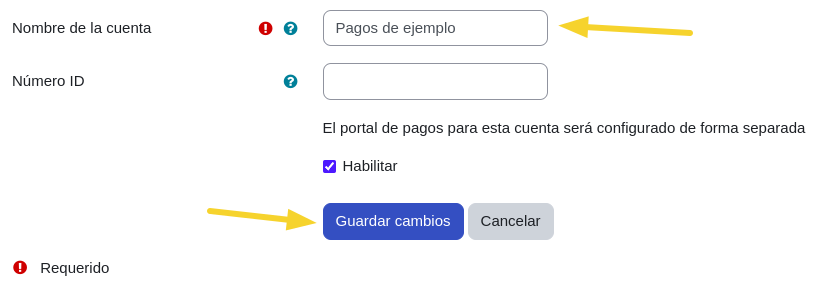
-
Select the
Epaycooption.
-
Check the
Enablebox and enter the brand name in the corresponding field.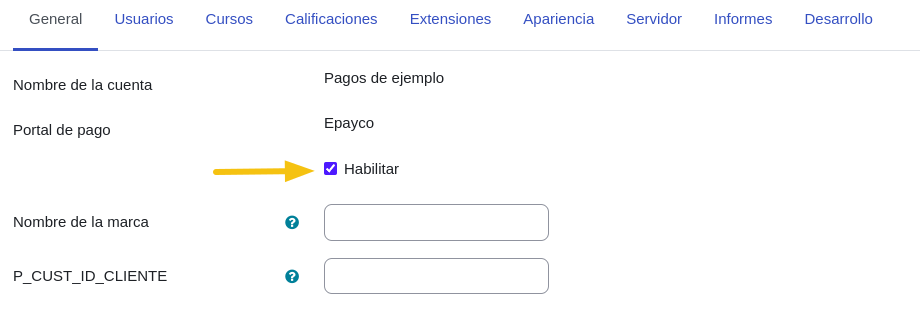
-
Enter the credentials obtained from the Epayco panel in each field as appropriate. These values will be different for each environment, whether
SandboxorProduction.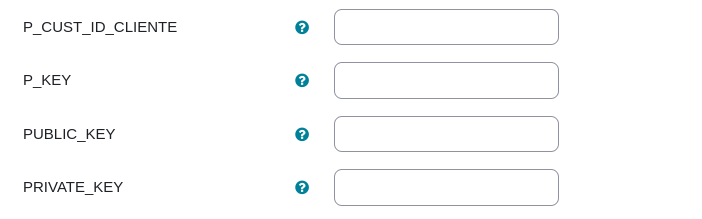
-
To perform non-real test payments, the
Environmentoption must be set toSandbox. The following link contains test payment methods to use in thisSandboxmode: Epayco Test Methods.
For real payments, the environment option must be set to
Live.
-
Verify that the
Epaycooption is in an active state.