DataCurso Recomendate block permissions
The following table summarises the main permissions used by the DataCurso Recomendate block and their default role assignments.
| Name | Description | Default roles |
|---|---|---|
block/datacurso_recomendate:myaddinstance | Allow the user to add the Recommended courses block to their personal Dashboard. | User |
block/datacurso_recomendate:addinstance | Allow the user to place the block on site pages such as the front page or a course. | Manager, Editing teacher |
block/datacurso_recomendate:myaddinstance
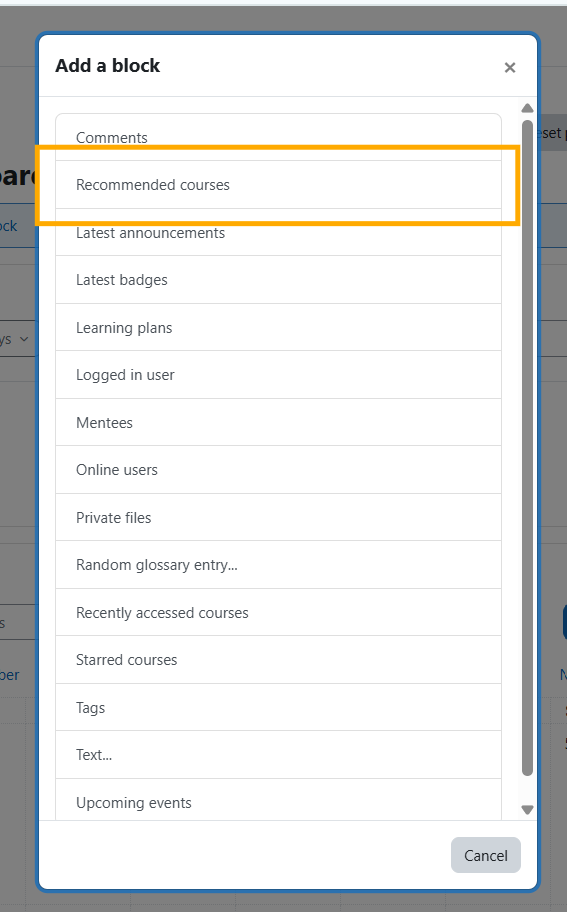
Allows users to add the Recommended courses block to their personal Dashboard (/my/ page) when customising the layout.
With this permission, a user can:
- Turn on editing in the Dashboard and insert the Recommended courses block.
- Configure the block’s display options for their own view (switch between cards/list, paginate recommendations).
- Remove the block from their Dashboard when it is no longer needed.
The permission is intended for the general User role so everyone can opt in to viewing their personalised course suggestions.
block/datacurso_recomendate:addinstance
Allows users to place the Recommended courses block on shared site pages (front page, courses, or other block-enabled areas).
With this permission, a user can:
- Turn editing on within a course or the site front page and add the block for all viewers of that page.
- Configure the block instance so students see tailored recommendations generated by DataCurso ratings.
- Remove or reposition the block across sections as part of course layout management.
This permission is restricted to Manager and Editing teacher roles so only staff responsible for courses or the site can expose the recommendation block to wider audiences.