Send notification
Description
Use this action to send notifications to users who meet the rule's conditions.
💡 In practice: this is the most common action for reminders, encouragement, and teacher alerts.
Improve notification delivery
Enhance your notifications with our Datacurso Message Hub plugins, which let you send notifications via WhatsApp and SMS using providers like Twilio. Click here to purchase and activate now!
For more information, visit the documentation page: https://docs.datacurso.com/docs/plugins-premium/message-hub/
Configure notification sending (Required only if you have the Datacurso Message Hub plugins installed)
- Go to
Site administration > General > Messaging > Notification settings

- In the
Default notification preferencessection, findSmart Rules AI notificationand enable the option forDatacurso Message Hub.


Action configuration
-
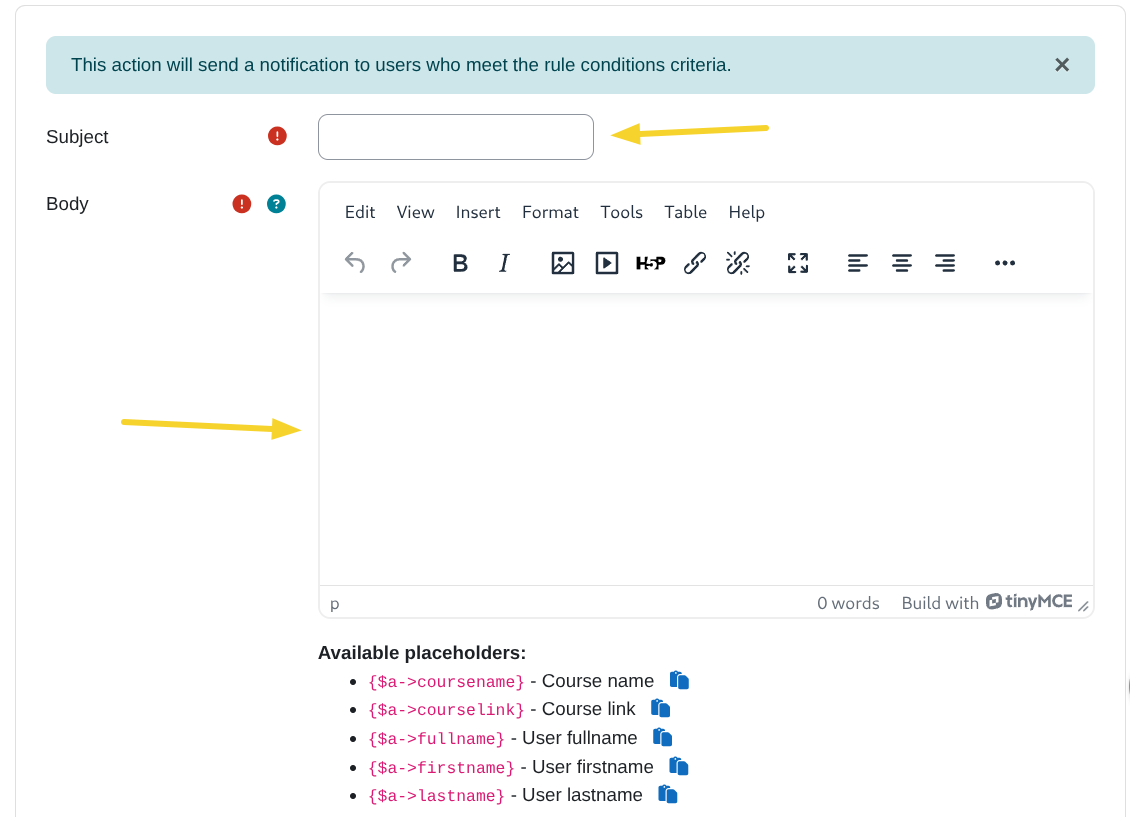
Subject:
Define the notification subject. -
Body:
Define the notification body.
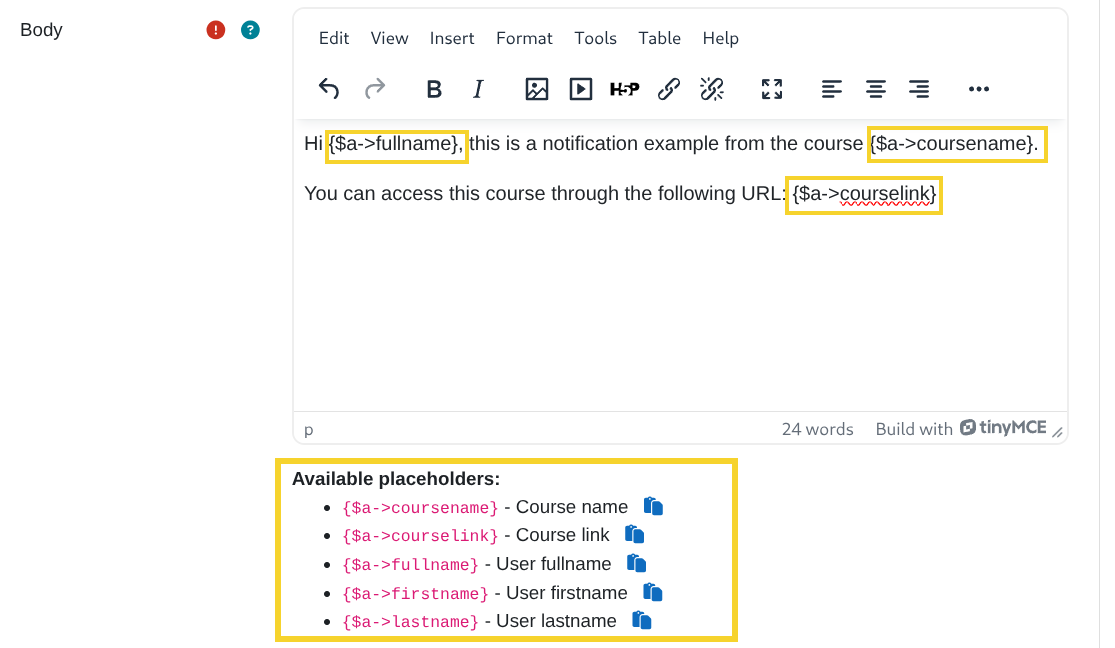
- Placeholders
You can use placeholders in the notification body to personalize the message for each user. Available placeholders:{$a->coursename}- Course name{$a->courselink}- Course link{$a->fullname}- User full name{$a->firstname}- User first name{$a->lastname}- User last name
-
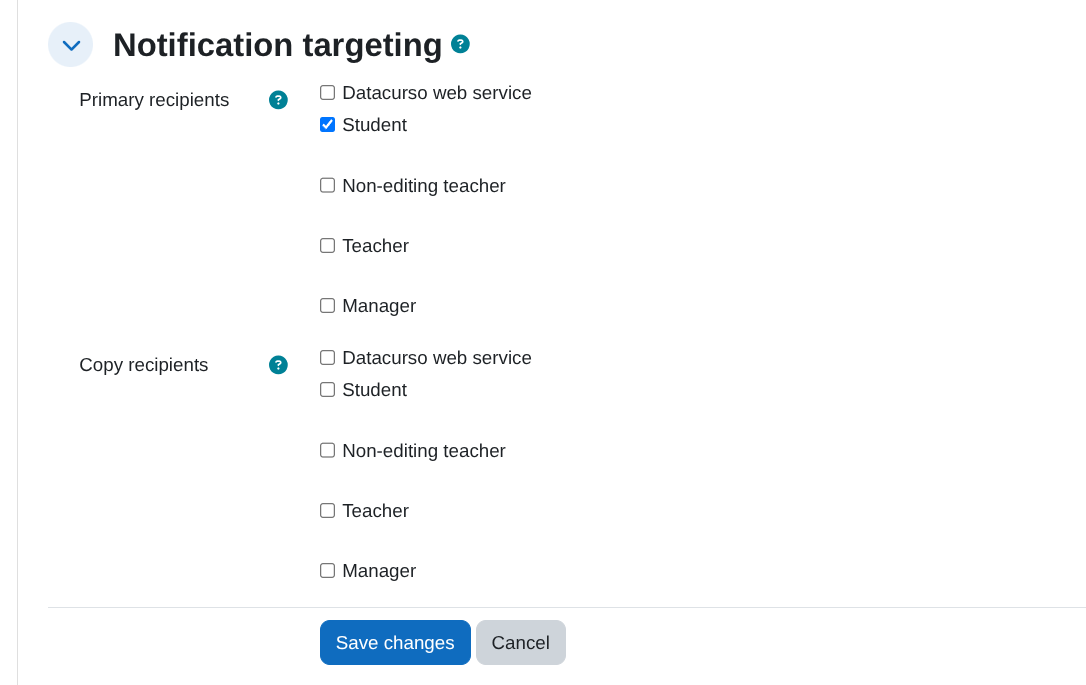
Notification targeting:
Define who receives the primary notification and who receives an informational copy.- Primary recipients: If the rule matches a user and that user has at least one selected primary role in the course, they receive the main notification.
- Copy recipients: Users with selected copy roles receive an observation copy when a primary recipient is matched.
- Copy recipients do not trigger delivery by themselves; they receive only copy notifications associated with a matched primary recipient.
Example:
- Primary recipients:
Student. - Copy recipients:
Teacher. - If the matched user is
Student, they receive the main notification and users withTeacherreceive an observation copy.