Student Life Story AI
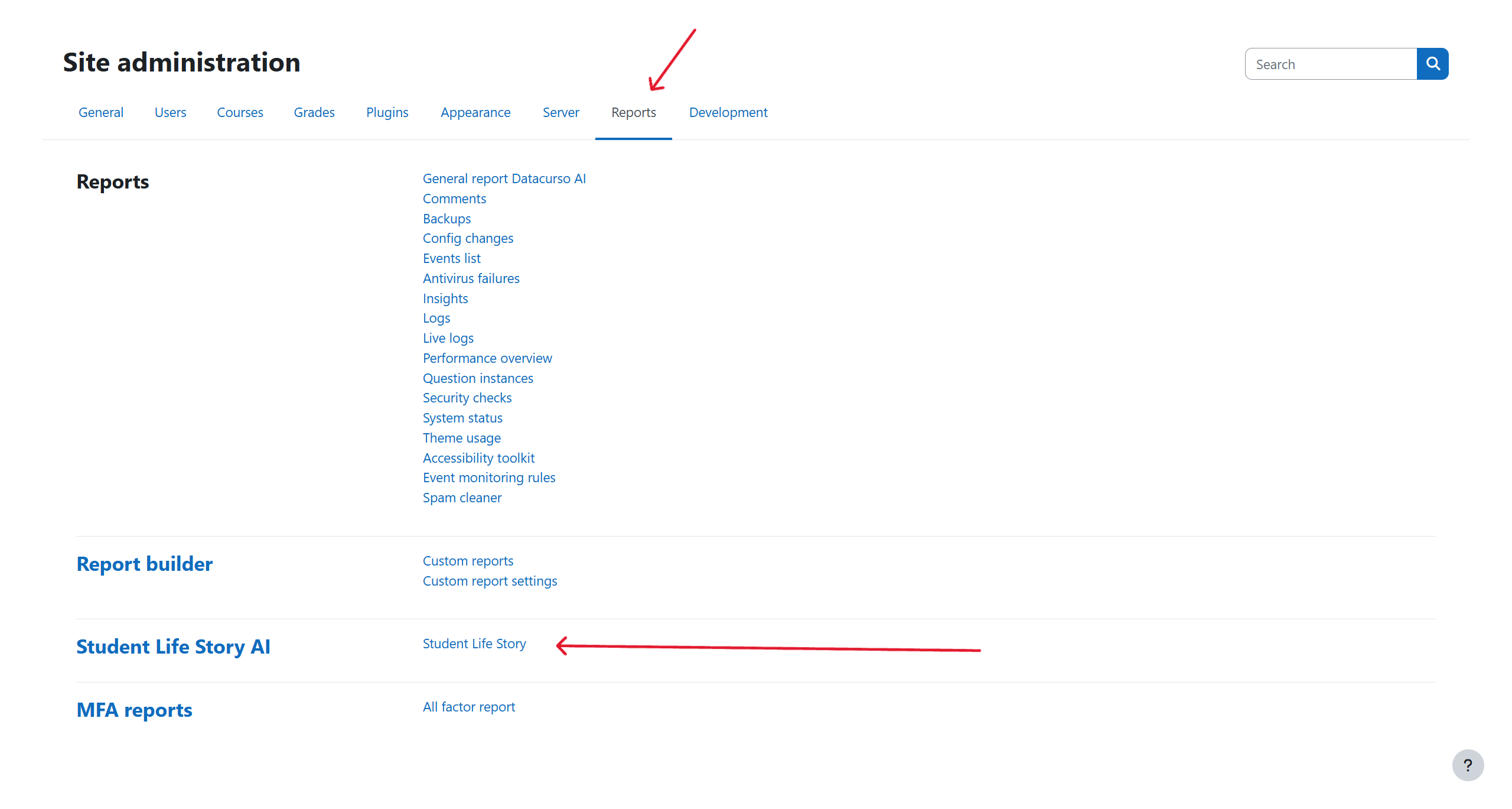
Access the Plugin
Once installed, access the plugin by navigating to:
Site Administration > Reports > Student Life Story AI
From this section, you can search for students, review their complete learning history, generate AI-based feedback, and export structured data for further analysis.
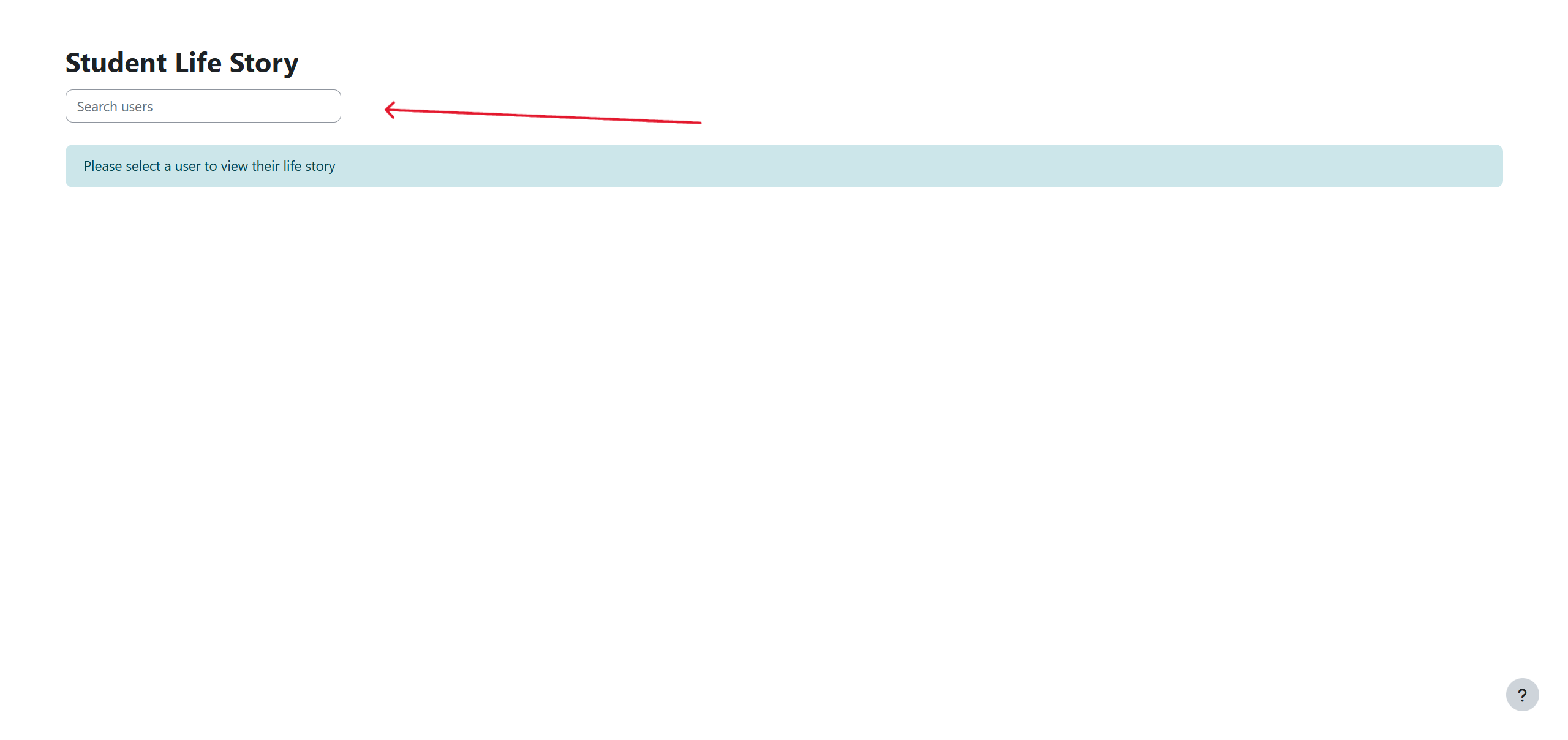
Search student
Use the search field to locate a specific student by name or email address. The plugin will instantly display all the courses the student is enrolled in, along with academic data such as grades, progress, and completion rates.
This consolidated view eliminates the need to manually navigate through individual courses and provides a single access point for understanding each student’s academic evolution.
Plugin View
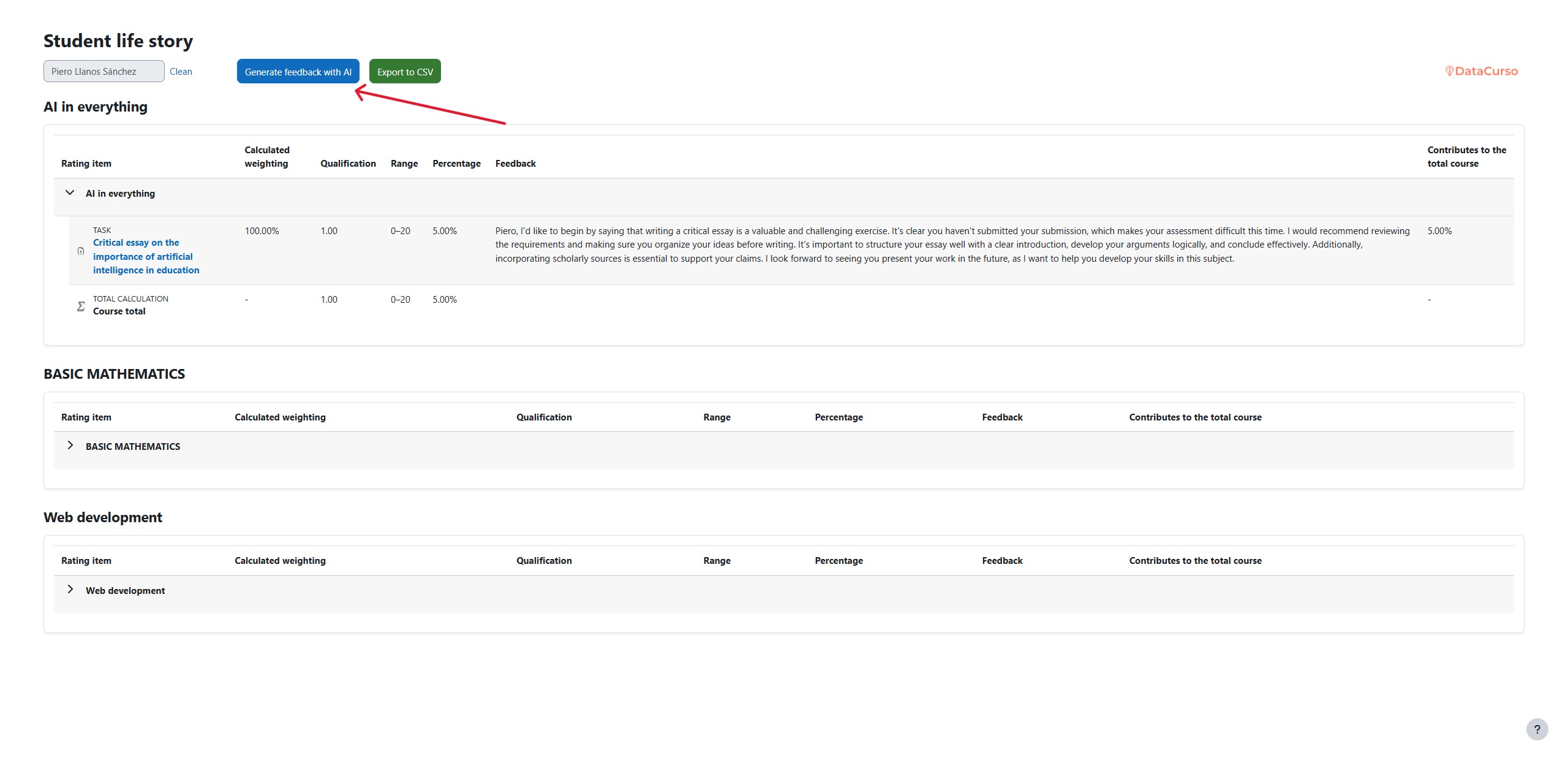
The main interface of the plugin provides a structured summary of each student’s academic record, including:
- A list of all enrolled courses and corresponding progress indicators.
- A Generate AI Feedback button that sends the student’s academic data to the AI system for analysis.
- A CSV Export button that allows users to download all relevant information for offline or institutional reporting.
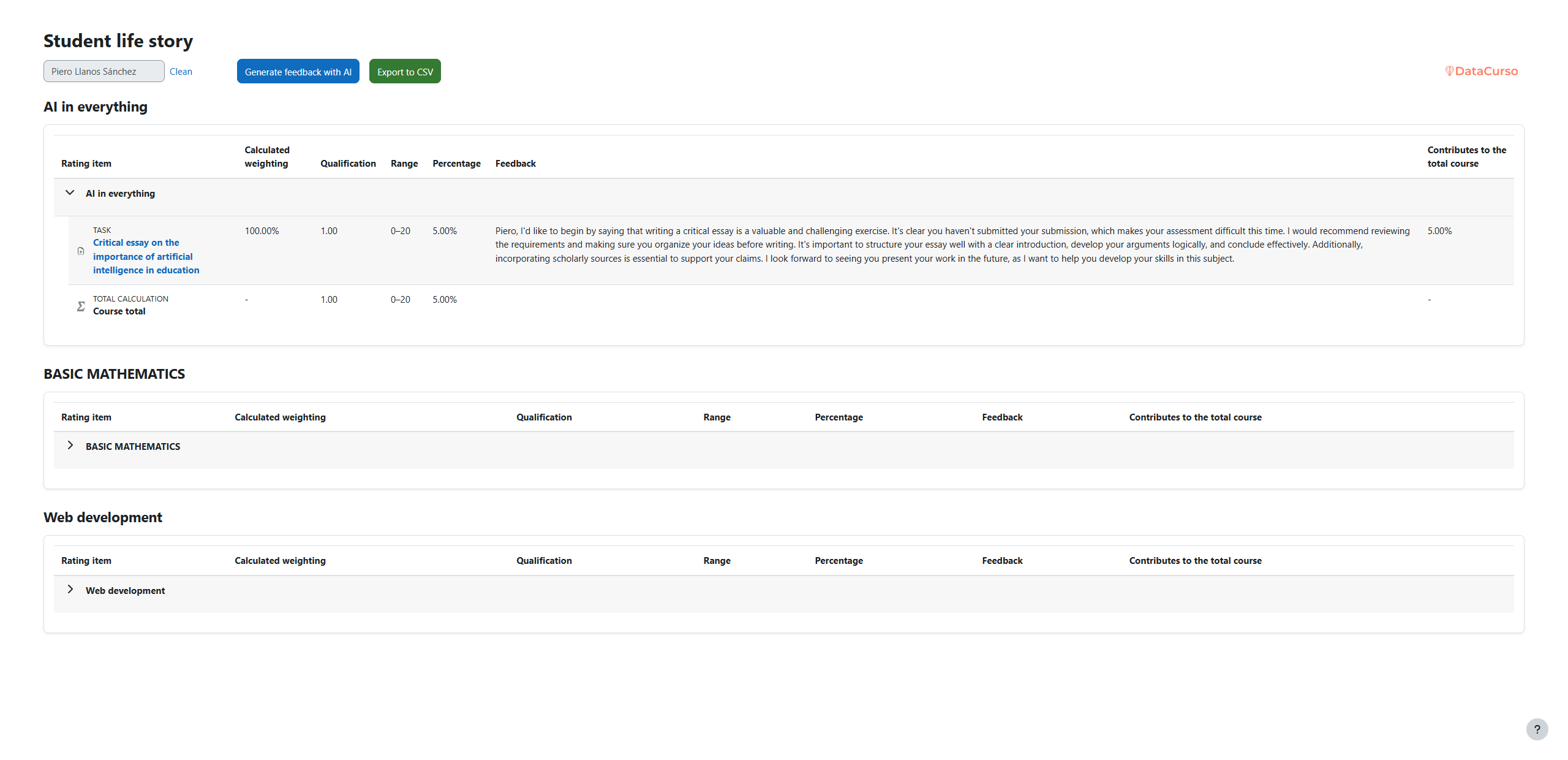
Through this view, teachers and coordinators can monitor student performance, compare historical trends, and identify strengths or areas for improvement.
Button Generate AI Feedback
The “Generate AI Feedback” button activates the artificial intelligence engine to analyze the student’s performance data and produce an interpretive narrative report.
-
When pressed, the system collects relevant academic information — such as grades, course completion rates, and participation metrics — and sends it securely to the DataCurso AI Provider for processing.
-
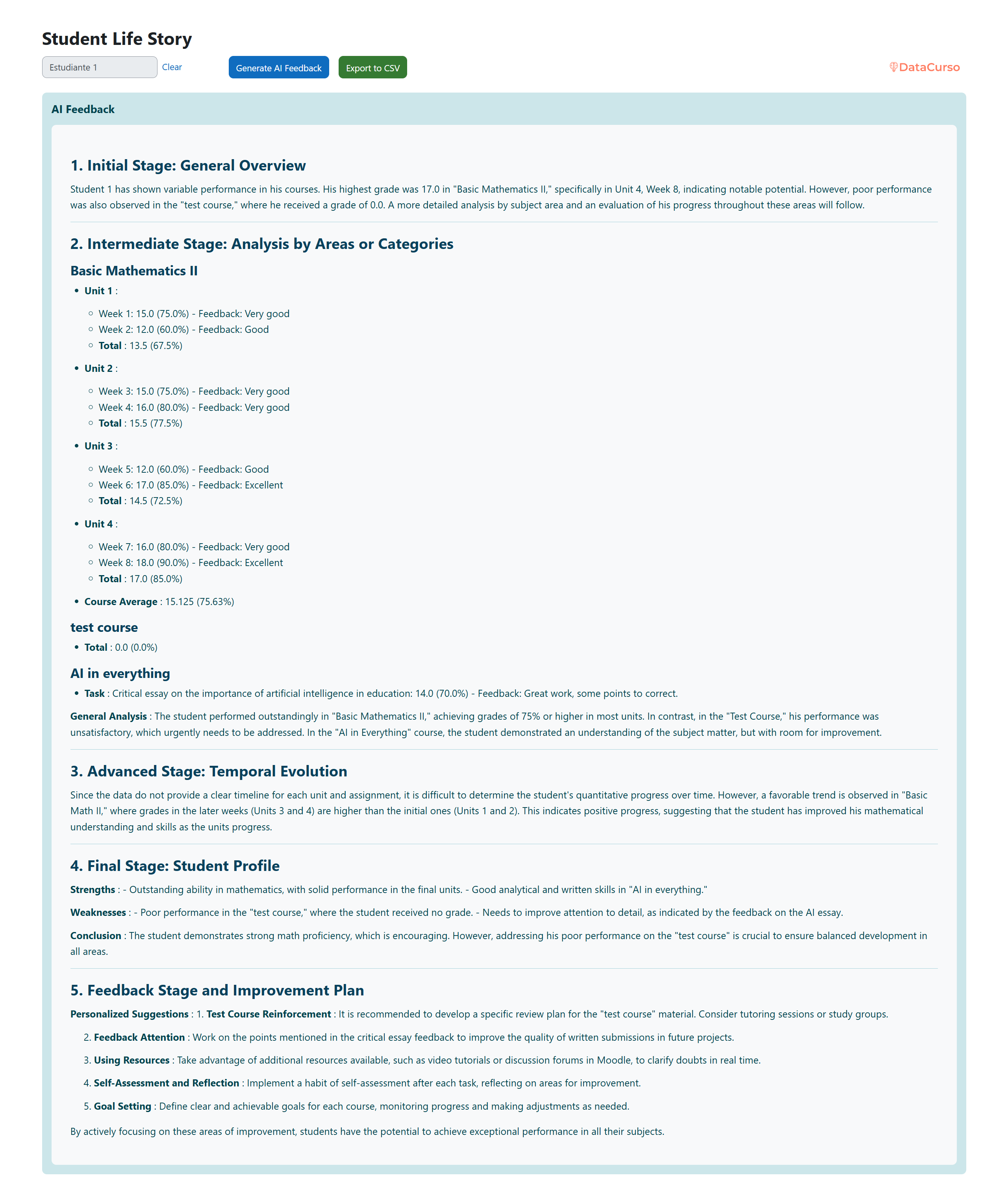
Once the analysis is complete, the plugin displays a clear, structured feedback view, showing the AI-generated text. This narrative describes the student’s academic evolution, highlights strengths and weaknesses, and provides concrete recommendations for improvement.
Button CSV
The CSV export button allows administrators and teachers to generate a downloadable file containing all the student’s consolidated data.