Configuration
After installation, configure the plugin through Moodle's administration interface:
-
Navigate to
Site administration > Plugins > Local plugins > WhatsApp Chat.
-
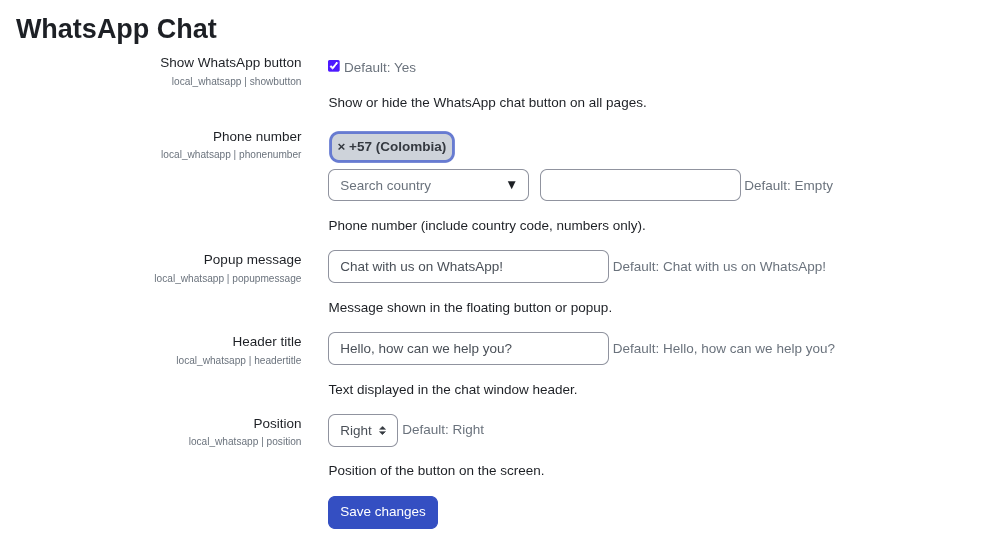
Configure the following settings:
- Show WhatsApp button: Enable or disable the floating chat button (default: enabled).
- Phone number: Enter the destination phone number including country code (e.g., +1234567890).
- Popup message: Customize the message displayed in the floating button.
- Header title: Set the title shown in the chat window header.
- Position: Choose between
LeftorRightside positioning.