Configuration for Enrollments
-
Go to
Site administration > Plugins > Enrolments > Manage enrol plugins.
-
Enable the
Enrolment on paymentplugin.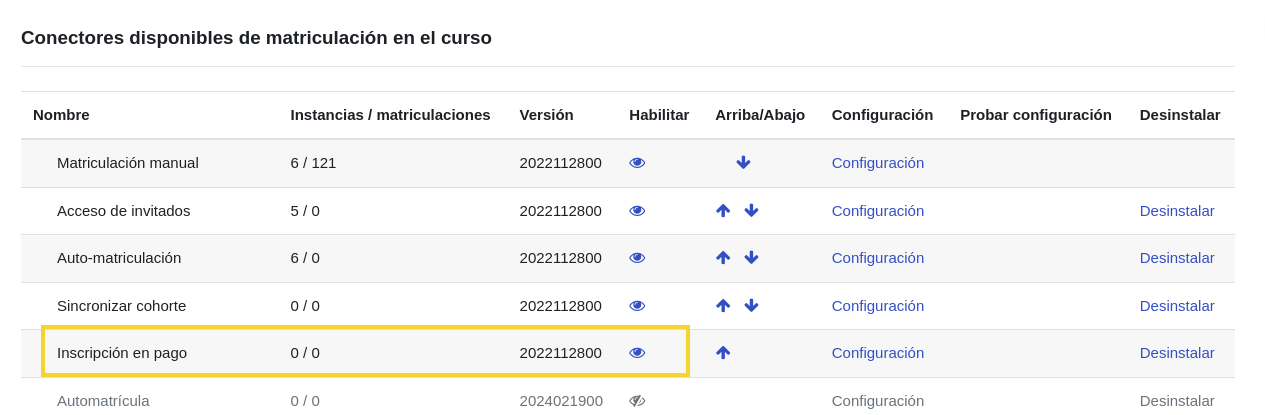
-
From the course where you want to apply the payment enrollment method, access the
Participantssection and selectEnrolment methods.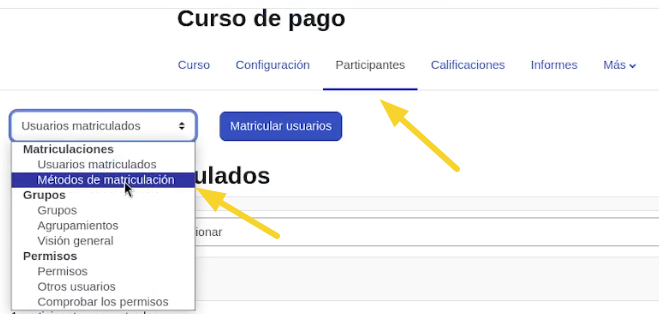
-
In
Add method, selectEnrolment on payment.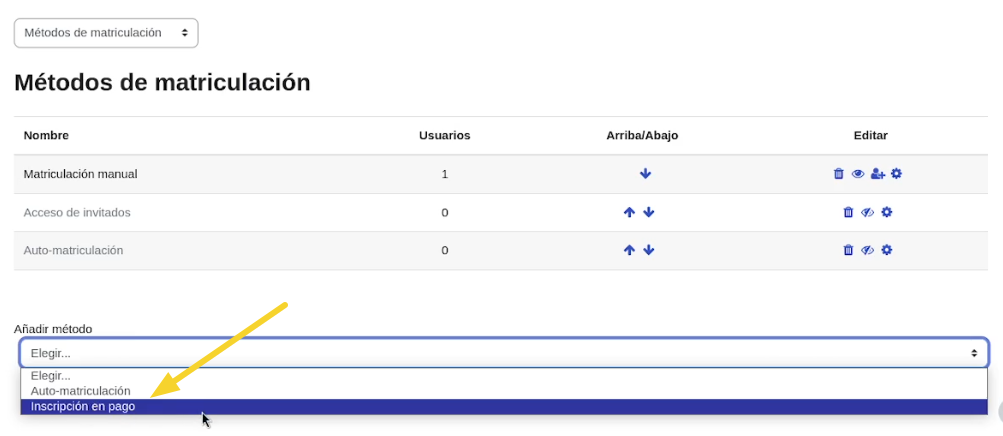
-
Add the information for the enrollment method instance:
Custom name: A name to identify the instance, e.g.,USD Enrollment.Allow new enrolments: Set toYes.Payment account: Select the account created in the Payment Account Configuration section.Enrolment fee: Enter the course enrollment value.Currency: Select the currency to be used, e.g.,USD.
Leave the other fields as shown in the image and click the
Add methodbutton.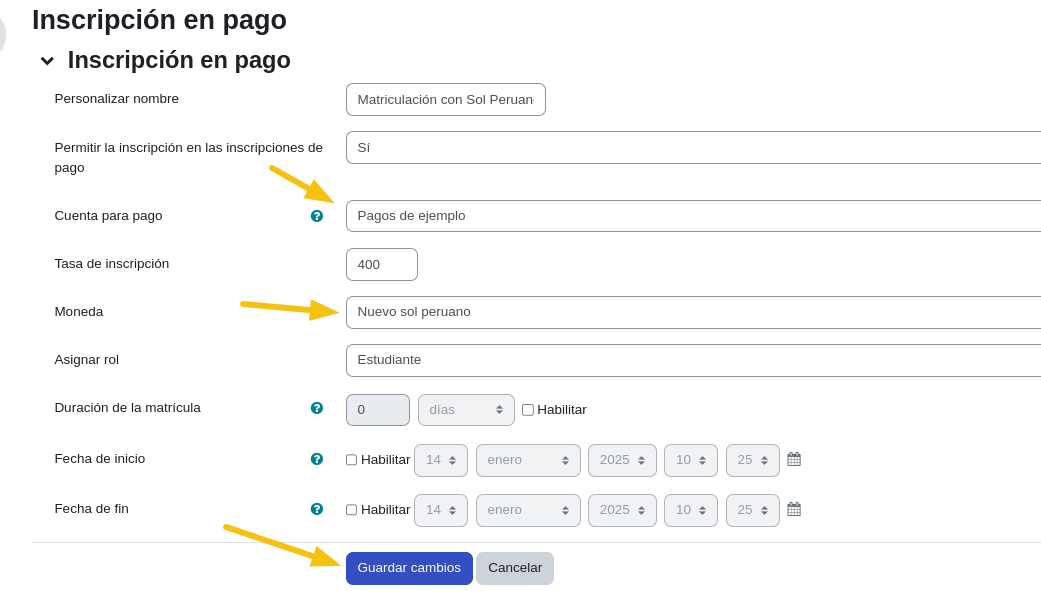
-
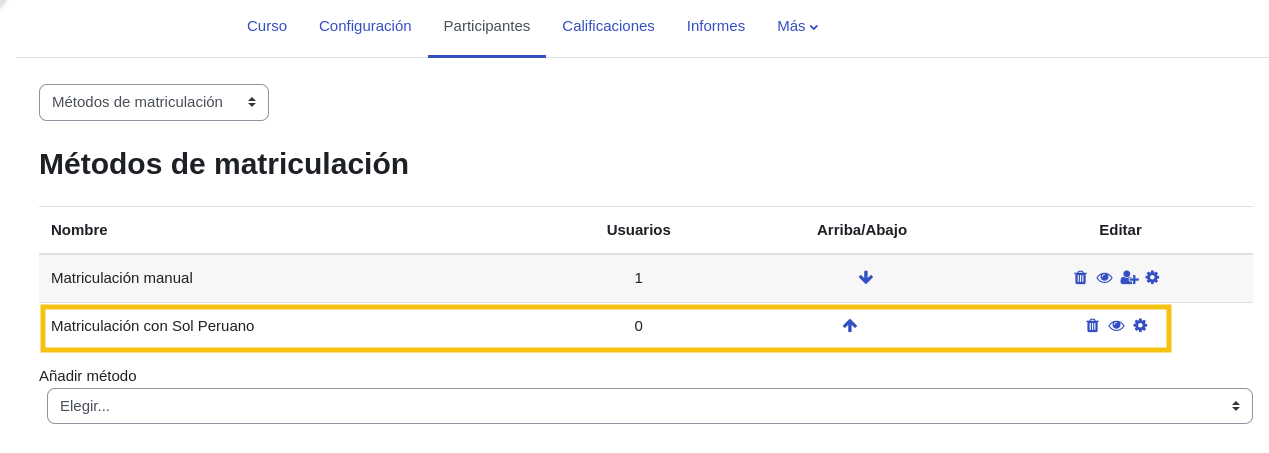
You should see something like this: